Dux-Soup Review: Is It Worth It in 2026?
This Dux-Soup review starts with the biggest change: Dux-Soup now sells its LinkedIn automation as STACKED, "powered by Dux-Soup", in two versions. STACKED Local is a desktop app for Mac and Windows. STACKED Cloud runs on Dux-Soup's own infrastructure, so it keeps going when your computer is off. Plans named in older guides, such as Free, Pro and Turbo, are no longer on the pricing page.
Below we cover what the product does today, its key features, what it costs per seat, who it suits and who should skip it, and the alternatives worth comparing. Facts come from Dux-Soup's homepage and pricing page, checked October 2, 2026. We do not quote ratings or user reviews.
Dux-Soup is now sold as STACKED, a mature LinkedIn automation product with AI personalization, a wide CRM list and a choice of desktop (Local, $55 a seat) or cloud (Cloud, $99 a seat) on monthly billing. It is a good fit for LinkedIn-only teams that need Salesforce or Recruiter support. People look elsewhere for email steps, a clear free trial or a lower cloud price, and Hollerly, Linked Helper and Expandi are the main alternatives.
Dux-Soup review: verdict at a glance
| Dux-Soup (STACKED) | |
|---|---|
| Best for | LinkedIn-only teams that want AI personalization and native Salesforce, HubSpot or Pipedrive sync |
| Price | $55 per seat a month (Local) or $99 (Cloud) on monthly billing; 25% less on annual billing |
| Free trial | Homepage shows "Get STACKED for free"; length and terms not listed. Pricing page offers a demo. |
| Runs where | Your Mac or Windows computer (Local) or Dux-Soup's servers (Cloud) |
| Email steps | Not listed |
| Our take | Solid and mature. Local is fair value if your computer stays on. Cloud sits at the top of the market with no email listed. |
In short: Dux-Soup does LinkedIn automation well and connects to more CRMs than most tools. The two questions that decide whether it fits are whether you can keep a computer running all day, and whether you need email in the same sequence. If the answers are "no" and "yes", you will likely pay less elsewhere.
Why listen to us?
We build Hollerly, a LinkedIn and email outreach tool, so we know what goes into this kind of product and where the trade-offs are. For this review we read Dux-Soup's own homepage and pricing page on October 2, 2026, and we only state what those pages support. We have not run Dux-Soup on a live account for this article, so we do not claim test results, and we point out where Dux-Soup is stronger than Hollerly. Where a detail was not on Dux-Soup's pages, we say so.
What is Dux-Soup?
Dux-Soup describes itself as the original LinkedIn automation tool. It automates LinkedIn prospecting through drip campaigns: it visits profiles, sends connection requests and messages, sends InMail, follows, endorses and likes posts, then collects replies from LinkedIn, Sales Navigator and Recruiter in one inbox. AI can personalize campaigns and messages using ChatGPT, Claude or Gemini.
The product is now branded STACKED. You pick Local, which installs on your own Mac or Windows machine, or Cloud, which runs on Dux-Soup's infrastructure without your computer. The current pricing page does not mention a Chrome extension, so older guides that describe Dux-Soup as an extension are out of date.
| Dux-Soup (STACKED) | Hollerly | |
|---|---|---|
| Where it runs | Desktop app (Local) or cloud (Cloud) | Cloud on every plan |
| Chrome extension | Not mentioned on current pages | No extension needed |
| LinkedIn actions | Up to 12, incl. visit, connect, message, InMail, endorse, follow, like | Visit, like, follow, connect, message, endorse |
| Email steps | Not listed | Pro, from your own mailbox |
| AI personalization | ChatGPT, Claude or Gemini | Every message written by Claude from profile, post and company site |
| Unified inbox | LinkedIn, Sales Navigator and Recruiter | LinkedIn and email, AI tagging on Pro |
| CRM sync | Salesforce, HubSpot, Pipedrive, Freshsales, SharpSpring, HighLevel | HubSpot and Pipedrive (Pro) |
| Price | $55/seat (Local), $99/seat (Cloud), monthly | $19 to $69 a month |
Dux-Soup key features
Drip campaigns
Campaigns are multi-step sequences that run on a schedule. Both STACKED plans include unlimited concurrent campaigns, so you can run separate sequences for different audiences or offers at the same time. Dux-Soup lists up to 12 campaign action types, including profile visits, connection requests, messages, InMail, follows, endorsements and post likes.
AI personalization with your choice of model
STACKED can personalize campaigns and messages with ChatGPT, Claude or Gemini. That choice is unusual. Most tools pick one model for you. If your team already prefers one of them, being able to choose is a real plus.
Unified response inbox
Replies from LinkedIn, Sales Navigator and Recruiter land in one inbox, and Dux-Soup detects responses and pauses the campaign for that person. Recruiter support matters if you hire as well as sell, since many tools only cover standard LinkedIn and Sales Navigator.
CRM and workflow integrations
This is Dux-Soup's strongest area. The pricing page lists native integrations with Salesforce, HubSpot, Pipedrive, Freshsales, SharpSpring and HighLevel, plus Slack, Microsoft Teams, Zapier and Make. If your team lives in Salesforce, few LinkedIn tools in this price range offer a native connection.
Lead management and team campaigns
You get campaign statistics, profile tagging, search, contact export, and an action history and queue. Teams with two or more seats can share campaigns. Roles and permissions are not described on the pages we checked.
Safety controls
The homepage lists five controls: natural activity patterns with pauses and delays, built-in daily limits that ramp up gradually, smart speed throttling, an auto-snooze safeguard that pauses outreach at the daily limit, and a daily planner for working hours. Proxies, dedicated IPs and numeric limits are not described. LinkedIn's user agreement does not allow third-party automation, so no tool removes the risk. Our LinkedIn automation safety guide covers the limits we use.
Dux-Soup pricing
| Plan | Monthly billing | Annual billing | Runs |
|---|---|---|---|
| STACKED Local | $55 | $41.25 a month | On your Mac or Windows computer |
| STACKED Cloud | $99 | $74.17 a month | On Dux-Soup's infrastructure |
Annual billing saves 25%. Cloud costs about 80% more than Local, and the extra pays for not having to keep a machine on, plus remote access. No add-ons are listed, and no free plan is shown. The homepage carries "Get STACKED for free" buttons, but the trial length, card requirement and limits are not stated, and the pricing page points to a demo instead. Check those terms with Dux-Soup before you rely on them.
Two costs are easy to miss. First, Local only works while your computer is on, so if that is not realistic, budget for Cloud. Second, there are no email steps listed, so if you follow up by email you need a separate tool. For worked examples, read our Dux-Soup pricing breakdown. For comparison, Hollerly runs in the cloud from $19 a month, with email from $49. See Hollerly pricing.
Dux-Soup pros and cons
- ✓Choice of desktop (Local) or cloud deployment.
- ✓Native Salesforce, HubSpot, Pipedrive, Freshsales, SharpSpring and HighLevel sync.
- ✓Inbox covers LinkedIn, Sales Navigator and Recruiter.
- ✓AI personalization with ChatGPT, Claude or Gemini.
- ✓Five named safety controls, including auto-snooze and a daily planner.
- ✕Trial terms are not stated on the pricing page.
- ✕Cloud version costs $99 a seat a month on monthly billing.
- ✕Local only runs while your computer is on.
- ✕LinkedIn only: no email steps listed.
- ✕Safety controls listed without numbers, and no dedicated IPs described.
Who Dux-Soup is for, and who should skip it
Dux-Soup is a good fit for:
- Teams that need native sync with Salesforce, Freshsales, SharpSpring or HighLevel.
- Recruiters who work from LinkedIn Recruiter and want those replies in the same inbox.
- Users with a desk computer that stays on all day, where STACKED Local is fair value.
- Teams that want to choose their own AI model for personalization.
Consider something else if:
- You want LinkedIn and email in the same sequence.
- You close your laptop at night and do not want to pay $99 a seat for Cloud.
- You want to test with a clearly stated free trial before you pay.
- You want a dedicated IP per account described up front.
Dux-Soup alternatives
If one of the gaps above matters to you, these are the tools we would compare. Prices are from each vendor's own page.
| Tool | Best for | Starting price | Runs where | Email steps |
|---|---|---|---|---|
| Hollerly | LinkedIn first with AI-written messages and email follow-up | $19/mo | Cloud | Pro ($49) |
| Linked Helper | Technical users on a tight budget | $15/license/mo | Desktop app or VPS | Not listed |
| Expandi | Teams that want a dedicated IP per account | $99/mo ($79 annual) | Cloud | Yes |
| Waalaxy | Simple LinkedIn campaigns at a low price | €19/user/mo | Chrome extension (Chrome Store listing) | Business (€69) |
1. Hollerly
Best for: LinkedIn-first outreach with AI-written messages and email from your own mailbox, without a desktop app.
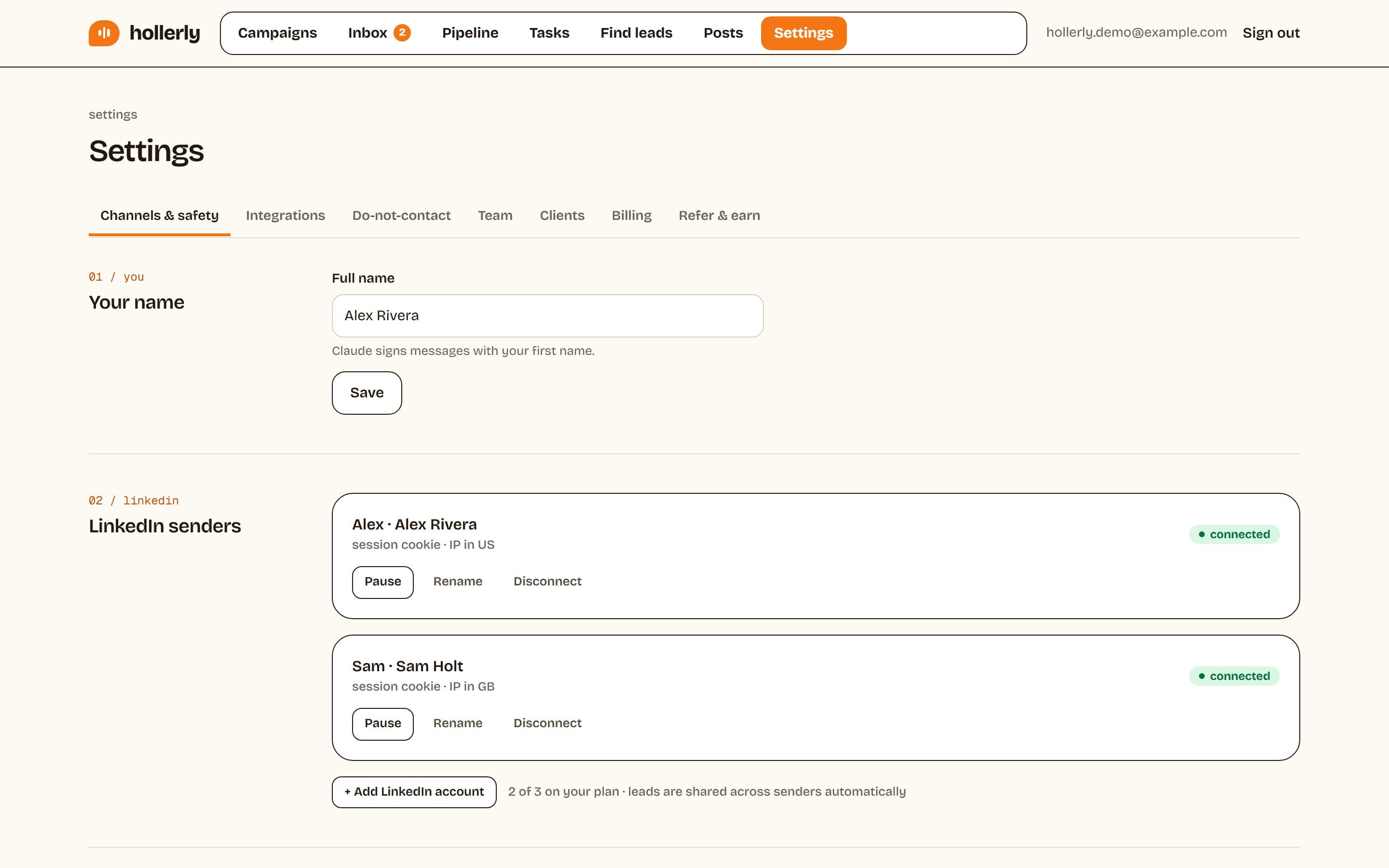
Hollerly runs in the cloud on every plan, from one dedicated browser with its own IP in your country, so nothing depends on your computer. Claude writes each connection note, message and email from the lead's profile, latest post and company website, and you approve the first five before it runs. Replies on LinkedIn or email stop the sequence and land in one inbox. That covers the two main gaps in Dux-Soup: cloud running at a lower price, and email in the same sequence.
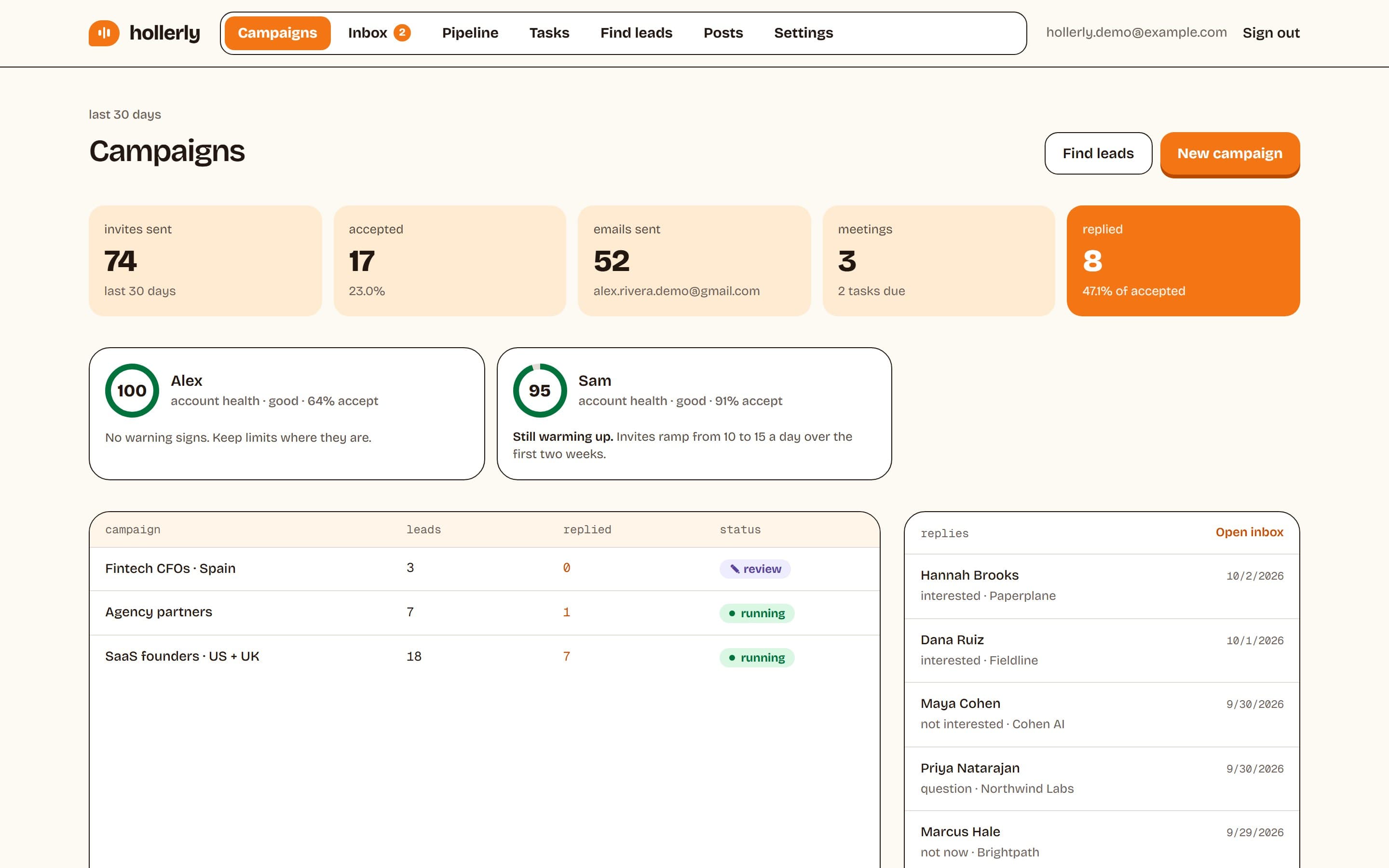
Where Dux-Soup is stronger: native Salesforce and other CRM syncs beyond HubSpot and Pipedrive, Recruiter inbox support, a choice of AI model, and the option to run locally. Hollerly is also a newer product with fewer integrations, and has no B2B contact database or email warmup.
Key features
- Cloud running with daily caps, working hours and an account health score.
- AI ideal customer profile and lead scoring from your website.
- Lead import from LinkedIn searches, Sales Navigator, post URLs or CSV.
- Email steps from your own Gmail, Outlook or SMTP mailbox on Pro.
- Unified inbox with AI reply tagging and drafts on Pro.
Pricing (as listed on October 2, 2026): Starter $19/mo, Pro $49/mo, Agency $69/mo, with a 7-day free trial of Pro and no card required. See the Dux-Soup alternative page for a full comparison.
2. Linked Helper
Best for: technical users who want the lowest price and are happy to run a desktop app. Like STACKED Local, Linked Helper runs on your computer or a VPS you control, from $15 per license a month and about $8.25 on a 12-month term. It lists 30+ action types and a built-in CRM. You buy proxies separately. See our Linked Helper review.
3. Expandi
Best for: LinkedIn-first teams that want a dedicated, country-based IP per account. Expandi runs in the cloud, lists automatic profile warm-up and email steps, and syncs natively with HubSpot, Salesforce and Pipedrive. Business costs $99 a month, or $79 on annual billing, with a 7-day trial and no card.
4. Waalaxy
Best for: simple LinkedIn campaigns at a low entry price. Waalaxy's Pro plan is €19 per user a month, capped at 300 invites a month, and cold email is on the €69 Business plan. Waalaxy's pages show a Chrome Store listing. See our Waalaxy review.
Verdict: is Dux-Soup worth it?
Dux-Soup is a mature LinkedIn automation product with strong CRM integrations, Recruiter support, a choice of AI model and a sensible set of safety controls. STACKED Local is fair value for anyone happy to keep a computer running during working hours. STACKED Cloud is priced at the top of the market for a LinkedIn-only tool, and with no email steps listed, it is worth comparing with cloud tools that include email.
If you need Salesforce sync or Recruiter replies, Dux-Soup is a strong pick. If you want cloud running and email follow-ups at a lower price, look at the alternatives above.
FAQ
+Is Dux-Soup still a Chrome extension?
Dux-Soup's current pricing page and homepage do not mention a Chrome extension. The product is now sold as STACKED, powered by Dux-Soup, either as a desktop app for Mac and Windows called Local or as a cloud service called Cloud. That was the setup listed on October 2, 2026.
+How much does Dux-Soup cost?
STACKED Local costs $55 per seat a month, or $41.25 a month on annual billing. STACKED Cloud costs $99 per seat a month, or $74.17 a month on annual billing. These prices were on Dux-Soup's pricing page on October 2, 2026. No free plan or add-ons were listed there.
+Is Dux-Soup safe?
Dux-Soup lists five safety controls, including daily limits, speed throttling, auto-snooze and a daily planner. That lowers risk but cannot remove it, because LinkedIn's user agreement does not allow third-party automation. Keep daily volumes modest, work during office hours and pause if LinkedIn shows a warning.
+What is the main difference between Dux-Soup and Hollerly?
Dux-Soup is LinkedIn only and runs either on your computer or in its cloud for $55 to $99 a seat. Hollerly runs in the cloud on every plan from $19, writes every message with AI and adds email steps from your own mailbox on Pro. Dux-Soup has more native CRM integrations, including Salesforce.
+Does Dux-Soup have a free trial?
Dux-Soup's homepage shows "Get STACKED for free" buttons, but the trial length, card requirement and limits were not stated on October 2, 2026, and the pricing page offered a demo instead. Ask Dux-Soup for the current terms before you sign up, and start on monthly billing first.
+Which Dux-Soup alternative is best for small budgets?
Linked Helper is the cheapest if you can run a desktop app, from $15 a license a month or about $8.25 on a 12-month term. If you want cloud running instead, Hollerly starts at $19 a month, and Waalaxy's Pro plan is €19 per user a month with a 300 invite monthly cap.
Get replies without the busywork
Hollerly finds the people, writes every message with AI and follows up on LinkedIn and email until they reply. Runs in the cloud, from $19 a month.
Start my 7-day free trial