LinkedIn Prospecting Software That Writes Every Message
Hollerly is LinkedIn prospecting software for people who sell to other businesses and don't have hours a day to spend in the search bar. You describe who you sell to, paste a LinkedIn or Sales Navigator search, and Hollerly visits, connects, messages and follows up for you. Every note and message is written by AI for one person, from their profile, their latest post and their company website.
It runs in the cloud, so your laptop can be closed. It works inside daily limits built to protect your account. And it starts at $19 a month.
LinkedIn prospecting tools: what they should do for you
Most LinkedIn prospecting tools do the same three things: pull leads from a search, send connection requests, and send follow-up messages on a timer. That saves clicks. It doesn't make the messages any better, and it doesn't help when someone replies.
Hollerly covers the clicks too, then adds the parts that usually take the most time:
- Research before writing. For each lead, Hollerly reads the headline, the latest post and a short summary of the company website before it writes a word.
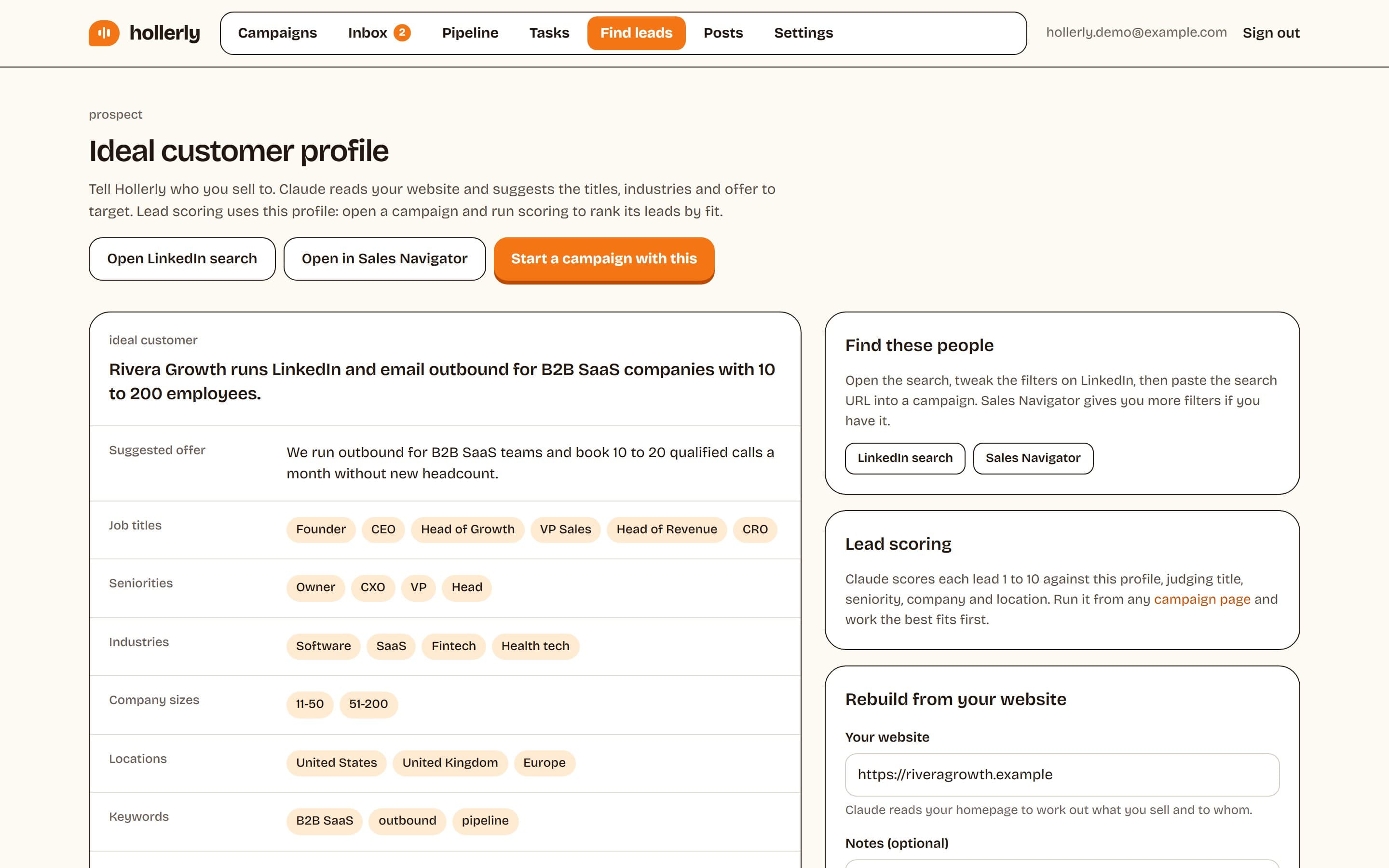
- An ideal customer profile from your site. Give it your website and it drafts your ICP and a ready LinkedIn or Sales Navigator search, then scores leads against it.
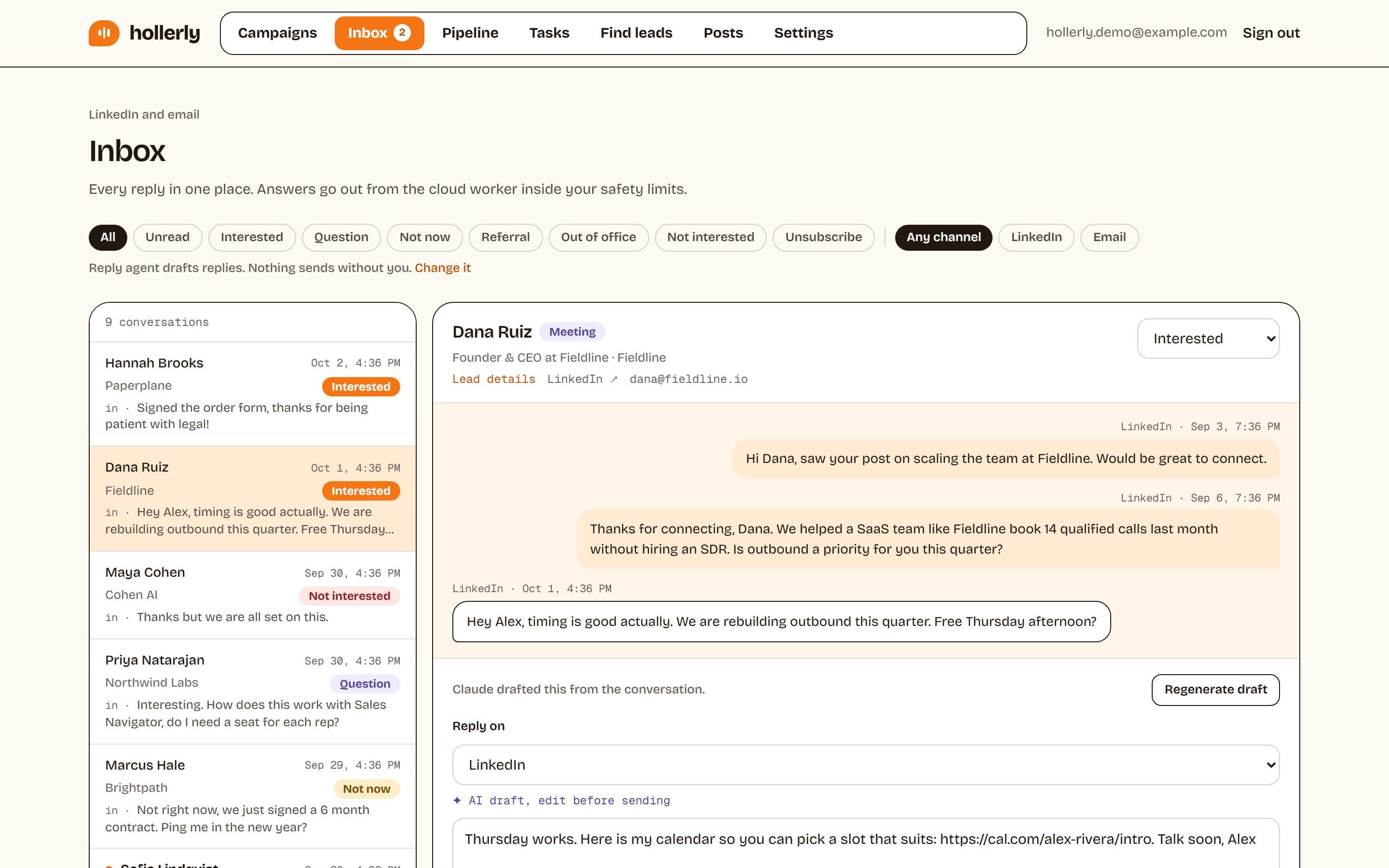
- One inbox for replies. LinkedIn and email replies land in one place, with notes, tags and tasks. On Pro, Claude tags each reply by intent and drafts an answer.
- Safety limits you can see. Daily caps, working hours and a health score for each account.
If you only want a list of profiles, a scraper is cheaper. If you want conversations, the writing and the replies matter more than the list.
Automate LinkedIn prospecting without sounding automated
When you automate LinkedIn prospecting, the risk isn't only your account. It's that every prospect gets the same "I came across your profile" note. Hollerly avoids that in two ways.
AI-written messages, approved by you
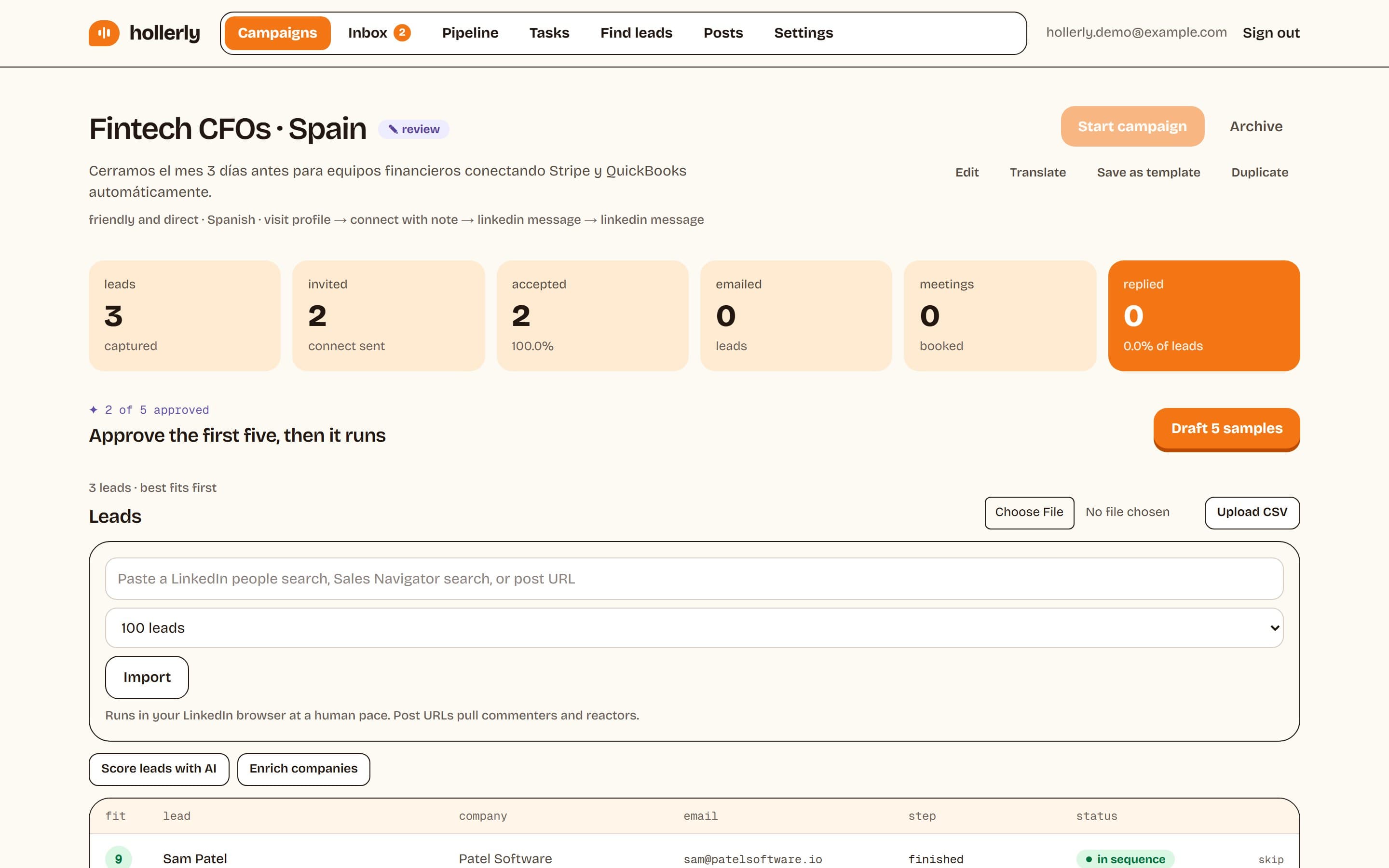
Claude writes each connection note, message and email for the person receiving it. You approve the first five messages of every campaign. Once you're happy with the tone, the campaign runs on its own.
Your own templates, if you prefer
You can also write templates yourself with variables and fallbacks, like {{first_name|there}}, and spintax like {Hi|Hey}, so automated LinkedIn prospecting still reads like you wrote it.
Warm-up steps before the ask
Sequences can visit a profile, like a recent post, follow and endorse before the connection request. These steps are capped at 40 a day and make your name familiar before the invite arrives.
Best LinkedIn prospecting tools compared
There isn't one best tool for everyone. Here is how Hollerly sits next to the best LinkedIn prospecting tools people usually shortlist, using each vendor's pricing page.
| Tool | Entry price | Email steps | AI writing | Best for |
|---|---|---|---|---|
| Hollerly | $19/mo | Pro ($49), from your own mailbox | Yes, every plan | Solo sellers and small teams who want AI-written outreach |
| Waalaxy | €19/user | €69 plan | Not listed | Simple LinkedIn-only campaigns |
| Dripify | $59 to $99/user monthly | Yes | Not listed | Teams who want classic drip sequences |
| HeyReach | $79/sender | Via Instantly and Smartlead | Yes | Agencies running many senders |
| Lemlist | $87/user (Multichannel) | Yes | Yes | Teams who want a contact database, calls and WhatsApp too |
Where Hollerly is weaker: it has no built-in B2B contact database, no email warmup network, and no calls, SMS or WhatsApp. If you need those in one tool, Lemlist covers more channels at a higher price. For a longer list, read our guide to the best LinkedIn automation tools.
LinkedIn B2B prospecting that goes past the connection request
LinkedIn B2B prospecting works best when the first touch is relevant and the follow-up doesn't stop at LinkedIn. Many buyers accept a connection and never open their LinkedIn inbox again.
On Pro, Hollerly can follow up by email from your own Gmail, Outlook or SMTP mailbox. It finds and verifies addresses with 200 credits a month. Branches let a sequence change course: if the invite is accepted, send a message; if not, send an email; if the email is opened, follow up.
A reply on either channel stops the sequence, so nobody gets a LinkedIn follow-up after they've already answered your email.
How Hollerly's LinkedIn prospecting software works
- Build your ideal customer profile from your website. Hollerly suggests a LinkedIn or Sales Navigator search to match.
- Add leads: paste a people search, a Sales Navigator search or a post URL (to reach commenters and reactors), or upload a CSV. Leads on your do-not-contact list or already in another campaign are skipped.
- Pick a sequence template for your use case, or build your own from visit, like, follow, connect, message, endorse and email steps.
- Approve the first five AI-written messages. Then the campaign runs in the cloud during your working hours.
- Work replies from one inbox. Interested leads move to your pipeline board on Pro.
Safety limits built in
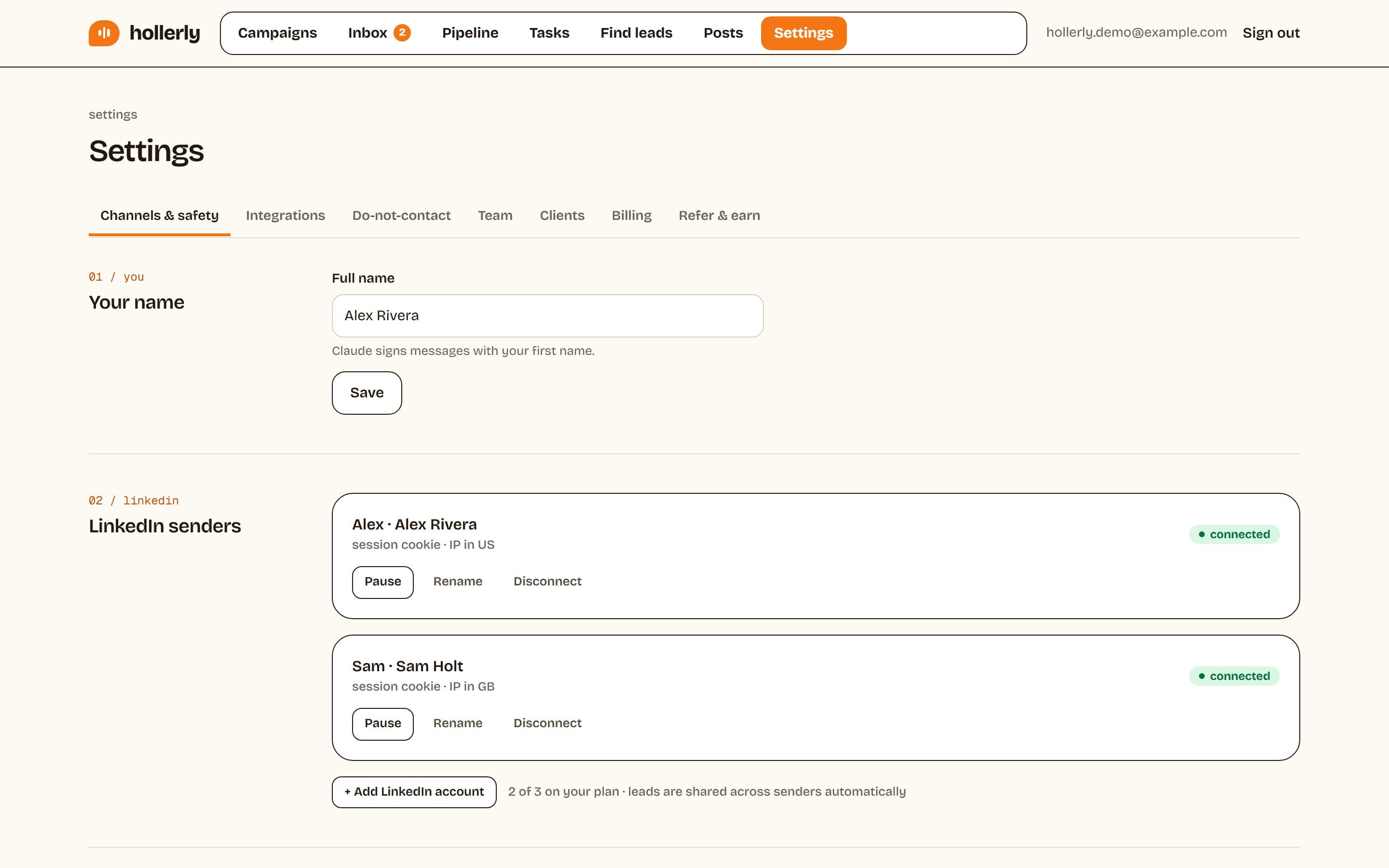
Hollerly sends up to 20 invites a day by default (ceiling 30) and 100 a week (ceiling 150). New accounts warm up at 10, then 15 invites a day for the first two weeks. Actions are spaced 45 to 180 seconds apart and only run in your working hours.
Each LinkedIn account gets its own cloud browser and one IP in your country. If LinkedIn shows a rate limit or a verification screen, Hollerly pauses for 24 hours. No tool is ban-proof: LinkedIn's user agreement doesn't allow third-party automation. Read more about how we keep accounts safe.
Pricing
| Plan | Price | LinkedIn accounts | Includes |
|---|---|---|---|
| Starter | $19/mo | 1 | 300 connection requests a month, AI messages, unified inbox |
| Pro | $49/mo | 1 | Unlimited invites within safe limits, email steps, AI reply tagging, CRM sync |
| Agency | $69/mo | 3 | Sender rotation, 3 seats, client reports, AI reply agent (opt-in) |
Every plan starts with a 7-day free trial of Pro. No card required. See the full breakdown on the pricing page.
FAQ
+What is LinkedIn prospecting software?
LinkedIn prospecting software finds potential buyers on LinkedIn and contacts them for you. It pulls leads from a search, sends connection requests and follows up with messages on a schedule. Hollerly also writes each message with AI from the lead's profile and company website, and follows up by email on Pro.
+Can I use Sales Navigator searches with Hollerly?
Yes. Paste a Sales Navigator search URL into a campaign and Hollerly adds those leads. You can also paste a normal LinkedIn people search, a post URL to reach commenters and reactors, or upload a CSV of LinkedIn profile URLs and email addresses. Duplicates are skipped automatically.
+Is automated LinkedIn prospecting safe?
It carries some risk with any tool, because LinkedIn's user agreement doesn't allow third-party automation. Hollerly lowers it with daily and weekly caps, a two-week warm-up, working hours only, random gaps between actions, one IP per account, and an automatic 24-hour pause if LinkedIn pushes back.
Get replies without the busywork
Hollerly finds the people, writes every message with AI and follows up on LinkedIn and email until they reply. Runs in the cloud, from $19 a month.
Start my 7-day free trial