LinkedIn Lead Generation Automation That Books Conversations
LinkedIn lead generation automation should do more than send invites. It should find the right people, start a conversation that sounds like you, follow up until they answer, and put every reply in front of you. That is what Hollerly does, from the cloud, for $19 a month.
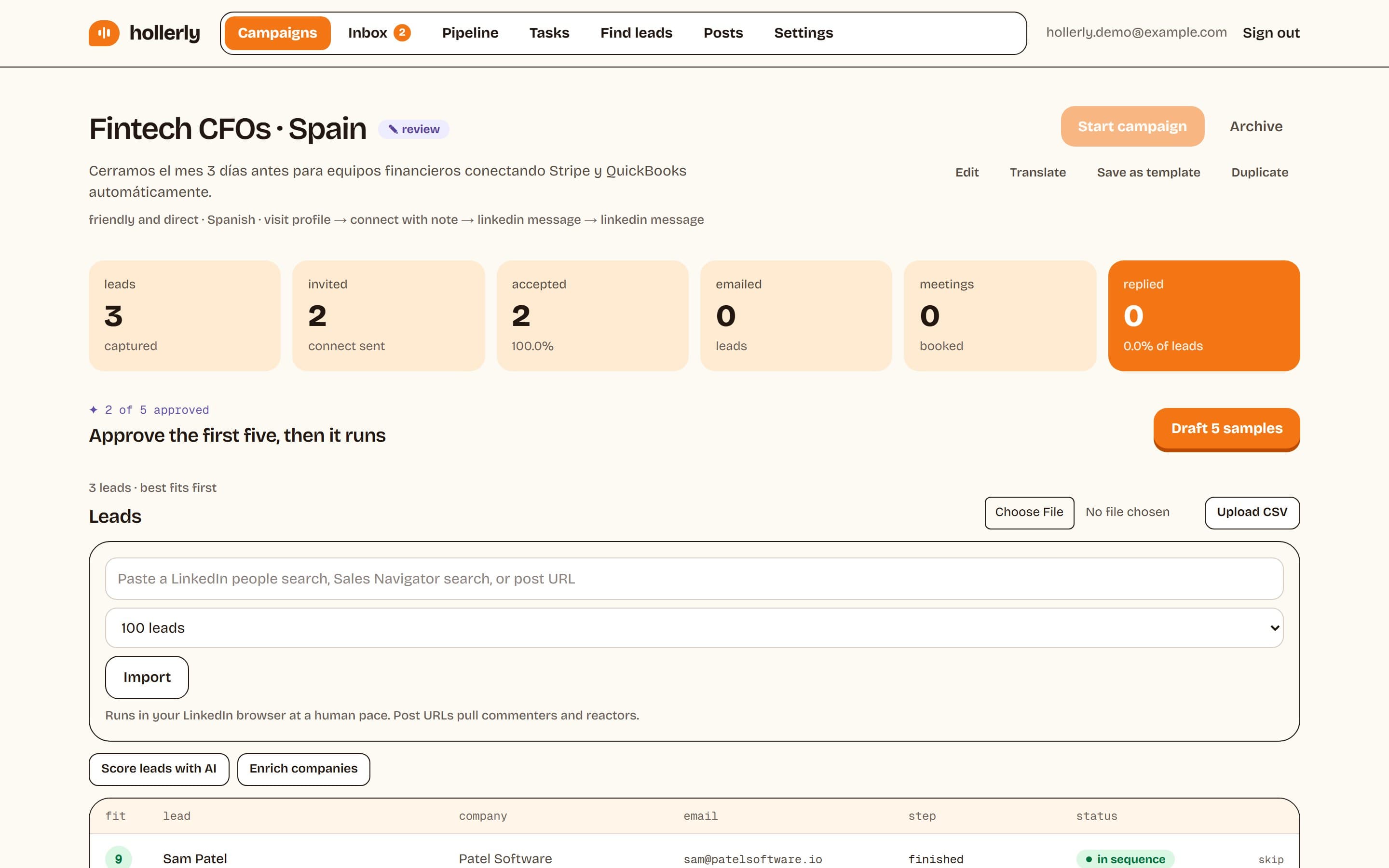
You give it a LinkedIn or Sales Navigator search. Hollerly researches each person, writes the message with AI, sends it inside safe limits, and hands you an inbox of replies sorted by intent.
A LinkedIn lead generation tool built around replies
A LinkedIn lead generation tool is only as good as the conversations it starts. Volume is easy. Replies are hard. So Hollerly spends its effort on the two things that move reply rates: what you say, and what happens when someone answers.
What you say
Claude writes each connection note and message from the lead's headline, their latest post and a summary of their company website. You approve the first five messages of a campaign before anything goes out at scale.
What happens when someone answers
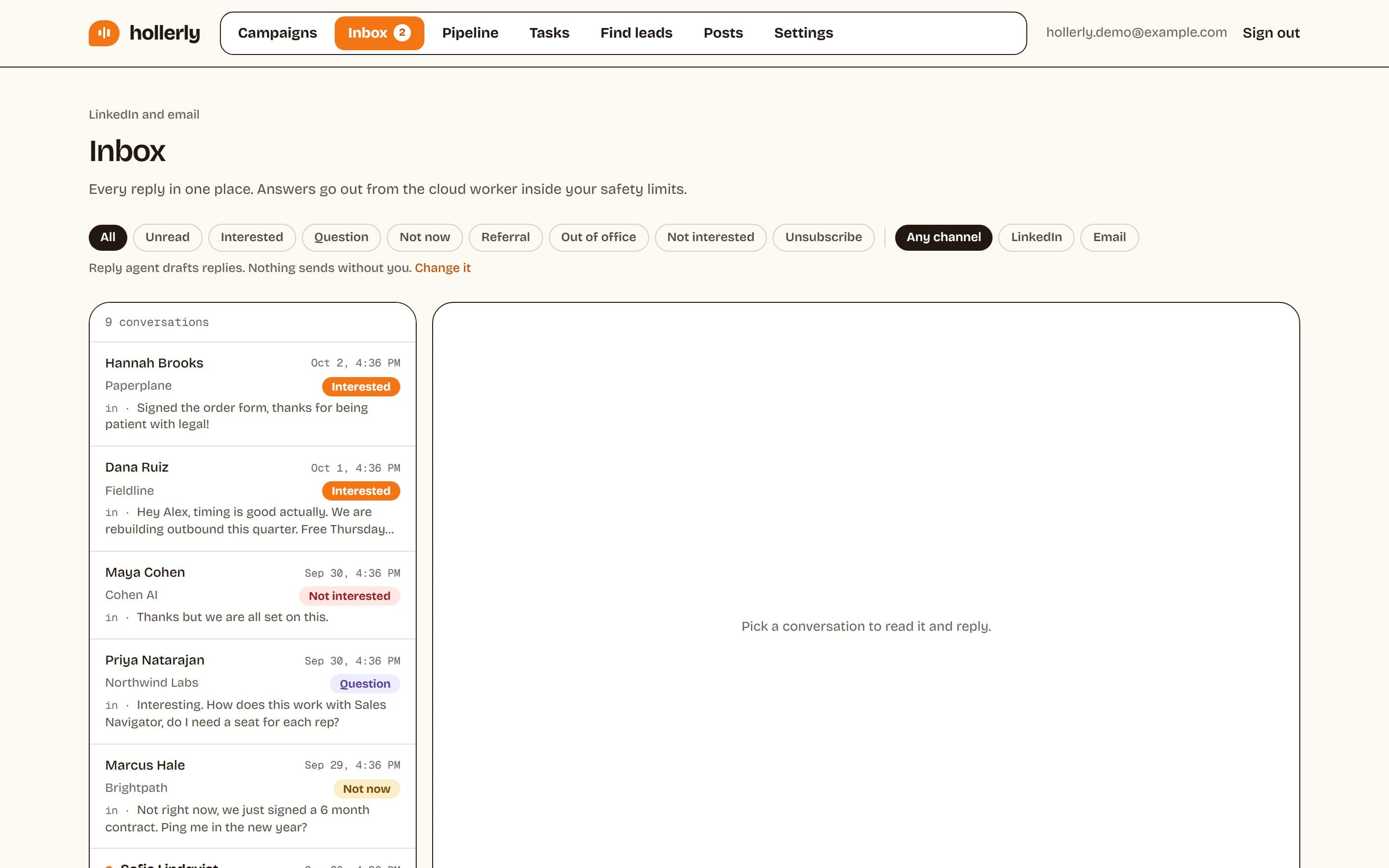
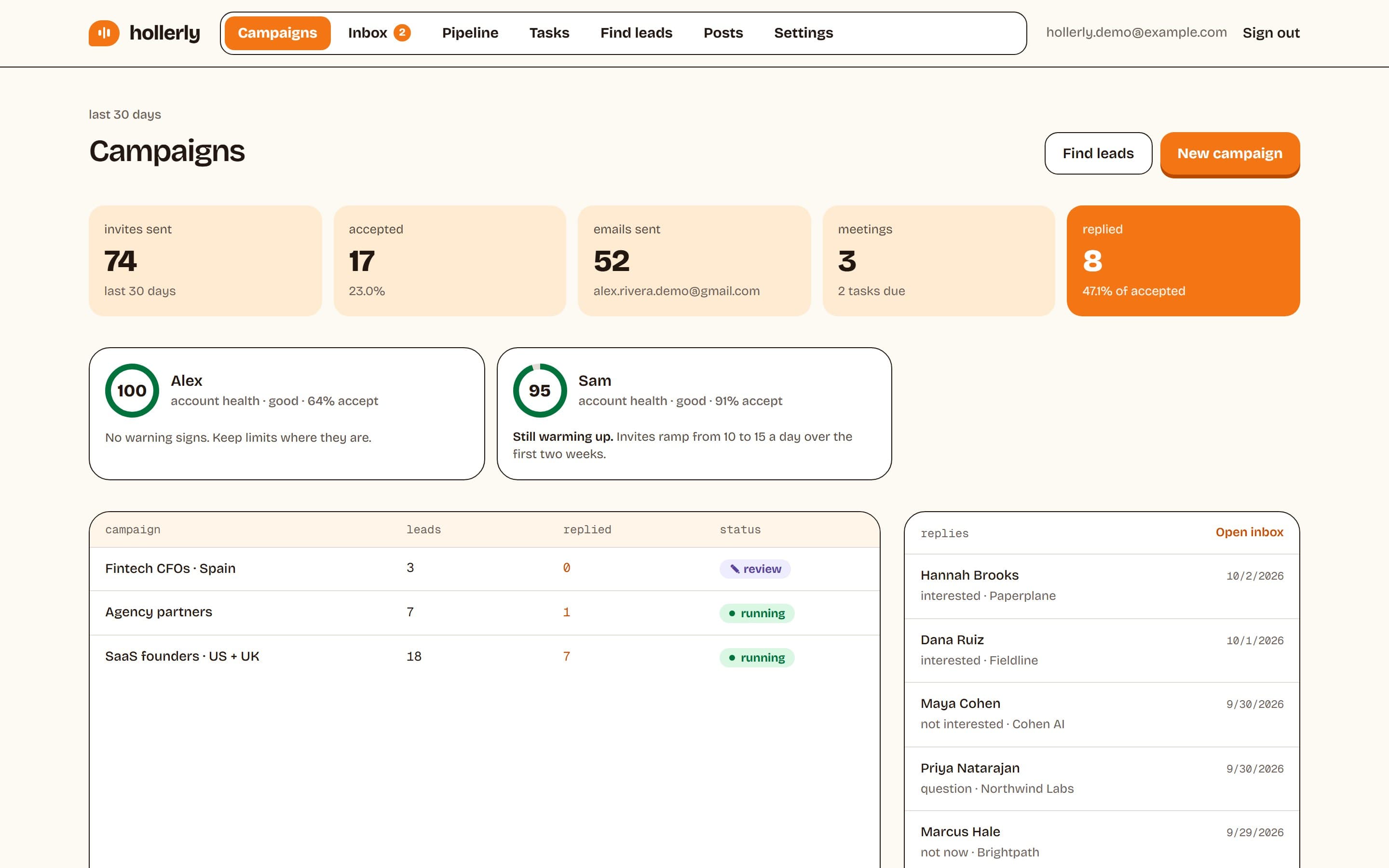
A reply stops the sequence for that person. The conversation lands in a unified inbox on every plan. On Pro, each reply is tagged as interested, a question, not now, out of office or unsubscribe, with an AI draft answer ready to edit and send. Interested leads move onto a pipeline board, and meetings booked through Calendly or Cal.com are tracked with a short prep brief.
Automated LinkedIn lead generation, step by step
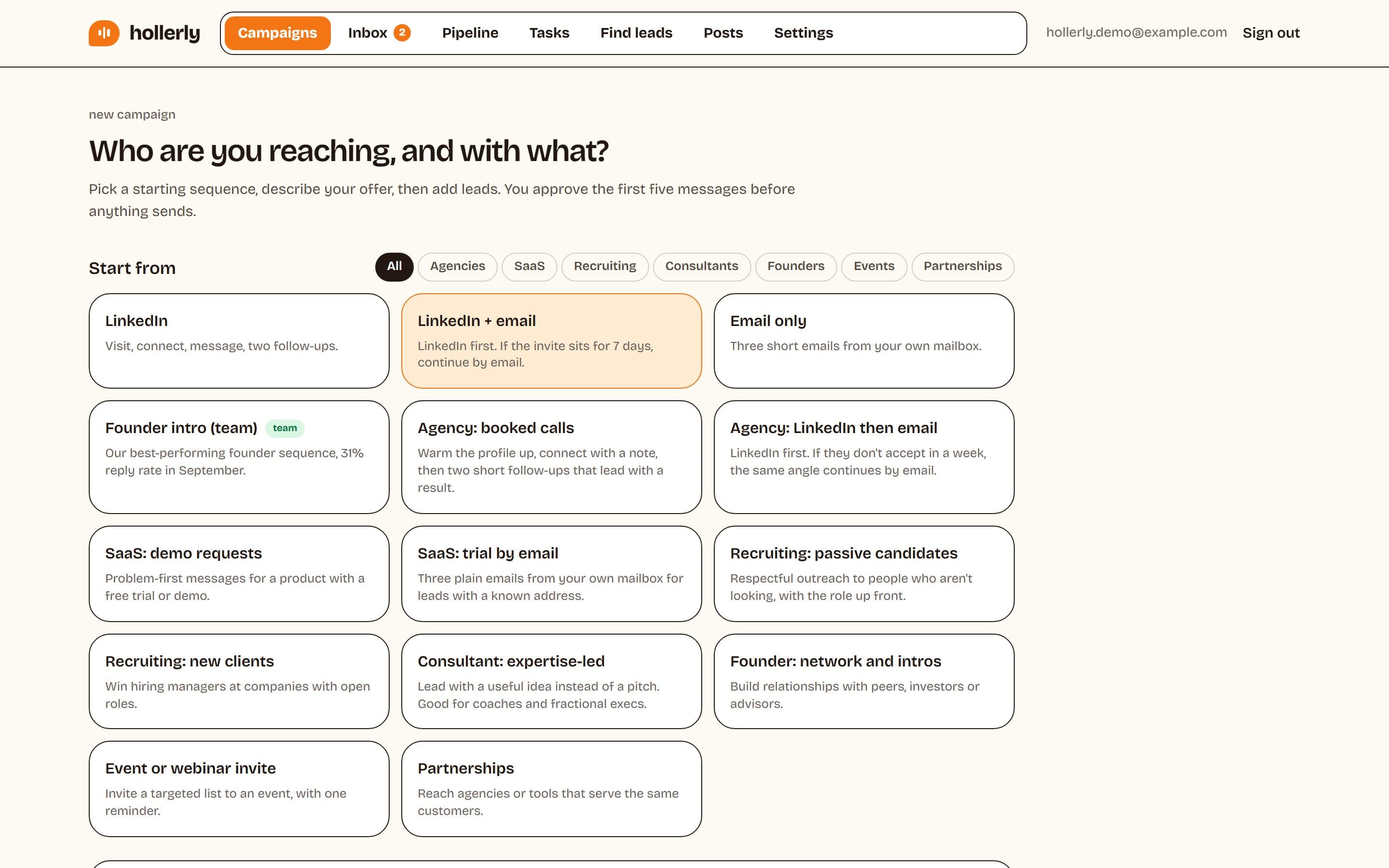
Automated LinkedIn lead generation works best as a short, patient sequence rather than a blast. A typical Hollerly sequence looks like this:
- Day 1: visit the profile and like a recent post.
- Day 2: send a connection request with a short, personal note.
- If accepted: a first message two days later, tied to something they posted or their company is doing.
- If not accepted after a week: an email from your own mailbox (Pro).
- One or two short follow-ups, then stop.
Every step has its own delay. Branches (if accepted, if not, if opened) keep the sequence relevant. You can start from a template for your use case and change any step.
Where your leads come from
Lead generation with LinkedIn starts with a good list. Hollerly gives you four ways to build one:
- A LinkedIn people search: paste the URL from the search bar after setting your filters.
- A Sales Navigator search: paste the URL of any lead search. See what Sales Navigator is if you're deciding whether to pay for it.
- A post URL: reach the people who commented on or reacted to a post in your niche.
- A CSV: upload LinkedIn profile URLs and/or email addresses from your CRM or another tool.
Not sure who to target? Give Hollerly your website and it drafts an ideal customer profile and a ready-made search, then scores each lead against it. Leads on your do-not-contact list, or already in another campaign, are skipped.
How LinkedIn lead generation automation works in Hollerly
- Connect your LinkedIn account once. Hollerly runs it from a dedicated cloud browser with its own IP in your country. No extension to install.
- Add leads from a search, post or CSV.
- Pick or build a sequence and choose AI-written or template messages.
- Approve the first five messages. The campaign then runs during your working hours, and waits for each prospect's working hours too.
- Answer replies from one inbox. Get a weekly results email.
Safety limits built in
Good LinkedIn lead generation automation keeps your account healthy for the long run. Hollerly's defaults:
| Action | Default | Ceiling |
|---|---|---|
| Connection invites per day | 20 | 30 |
| Connection invites per week | 100 | 150 |
| Messages per day | 50 | 100 |
| Likes, follows, endorsements per day | 40 | 40 |
| New account warm-up | 10, then 15 invites a day for two weeks | n/a |
Actions are spaced 45 to 180 seconds apart. A rate limit or verification screen triggers a 24-hour pause, and a sign-out stops everything and emails you. LinkedIn's user agreement doesn't allow third-party automation, so no tool can promise zero risk. Read the details on our LinkedIn automation safety page.
Pricing
Starter, $19/mo: one LinkedIn account, 300 connection requests a month, AI-written messages, unified inbox.
Pro, $49/mo: unlimited invites inside safe limits, email steps from your own mailbox, 200 email finder credits, AI reply tagging and drafts, pipeline board, HubSpot and Pipedrive sync.
Agency, $69/mo: three LinkedIn accounts with sender rotation, three seats, white label client reports and an opt-in AI reply agent.
Compare every feature on the pricing page. Hollerly doesn't include a B2B contact database or email warmup; if you need those built in, a suite like Lemlist or Instantly may suit you better.
FAQ
+What is LinkedIn lead generation automation?
It's software that runs the repetitive parts of finding and contacting prospects on LinkedIn: pulling leads from searches, sending connection requests, messaging and following up on a schedule. Hollerly also writes each message with AI, follows up by email on Pro, and sorts replies into one inbox so you can focus on conversations.
+Do I need Sales Navigator for LinkedIn lead generation?
No. Hollerly works with a normal LinkedIn people search, post URLs and CSV uploads. Sales Navigator gives you more filters and bigger result lists, so many users add it later. If you have it, paste any Sales Navigator search URL into a campaign and Hollerly adds the leads.
+How many leads can I contact a month?
Starter includes 300 connection requests a month. Pro and Agency have no monthly cap, but every account stays inside safe limits: 20 invites a day by default, up to 30, and 100 a week, up to 150. Agency adds three LinkedIn accounts to spread volume.
Get replies without the busywork
Hollerly finds the people, writes every message with AI and follows up on LinkedIn and email until they reply. Runs in the cloud, from $19 a month.
Start my 7-day free trial