Is LinkedIn Automation Safe? What to Know in 2026
Is LinkedIn automation safe? The honest answer: it's never risk-free, and any tool that says otherwise isn't being straight with you. LinkedIn's user agreement doesn't allow bots or third-party automation, and LinkedIn can restrict accounts that break it.
What you can do is keep the risk low. Most restrictions come from behavior that doesn't look human: too many invites, sent too fast, at odd hours, from changing locations. This page explains LinkedIn's limits, the exact safety settings Hollerly enforces, and the habits that get accounts restricted.
LinkedIn limits explained
LinkedIn doesn't publish exact automation limits, and it changes how it enforces them over time. What it does publish is the rule itself. Section 8.2 of its user agreement says you must not use "bots or other unauthorized automated methods" to add contacts, send messages or engage with posts.
In practice, LinkedIn watches for patterns. These are the signals that matter most:
- Weekly invitations. LinkedIn limits how many connection requests you can send in a week and shows a warning when you reach it.
- Pending invites. Hundreds of unanswered invites suggest you're contacting people who don't know you.
- Acceptance rate. Low acceptance, and people clicking "I don't know this person", are strong negative signals.
- Speed and timing. Actions every few seconds, or all night, don't look like a person.
- Location and device changes. Logins that jump between countries or networks can trigger verification screens.
For the details on invitation numbers, read our guide to the LinkedIn connection request limit.
How Hollerly keeps accounts safe
Hollerly can't make automation allowed. It can make your account behave like a careful person using LinkedIn. These are the defaults, and the ceilings you can't go past:
| Setting | Default | Ceiling |
|---|---|---|
| Connection invites per day | 20 | 30 |
| Connection invites per week | 100 | 150 |
| Messages per day | 50 | 100 |
| Likes, follows and endorsements per day | 40 | 40 |
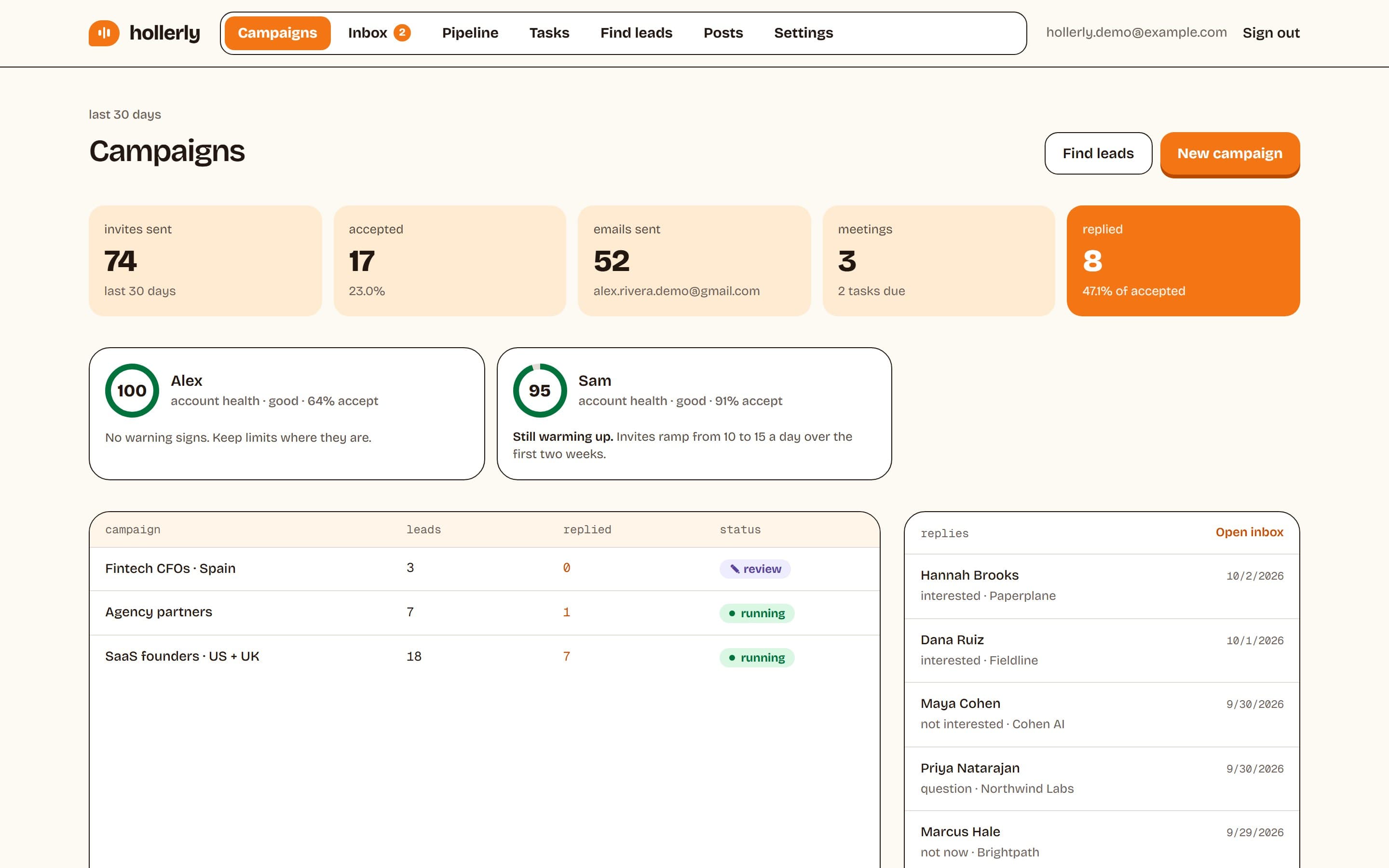
| Warm-up for new accounts | 10 invites a day, then 15, for the first two weeks | n/a |
| Gap between actions | Random, 45 to 180 seconds | n/a |
| Active hours | Your working hours, in your timezone | n/a |
Pacing that looks human
Actions only run during your working hours. Messages also wait for the prospect's working hours, based on the timezone of their LinkedIn location. Random gaps between actions avoid the steady machine rhythm that stands out.
One browser, one IP, one country
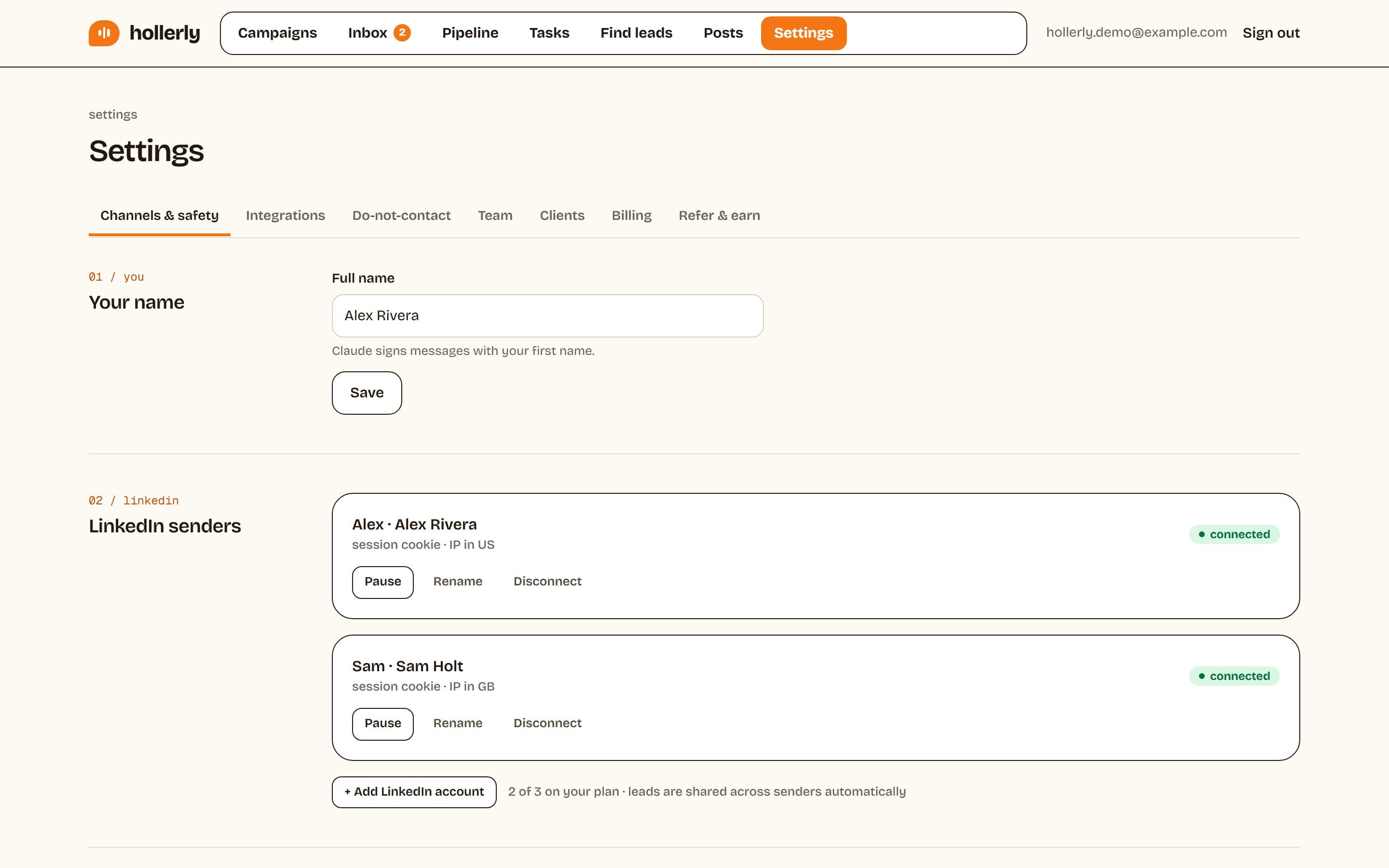
Each LinkedIn account runs in its own dedicated cloud browser with one IP address in your country. Your account doesn't hop between locations or share an IP with other users. There's no Chrome extension, so nothing runs inside your personal browser. Login details are encrypted with AES-256 and deleted when you disconnect.
Automatic brakes
- If LinkedIn returns a rate limit (HTTP 429) or shows a verification screen, Hollerly pauses that account for 24 hours.
- If LinkedIn signs you out, everything stops and you get an email alert. Nothing resumes until you reconnect.
An account health score
Hollerly tracks your acceptance rate, pending invites and any warnings, and rolls them into a health score. If it drops, slow down, tighten your targeting, or withdraw old invites.
What gets accounts restricted
From the patterns above, these are the habits most likely to get an account restricted, with any tool:
- Sending at the top of the limit every day. Ceilings are ceilings, not targets.
- Skipping the warm-up. A quiet account that suddenly sends 30 invites a day stands out.
- Poor targeting. Inviting people with no reason to know you lowers acceptance and raises "I don't know this person" reports.
- Letting pending invites pile up. Withdraw invites that have sat unanswered for weeks.
- Running two tools on one account. Two tools don't know about each other's limits, so your real volume doubles.
- Logging in from many places. Frequent changes of country or network can trigger verification.
- Identical messages. Copy-paste notes sent to hundreds of people read as spam to recipients.
If it does happen, read our guide on what to do when your LinkedIn account is restricted.
Choosing a safe LinkedIn automation tool
If you're comparing the best safe LinkedIn automation tools for 2026, ask each vendor these questions:
- Are daily and weekly caps on by default, and is there a hard ceiling?
- Is there a warm-up period for new accounts?
- Does each account get its own IP, and is it in your country?
- Does it run only in working hours?
- What happens on a rate limit or verification screen?
- Does it say plainly that automation carries risk?
A tool that promises "100% safe" or "undetectable" fails the last question. Our guide to the best LinkedIn automation tools compares the main options.
Is LinkedIn automation safe? Our honest risk statement
LinkedIn's user agreement doesn't allow third-party automation. Every tool in this category, including Hollerly, carries a risk of restriction. Hollerly reduces that risk with conservative limits, warm-up, working hours, one IP per account and automatic pauses. Nothing is ban-proof. If your LinkedIn account is critical to your business, start with the defaults, watch your health score, and grow slowly.
Plans start at $19 a month, and every plan includes the same safety settings. See pricing.
FAQ
+Is LinkedIn automation safe?
Not completely. LinkedIn's user agreement doesn't allow bots or third-party automation, so every tool carries some risk. You can keep it low by staying well under weekly invitation limits, warming up new accounts, working only in office hours, using one stable IP in your country and targeting people who are likely to accept.
+What are safe daily limits for LinkedIn automation in 2026?
LinkedIn doesn't publish exact numbers. Hollerly's defaults are 20 connection invites a day and 100 a week, 50 messages a day, and 40 likes, follows and endorsements a day. New accounts warm up at 10, then 15 invites a day for two weeks. Hard ceilings are 30 invites a day and 150 a week.
+Can LinkedIn detect automation tools?
LinkedIn can detect patterns that don't look human: very high volume, fast and regular timing, activity at all hours and sudden location changes. Hollerly avoids those patterns with caps, random gaps, working hours and one IP per account. That lowers the risk of detection but cannot remove it.
+What happens if LinkedIn restricts my account while using Hollerly?
Hollerly pauses for 24 hours on a rate limit or verification screen, and stops completely with an email alert if LinkedIn signs you out. Nothing resumes until you reconnect. Complete LinkedIn's verification steps, lower your limits, and give the account a quiet few days before restarting.
Get replies without the busywork
Hollerly finds the people, writes every message with AI and follows up on LinkedIn and email until they reply. Runs in the cloud, from $19 a month.
Start my 7-day free trial