The LinkedIn Message Automation Tool With AI-Written Follow-Ups
Hollerly is a LinkedIn message automation tool that writes and sends your first messages and follow-ups for you. Claude writes each one for the person receiving it, from their profile, their latest post and their company website. The sequence stops the moment someone replies, on LinkedIn or by email.
You approve the first five messages of every campaign. After that it runs in the cloud, during working hours, inside safe daily limits. Plans start at $19 a month.
What a LinkedIn message automation tool should handle
Sending a message on a timer is the easy part. The parts that decide whether people answer are harder:
- Relevance. A message that mentions what someone actually posted or what their company does gets read. Hollerly researches each lead before writing.
- Timing. Messages go out in your working hours and wait for the prospect's working hours too, based on their LinkedIn location.
- Stopping. A reply on either channel stops the sequence. Nobody gets a "just following up" after they've answered.
- Variety. If you write your own templates, spintax like
{Hi|Hey}and variables with fallbacks like{{first_name|there}}keep messages from looking identical.
Hollerly sends up to 50 messages a day by default (ceiling 100), spaced 45 to 180 seconds apart.
LinkedIn InMail automation: what Hollerly does instead
Let's be clear: Hollerly doesn't send InMails. Its message steps go to your first-degree connections, after they accept your invite. If you need LinkedIn InMail automation specifically, Lemlist lists InMail as a LinkedIn step on its Multichannel plan.
Why we don't: InMail credits are limited by your LinkedIn plan, and a cold InMail from a stranger competes with every recruiter in the inbox. In practice, most people get better results from this pattern:
- Send a connection request with a short, personal note.
- If they accept, send a message that continues the note.
- If they don't accept within a week, send an email from your own mailbox (Pro). Hollerly finds and verifies the address with its email credits.
You reach the same people without spending InMail credits. Read more about how InMail works in our LinkedIn InMail guide.
Is there a free LinkedIn message automation tool?
Hollerly doesn't have a free plan. It has a 7-day free trial of Pro with no card required, so you can run a real campaign before you pay.
If you're looking for a free LinkedIn message automation tool, most "free" options are trials or very limited plans. Some free tools are useful for writing better messages yourself:
- LinkedIn connection message generator
- LinkedIn character counter
- LinkedIn text formatter for bold and italic text
For a full comparison of free plans and trials, see our pricing page.
Auto reply on LinkedIn, with you in control
People search for "auto reply LinkedIn" for two reasons: they want to answer faster, or they want to stop answering the same questions. Hollerly handles both, at different levels.
Every plan: one inbox
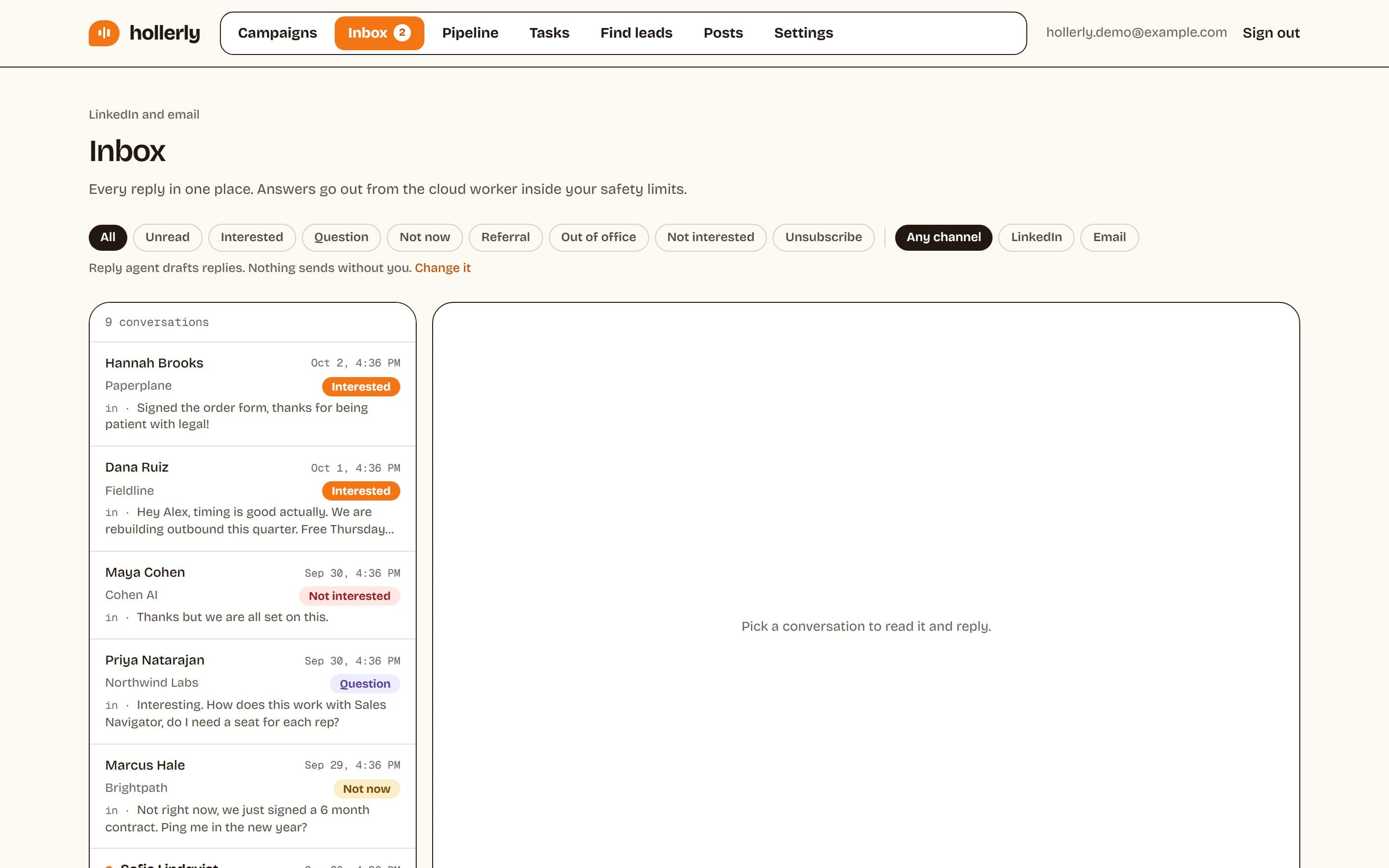
LinkedIn replies (and email replies on Pro) land in one inbox with notes, tags and tasks, so nothing gets buried under your other LinkedIn messages.
Pro: AI reply tagging and drafts
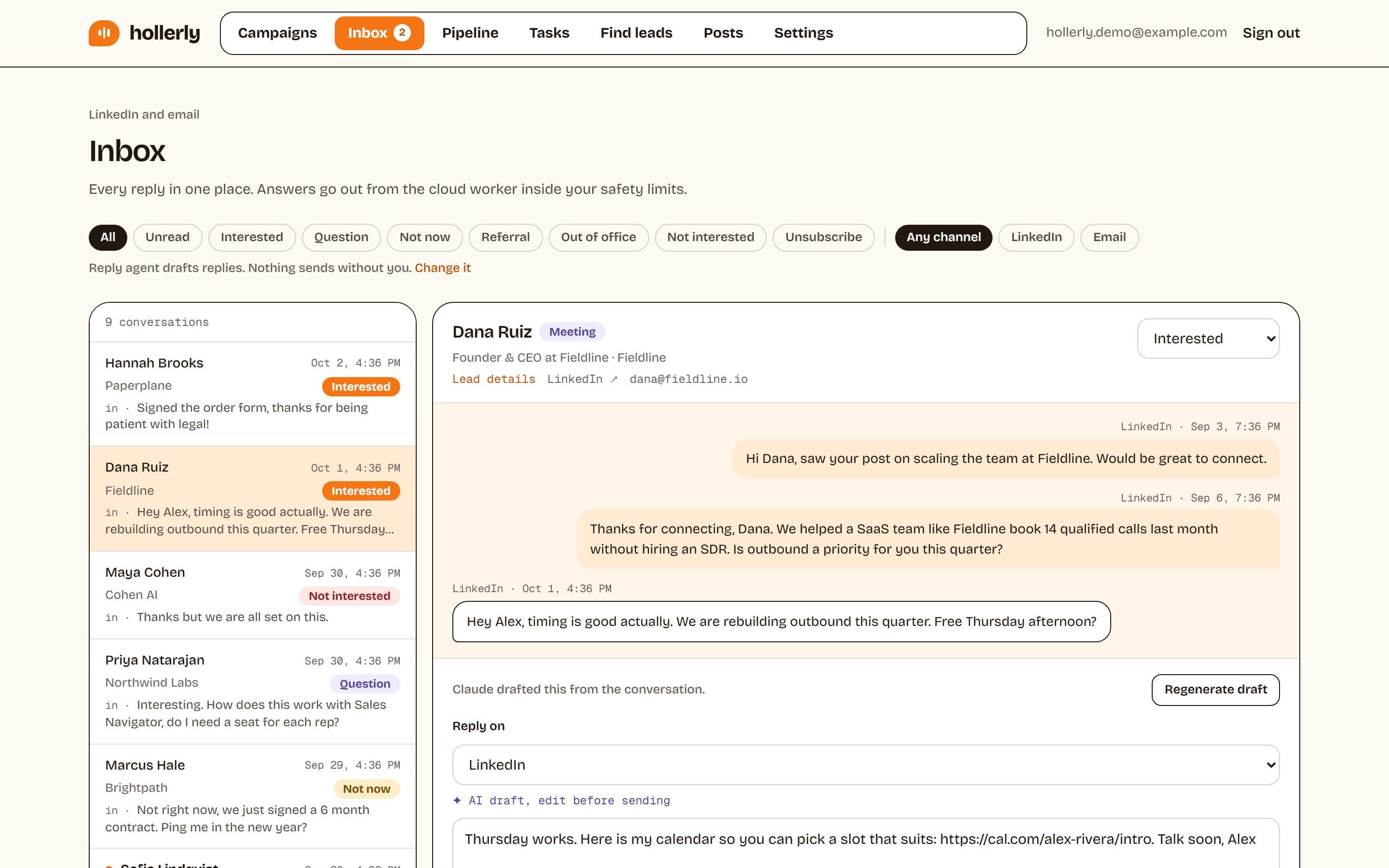
Claude tags each reply as interested, a question, not now, out of office or unsubscribe, and drafts an answer that includes your booking link. You edit and send. Out-of-office replies pause the sequence and resume it when the person is back.
Agency: AI reply agent (opt-in)
On the Agency plan, you can switch on an AI reply agent that answers interested leads on its own. It's off by default. Most teams start with drafts and turn it on once they trust the answers.
How it works
- Connect your LinkedIn account once. Hollerly runs it from a cloud browser, so your laptop can be closed.
- Add leads from a LinkedIn or Sales Navigator search, a post or a CSV.
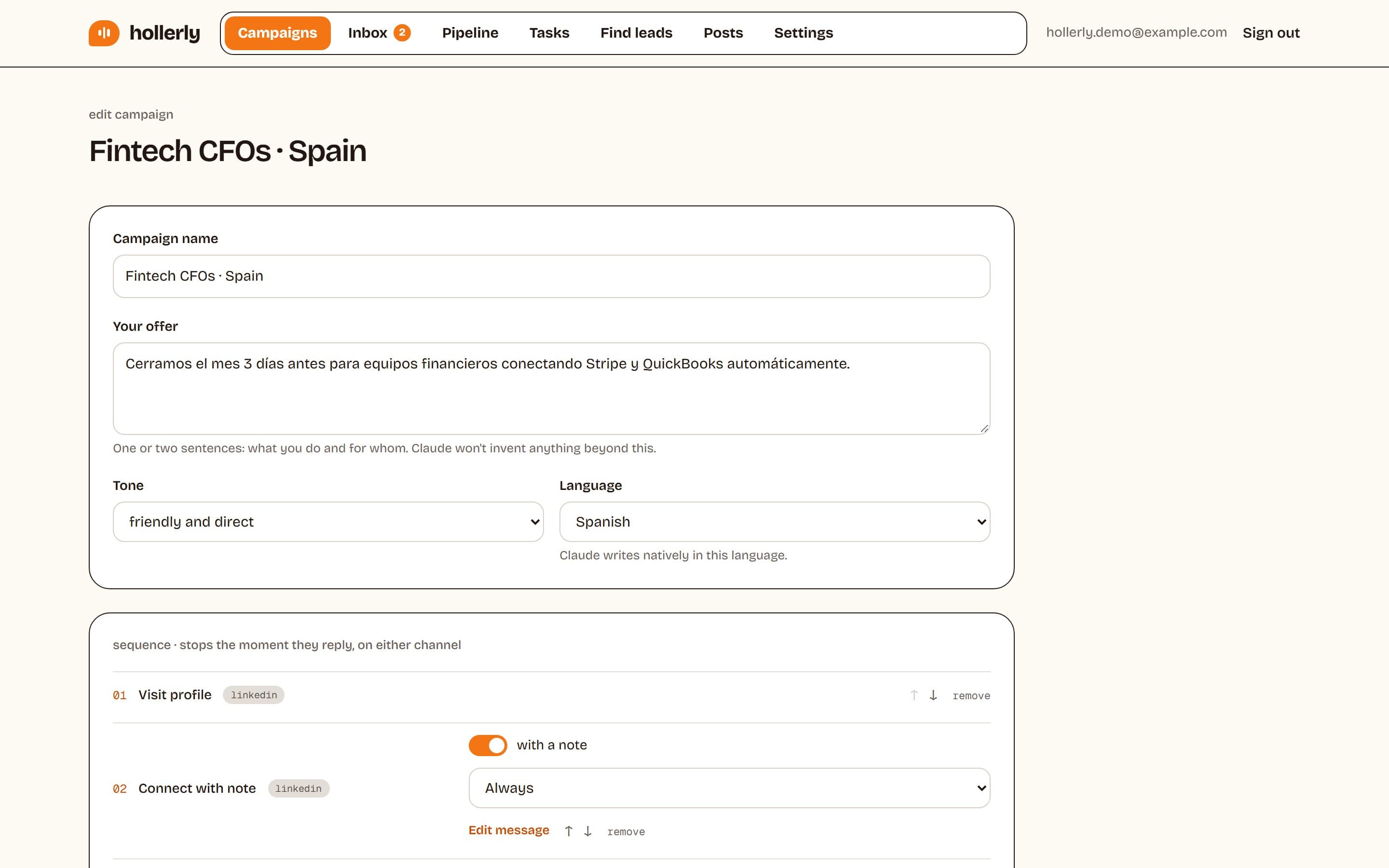
- Build a sequence: connect, then message steps with delays. Add email steps on Pro.
- Choose AI-written messages or your own templates. Approve the first five.
- Replies stop the sequence and land in your inbox.
Want to see real examples first? Read our guide to LinkedIn follow-up messages.
Safety limits built in
Message volume is capped at 50 a day by default, with a ceiling of 100. Invites are capped at 20 a day and 100 a week by default. Hollerly runs each account from its own cloud browser and IP in your country, pauses for 24 hours if LinkedIn shows a rate limit or verification screen, and stops completely with an email alert if you're signed out.
LinkedIn's user agreement doesn't allow third-party automation, so no tool is risk-free. Here's how we keep that risk low.
Pricing
| Plan | Price | Messaging features |
|---|---|---|
| Starter | $19/mo | AI-written messages, templates with spintax, unified inbox |
| Pro | $49/mo | Adds email steps, branching, A/B tests, AI reply tagging and drafts, translation |
| Agency | $69/mo | Adds 3 accounts, shared templates, opt-in AI reply agent |
FAQ
+Can Hollerly send LinkedIn InMails?
No. Hollerly messages your first-degree connections after they accept your invite. For people who don't accept, Pro can follow up by email from your own mailbox instead. If InMail is essential to your process, Lemlist lists InMail as a LinkedIn step on its Multichannel plan.
+Is there a free LinkedIn message automation tool?
Most tools offer a free trial or a limited plan rather than a free tool for ongoing use. Hollerly has a 7-day free trial of Pro with no card required. Its free tools, like the connection message generator and character counter, help you write messages but don't send them.
+Can LinkedIn auto reply to messages?
LinkedIn doesn't answer messages for you on its own. Hollerly drafts AI replies on Pro for you to review and send, and on the Agency plan an opt-in AI reply agent can answer interested leads on its own. Out-of-office replies pause and resume sequences automatically.
Get replies without the busywork
Hollerly finds the people, writes every message with AI and follows up on LinkedIn and email until they reply. Runs in the cloud, from $19 a month.
Start my 7-day free trial