LinkedIn Connection Request Message Templates That Get Accepted
These LinkedIn connection request message templates are short, specific and ready to copy. There are 22 of them, grouped by situation: sales prospecting, warm context like events and posts, recruiting, and plain networking. Every template is under 200 characters, so it fits the note limit on a free LinkedIn account. Premium members get up to 300 characters, which gives you room to add one more detail.
Before the templates, a quick look at what makes a connection note work, and the best practices that keep your acceptance rate high.
LinkedIn connection message: what works
A good LinkedIn connection message does one job: it gives the person a believable reason to click Accept. It's not a pitch. If the note sells, people decline or ignore it, and ignored invitations count against you with LinkedIn.
The three-part note
- Context: how you found them or what you have in common (a post, an event, a shared group, a mutual connection, their company's news).
- Reason: why connecting makes sense for them, not just for you.
- Low ask: no meeting request, no link. Just the connection.
A LinkedIn connection message example that uses all three: "Hi Sam, enjoyed your post on onboarding emails. I work on the same problem for B2B apps. Would be good to connect." That's about 110 characters, with room to spare.
Character limits
LinkedIn's help center says free accounts can add a personal note to up to three connection requests a month, each up to 200 characters, while Premium members can personalize every invitation (300 characters is the commonly reported Premium limit). Variables like a first name or company make a note longer once filled in, so leave 20 to 30 characters of headroom. You can paste a draft into our free LinkedIn character counter to check it.
In the templates below, words in double curly braces like {{first_name}} are placeholders. Replace them by hand, or let a tool fill them in. Words in square brackets are the details you write yourself.
LinkedIn connection request: best practices
Sending a LinkedIn connection request is easy: open the person's profile, click Connect (it may sit under the More button), choose Add a note, write it, and send. Getting it accepted takes a little more care.
LinkedIn connection request best practices
- Fix your own profile first. People check who you are before they accept. A clear headline and photo do more than any note.
- Warm up before you invite: visit their profile or like a recent post a day or two earlier.
- Mention something real and recent. "Saw your post" without saying which post reads as automated.
- Skip the pitch, the link and the calendar invite. Save those for after they accept.
- Send at a steady pace. LinkedIn limits invitations to roughly 100 a week for most accounts. See our LinkedIn connection request limit guide.
- Sometimes send no note. For people with lots of mutual connections, a blank invitation is often accepted at the same rate.
LinkedIn connection message template for sales prospecting
Each LinkedIn connection message template in this group is for cold or lukewarm prospects. None of them pitches. The pitch, if there is one, comes later in a follow-up message. Treat each LinkedIn connection request template below as a frame and swap in details that are true for the person.
Hi {{first_name}}, I work with [role] at [type of company] on [topic]. Your work at {{company}} looks close to what I spend my days on. Happy to connect.
Hi {{first_name}}, I'm building a network of [role]s in [industry/region]. Would be good to have you in it and swap notes now and then.
Hi {{first_name}}, congrats on [recent news: funding, launch, new office]. I follow [industry] closely and would like to keep up with what {{company}} does next.
Hi {{first_name}}, noticed {{company}} is hiring [roles]. Usually means [problem you solve] is on the agenda. No pitch, just keen to connect with people working on it.
Hi {{first_name}}, I help [role]s with [outcome] and read a lot of what people in your seat share. Would like to connect and learn how you approach it.
Hi {{first_name}}, you came up when I was looking at [topic] in [region]. Seems we work in the same corner of the market. Open to connecting?
LinkedIn connection request message with warm context
A LinkedIn connection request message with a real shared moment gets the highest acceptance rates. Use these when you have one.
After a post or comment
Hi {{first_name}}, your post on [topic] was the most practical take I've read this month, especially [specific point]. Would like to follow more of your thinking.
Hi {{first_name}}, we both commented on [name]'s post about [topic]. Liked your point about [detail]. Let's connect.
Events and webinars
Hi {{first_name}}, I was at [event] too. Your question about [topic] was the best of the session. Good to connect here.
Hi {{first_name}}, I see you're going to [event]. I'll be there as well. Would be good to connect before and maybe say hello in person.
Hi {{first_name}}, thanks for joining [webinar name]. If any of it was useful, happy to stay in touch here.
Mutual connections and groups
Hi {{first_name}}, [mutual name] and I worked together at [company]. Saw you're connected too and thought we should be as well.
Hi {{first_name}}, we're both in the [group name] group. I've enjoyed your posts there and would like to connect directly.
Hi {{first_name}}, fellow [university/company] alum here. Always good to connect with people from [place]. Hope [current role] is going well.
LinkedIn connection request message examples for recruiting and networking
These LinkedIn connection request message examples cover the other common reasons to connect: hiring, job searching and building a professional network.
Recruiting
Hi {{first_name}}, I recruit [role]s in [region] and your background at {{company}} stood out. No pressure at all, just like to know great people before roles open.
Hi {{first_name}}, we're hiring a [role] at [company] and your work on [project/skill] caught my eye. Open to connecting so I can share details?
LinkedIn connect message examples for job seekers
Hi {{first_name}}, I'm a [role] interested in [team/company]. I'd value connecting and following what your team works on.
Hi {{first_name}}, I applied for the [role] on your team and would like to connect. Happy to share more about [relevant skill] if useful.
LinkedIn networking message template
Hi {{first_name}}, I'm new to [city] and meeting people in [industry]. Your work at {{company}} looks interesting. Would be glad to connect.
Hi {{first_name}}, I'm learning more about [field] and your posts keep coming up. Would like to connect and keep learning from you.
Hi {{first_name}}, great talking at [place] today. Connecting so we can pick up the [topic] conversation.
Hi {{first_name}}, thanks for [specific help: the intro, the advice, the answer]. Would be good to stay connected.
LinkedIn connection request message templates: what to avoid
The fastest way to ruin good LinkedIn connection request message templates is to fill them in lazily. Watch for these:
- Broken variables. "Hi {{first_name}}" with a blank name is worse than no note. Always set a fallback, like "there".
- Fake familiarity. "Loved your recent post!" with no detail tells people a tool wrote it.
- The pitch in the note. "Connect so I can show you our product" gets declined.
- Links. Notes with links look like spam. Share links in a follow-up, if at all.
- The same note to everyone. Even good templates wear out. Rotate a few and track which gets accepted most.
Best LinkedIn connection request message
There isn't one best note for everyone. The best LinkedIn connection request message is the one with the most specific, true reason for this person. A template is a frame for that reason, not a substitute for it.
Writing connection notes at scale
Templates are a good start, but filling in [recent news] and [specific point] for 100 people a week takes hours. That's the part Hollerly automates. For each lead, Claude reads the profile, their latest post and a summary of their company website, then writes a note within the character limit. You approve the first five, and it runs from there.
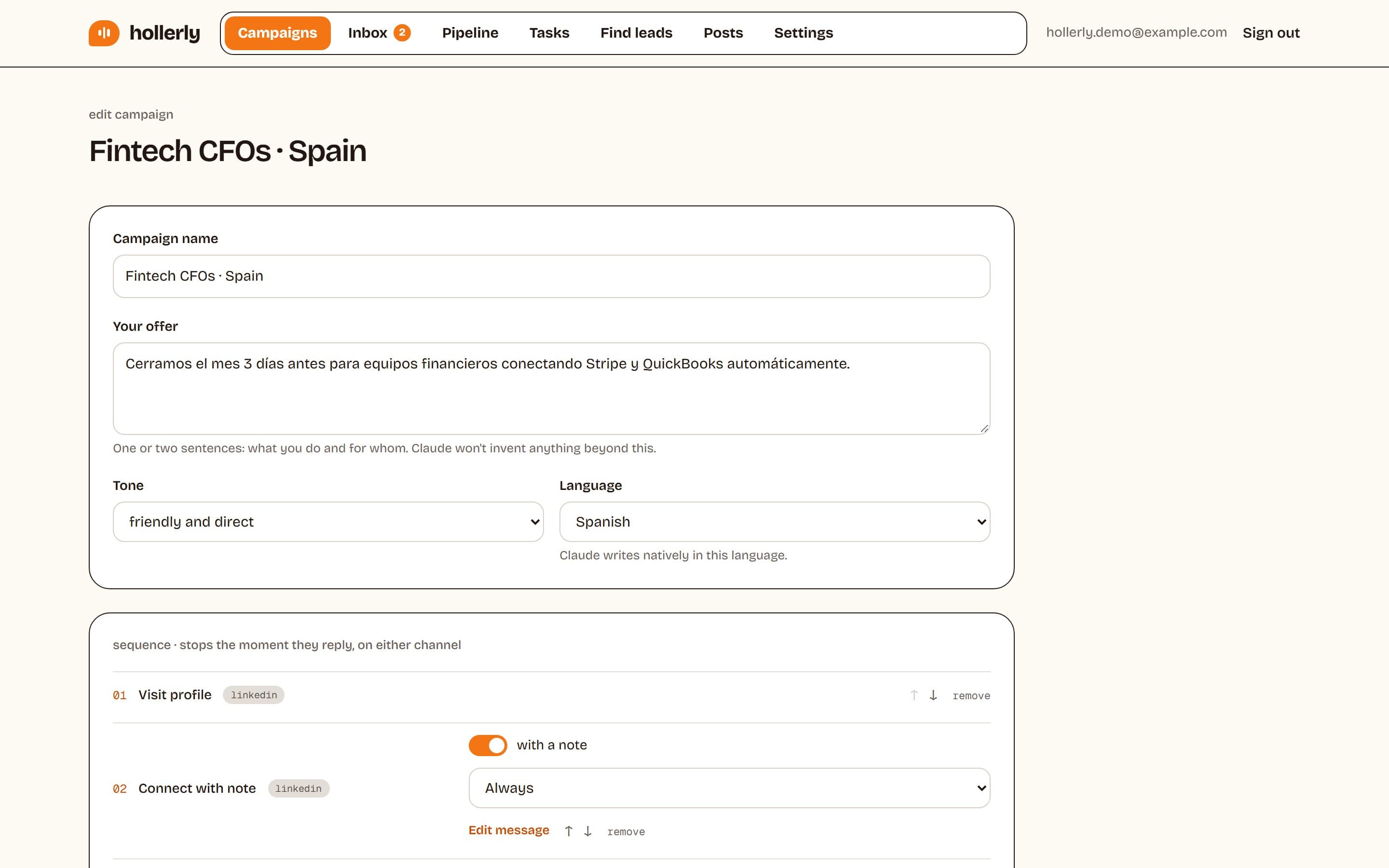
If you'd rather use your own words, Hollerly also supports templates with {{first_name|there}} variables (with fallbacks) and {Hi|Hey} spintax, so no two notes are identical. Notes are sent at a steady pace inside LinkedIn's limits. See auto-connect for how it works, or pricing for plans from $19 a month.
Once people accept, you'll need the next message. Our LinkedIn prospecting message templates pick up from there, including follow-ups for people who don't answer.
Should you send a connection request without a note?
Sometimes. On a free account you only get a handful of personalized notes, so spend them on the people who matter most. Blank invitations work best when you share several mutual connections, work in the same niche, or the person recently engaged with your posts. For cold prospects with no shared context, a short note almost always helps, because it answers the question every recipient asks: why is this person inviting me?
A simple test: send half your invitations to a list with a note and half without for two weeks, then compare acceptance rates. Keep whichever wins for that type of audience.
FAQ
+What to say in a LinkedIn connection request?
Say how you found the person, give one real reason connecting makes sense, and stop there. Mention a specific post, event, mutual connection or company news. Keep it under 200 characters, skip the pitch and links, and save any business conversation for a message after they accept.
+How to send a LinkedIn connection request?
Open the person's profile and click Connect. If you don't see it, look under the More button. Choose Add a note to personalize it, write your message, then click Send. Free accounts get a few personalized notes; Premium accounts can add a note to every invitation.
+How long can a LinkedIn connection request message be?
LinkedIn allows up to 200 characters in a connection note on a free account, and up to 300 characters with Premium. Free accounts can also only personalize a limited number of invitations. Placeholders like names grow once filled in, so aim for about 170 characters on free accounts.
+How to reply to LinkedIn connection messages?
Accept if the reason makes sense, then reply briefly: thank them, answer anything they asked, and add one question about their work. If it's a sales note and you're not interested, accepting without replying is fine. If it's spam, ignore it or click I don't know this person.
Get replies without the busywork
Hollerly finds the people, writes every message with AI and follows up on LinkedIn and email until they reply. Runs in the cloud, from $19 a month.
Start my 7-day free trial