Billing: upgrade, cancel and invoices
How Hollerly billing works with Paddle: choosing a plan, upgrading or switching, downloading invoices, updating your card and cancelling your subscription.
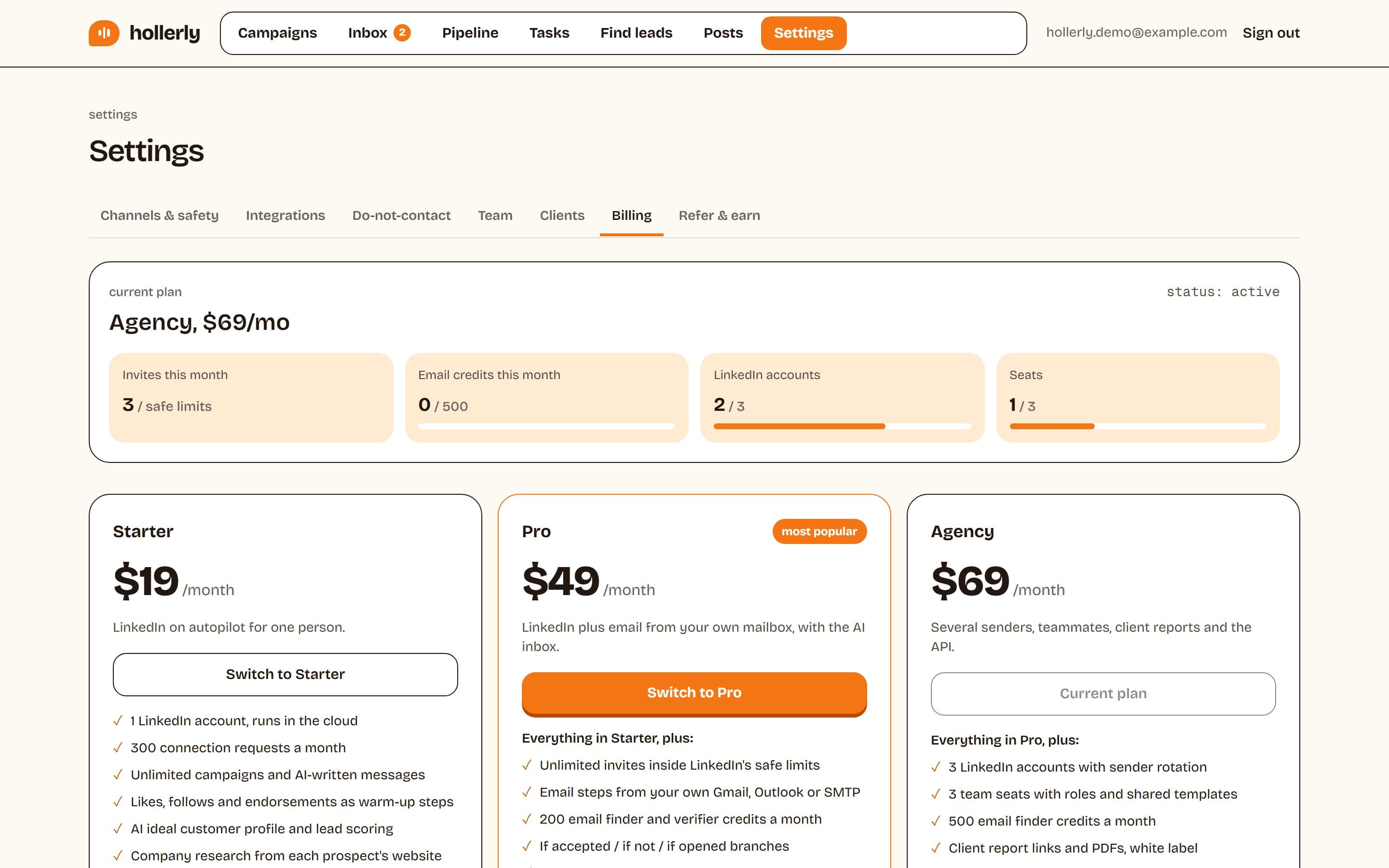
Billing lives under Settings, Billing. Only the workspace owner can change the plan; other roles can see it.
Paddle handles payments
Hollerly bills through Paddle, which acts as the merchant of record, so VAT and sales tax are handled for you. Prices are in US dollars and billed monthly. Paddle stores your card; Hollerly never sees the full number.
Choose a plan
Click Choose Starter, Choose Pro or Choose Agency. A Paddle checkout opens with your email filled in. After paying you'll see "Thanks, you're subscribed". Your plan updates within a minute, once Paddle confirms the payment.
Upgrade or switch plans
When you already have a plan, click Upgrade to or Switch to another plan. The change happens straight away, without a new checkout, and Paddle prorates it:
- Upgrade: Paddle charges the prorated difference for the rest of this billing period, and the new features are on straight away.
- Downgrade: Paddle credits the unused part of your old plan to your balance and uses it for your next payments. The lower plan's limits apply straight away, so extra LinkedIn accounts and seats stop working until you remove them or upgrade again.
Invoices, card and cancelling
Click Invoices, card and cancel to open Paddle's billing portal. There you can:
- Download invoices and receipts
- Update your card
- Cancel your subscription
After you cancel, you keep access until the end of the period you paid for. Then campaigns stop sending, but your data stays in place in case you come back.
Failed payments
If a payment fails, Paddle retries it, and your campaigns keep running while it does. Update your card in the billing portal. For anything else about a charge, email support@hollerlyai.com.
Usage this month
The Billing page shows invites sent this month, email credits used, LinkedIn accounts and seats, against your plan's limits.