Free trial, plans and limits
What the 7-day free trial includes, how Starter at $19, Pro at $49 and Agency at $69 differ, the limits on each plan, and what happens when the trial ends.
The 7-day free trial
Every plan starts with a 7-day free trial of that plan. After your first sign-in you land on the plan picker. You pick Starter, Pro or Agency in the secure Stripe checkout. No card is needed, and nothing is charged for the first 7 days. If you have a promo code, enter it at checkout. The header in the dashboard shows how many trial days you have left.
The trial includes the features and limits of the plan you picked. For example, email steps need a Pro or Agency trial. You can switch plans during the trial under Settings, Billing; the trial end date stays the same.
To keep going, click Upgrade in the header or Add a card under Settings, Billing before the trial ends. Your card is then charged for the plan you're on, on day 8, and your campaigns keep running. Without a card, paid features stop when the trial ends. The dashboard shows an upgrade screen, your leads and campaigns stay put, and subscribing turns sending back on as soon as the payment succeeds. There's a short grace of about two days after the end date before a trial that Stripe still calls "trialing" is locked, so a card added at the deadline still converts. Added a card and changed your mind? Cancel before day 8 under Manage billing and you won't be charged. There's one free trial per email address. New accounts get one 7-day trial. If you had a plan before, or you delete your account and sign up again with the same email (including the same address with a +tag, such as you+test@company.com), there's no trial and picking a plan charges your card straight away. See Billing: upgrade, cancel and invoices.
Plans at a glance
Prices are in US dollars, billed monthly.
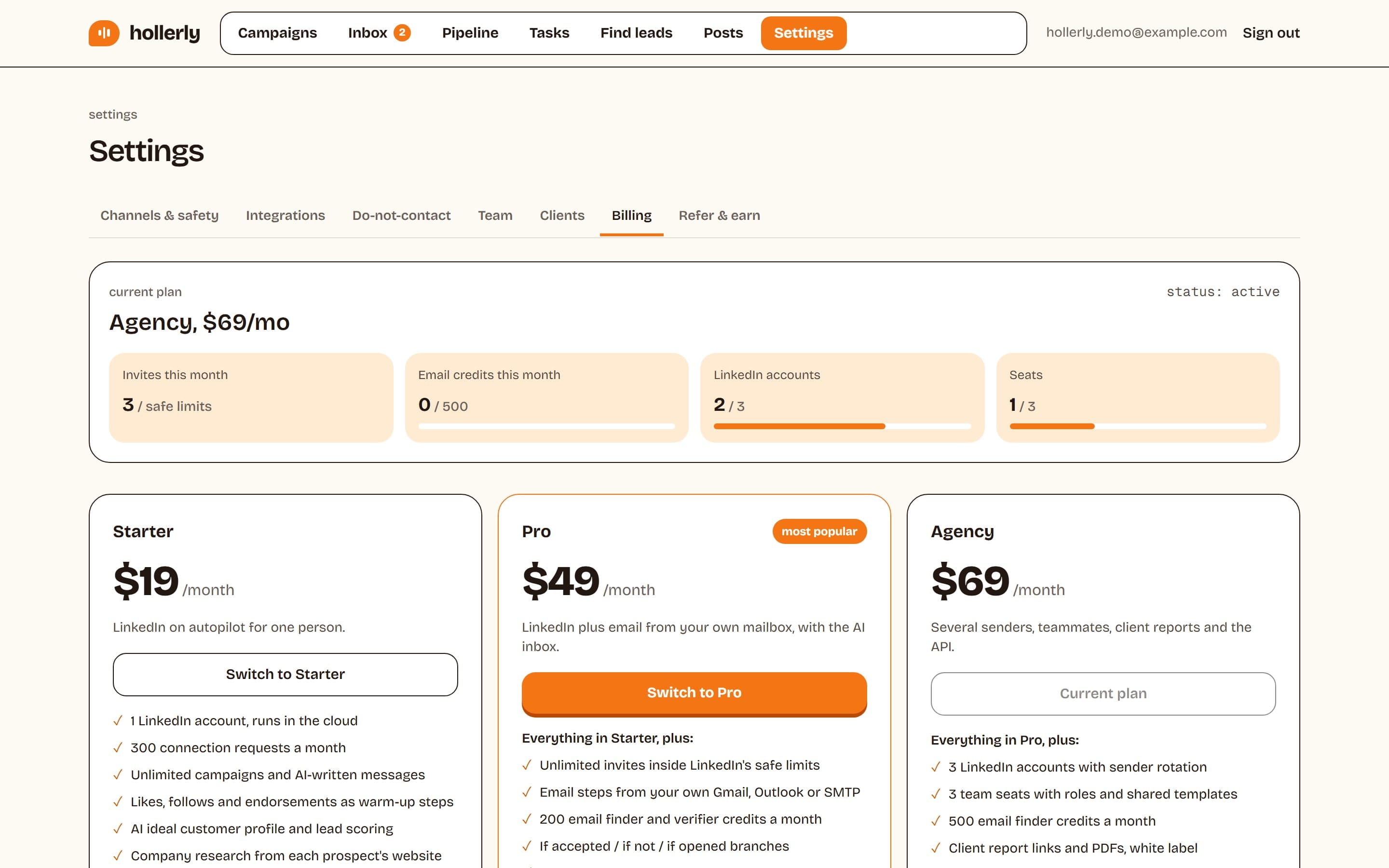
- Starter, $19/mo: 1 LinkedIn account, 1 seat, 300 connection requests a month, unlimited campaigns, AI-written messages, likes and endorsements as warm-up steps, the AI ideal customer profile and lead scoring, company research, sequence templates, variables and spintax, the unified inbox, notes, tags and tasks, the do-not-contact list and the account health score.
- Pro, $49/mo: everything in Starter, with no monthly invite cap (only the daily and weekly safety limits apply), email steps from your own Gmail, Outlook or SMTP mailbox, 100 email finder credits a month, company enrichment, conditions such as "if accepted", A/B tests, other languages, personalized images, AI reply tags and drafts, the pipeline board, meeting tracking and meeting prep briefs, HubSpot and Pipedrive sync, Slack alerts, webhooks and the deliverability checker.
- Agency, $69/mo: everything in Pro, plus 3 LinkedIn accounts with sender rotation, 3 seats with roles, 250 email credits a month, client report links with white-label branding, the AI reply agent that can answer interested leads on its own, and the public API with API keys. Every plan, including the trial, can connect Claude or ChatGPT through the MCP server.
How limits are counted
- Invites a month (Starter only) and email credits reset on the 1st of each calendar month (UTC). Credits don't roll over.
- Seats include the workspace owner and any pending invites.
- LinkedIn accounts count every account that isn't disconnected.
- AI actions you start in the dashboard, such as drafting samples, rewrites and reply drafts, share a daily allowance per person (300 by default). It resets at midnight UTC. AI features need an active plan or trial.
When something is on a higher plan, Hollerly tells you which one, for example "A/B tests is on Pro ($49/mo) and up."
Which plan should I pick?
Pick Starter if you only need LinkedIn for one person. Pick Pro if you want email steps, the AI inbox or CRM sync. Pick Agency if you run several LinkedIn senders, work with teammates or report to clients.