Expandi Review: Is It Worth It in 2026?
This Expandi review covers what the tool does, who it is built for, what it costs in 2026 and how it protects your LinkedIn account. Expandi is a cloud-based LinkedIn automation platform for sales teams, lead generation agencies and recruiters, with a dedicated country-based IP address for every account and email follow-ups in the same campaign.
Facts below come from Expandi's homepage, pricing page and integrations page, which we read on October 2, 2026. We don't quote ratings or user reviews.
Expandi is a careful, safety-focused cloud tool with a dedicated country-based IP per account, automatic warm-up, a smart inbox and native CRM sync. It is a reasonable choice for one important profile or a large agency. At $79 to $99 per account with no AI writing or email finder listed, many solo users and small teams look at Hollerly (from $19), Dripify or HeyReach instead.
Expandi review: verdict at a glance
| Expandi | |
|---|---|
| Best for | Users protecting one valuable LinkedIn profile, and agencies with 10 or more accounts |
| Price | Business: $99 a month per account, or $79 a month billed annually; Agency by quote |
| Free trial | 7 days with full access, no credit card |
| Our take | Strong safety setup and CRM sync; expensive per account, with no built-in AI writing or email finder listed |
In short: Expandi gets the safety basics right and has a mature campaign builder. You pay for that per account, and you bring your own message copy and email addresses.
Why listen to us?
We build Hollerly, a LinkedIn and email outreach tool, so Expandi is a competitor and you should read our view with that in mind. We did not run paid campaigns in Expandi for this review. We read Expandi's own homepage, pricing page and integrations page on October 2, 2026, report only what those pages say, and point out where Expandi is stronger than Hollerly. Where something was not on those pages, we say it was not listed.
What is Expandi?
Expandi calls itself the "#1 LinkedIn Automation Tool" and targets sales teams, lead generation agencies and recruiters. It runs your LinkedIn campaigns from the cloud. You build a sequence of connection requests, messages, InMails and engagement actions, add email follow-ups, and Expandi works through your leads within daily limit ranges it sets for your account.
Its pitch is safety plus control: a dedicated IP for each account, warm-up for new profiles, and a campaign builder with conditions that react to accepts, replies and engagement.
| Expandi | Hollerly | |
|---|---|---|
| Runs in the cloud | Yes | Yes |
| Dedicated IP per account | Yes, country-based | Yes, in your country |
| Automatic warm-up | Yes | Yes, 10 then 15 invites a day for two weeks |
| Campaign builder | 19 actions and 11 conditions, drag and drop | Templates or custom, with if accepted / not / opened branches |
| Email follow-ups | Yes, any email provider | Pro, from your own Gmail, Outlook or SMTP mailbox |
| Email finder | Not listed | 200 credits a month on Pro |
| AI-written messages | Not listed (Expandi MCP in private beta) | Every plan |
| Inbox | Smart inbox with labels, tags and notes | Every plan, AI tagging and drafts on Pro |
| CRM | HubSpot, Salesforce, Pipedrive | HubSpot and Pipedrive (Pro) |
| Image and GIF personalization | Paid extra | Included on Pro |
| Price per account | $79 to $99 | $19 to $49 (3 accounts for $69) |
Expandi key features
Cloud with a dedicated IP and warm-up
Each LinkedIn account gets its own country-based IP address, automatic warm-up and what Expandi calls fine-tuned daily limit ranges. This is the core of its safety story.
Smart campaigns with conditions
The builder offers 19 actions and 11 conditions, with if-then logic that adapts to accepts, replies and engagement. Campaign tools include unlimited campaigns and templates, prioritization, scheduling and campaign recovery.
Personalization
You personalize with dynamic placeholders. Image and GIF personalization cost extra, and video personalization runs through Sendspark as a paid add-on. Expandi does not list prices for these extras on its pricing page.
Smart inbox and A/B tests
A global smart inbox collects replies in one place with labels, tags and notes. A/B testing for messages is listed on the homepage.
Integrations and Expandi MCP
Expandi lists native HubSpot, Salesforce and Pipedrive integrations, Smartlead for LinkedIn plus cold email in one sequence, Hyperise, Sendspark, Zapier, webhooks and an API. Expandi MCP, in private beta, connects AI assistants such as Claude or ChatGPT to your account.
Agency tools
The Agency plan adds a multi-account workspace with roles, permissions and white label, plus a dedicated customer success manager.
Expandi LinkedIn automation review: how it works day to day
In this Expandi LinkedIn automation review, the day-to-day experience centers on safety and control. New accounts warm up automatically, and Expandi sets limit ranges instead of letting you push to the maximum. Its homepage says you can send up to 300+ connection requests a week, which is a ceiling, not a target for every account.
Campaigns can mix connection requests, messages, profile engagement and email follow-ups, with conditions. Replies come into the smart inbox, where you label and tag them yourself.
What the plan pages do not cover is help writing and finding. There is no AI message writing listed beyond the MCP beta, and no email finder, so you write your own templates and bring your own email addresses for follow-ups.
Expandi pricing
| Plan | Monthly billing | Annual billing (per month) | Accounts | Extras |
|---|---|---|---|---|
| Business | $99 | $79 | 1 per subscription | Unlimited campaigns |
| Agency | Custom | Custom | 10 or more | White label, roles, success manager |
Both plans list a 7-day free trial. Three accounts on Business cost $297 a month on monthly billing, or $237 on annual billing, before any image or video add-ons. For the add-ons and worked examples, read our Expandi pricing breakdown. Hollerly runs three LinkedIn accounts for $69 a month on its Agency plan. See Hollerly pricing.
Expandi pros and cons
- ✓Cloud based with a dedicated country-based IP per account.
- ✓Automatic warm-up and conservative limit ranges.
- ✓Conditional campaigns with email follow-ups and A/B tests.
- ✓Smart inbox with labels, tags and notes.
- ✓Native HubSpot, Salesforce and Pipedrive, plus Zapier, webhooks and API.
- ✕$79 to $99 a month per account.
- ✕Image, GIF and video personalization cost extra.
- ✕No email finder or lead database listed.
- ✕No built-in AI writing listed; MCP connector in private beta.
- ✕Agency pricing needs a quote.
Who Expandi is for, and who should skip it
Good fit
- People with one valuable LinkedIn profile who put account safety first.
- Agencies with 10 or more accounts that want white label, roles and a success manager.
- Sales teams on Salesforce or Pipedrive who want native CRM sync.
Probably skip it
- Solo users and small teams on a budget, since each account costs $79 to $99.
- Anyone who wants AI-written messages or an email finder in the same tool.
- Teams with one to three accounts that want a flat price.
What to test during the Expandi trial
Seven days is short, so plan the trial before you start it. These checks tell you whether the per-account price is worth it for you.
- Connect your main LinkedIn account and watch how the automatic warm-up paces the first few days.
- Build one campaign with a condition, for example a follow-up only if the invite is accepted, and confirm it branches the way you expect.
- Add an email follow-up from your own mailbox and check how replies show up in the smart inbox.
- Connect your CRM, whether HubSpot, Salesforce or Pipedrive, and check which fields sync.
- Write down how long it takes you to write and personalize messages without AI help, then price that time alongside the $79 to $99 per account.
Is Expandi safe?
Expandi is a cloud tool, not a browser extension. It gives each account a dedicated country-based IP, warms profiles up automatically and uses limit ranges. That setup is close to what we consider best practice, and it is the same model Hollerly uses: one dedicated cloud browser and one IP in your country per LinkedIn account. Expandi's pages do not describe randomized delays.
No setup is ban-proof. LinkedIn's user agreement does not allow third-party automation, so the risk never drops to zero. Keep volumes modest, write messages people want to answer, and stop if LinkedIn shows a warning. Read our LinkedIn automation safety guide for the limits we recommend.
Expandi alternatives
| # | Tool | Best for | Starting price | Key difference |
|---|---|---|---|---|
| 1 | Hollerly | Same cloud and IP model at a lower price | $19/mo | AI writes every message; email finder credits on Pro |
| 2 | HeyReach | Agencies with many LinkedIn senders | $79/sender/mo | Sender rotation and flat agency plans |
| 3 | Dripify | Sales teams wanting a simple drip builder | $59/user/mo ($39 annual) | Email finder on every plan |
| 4 | Waalaxy | Budget solo LinkedIn outreach | €19/user/mo | 99+ ready-made sequences |
1. Hollerly
Best for: solo users and small teams who want Expandi's safety model plus AI writing at a lower price.
Hollerly uses the same approach to safety: one dedicated cloud browser and one IP in your country per LinkedIn account, warm-up at 10 then 15 invites a day for the first two weeks, working hours only, random gaps between actions, and an automatic pause if LinkedIn rate-limits you. On top, Claude writes every message from the lead's profile, latest post and company website, and Pro adds email from your own mailbox with 200 email finder credits a month.
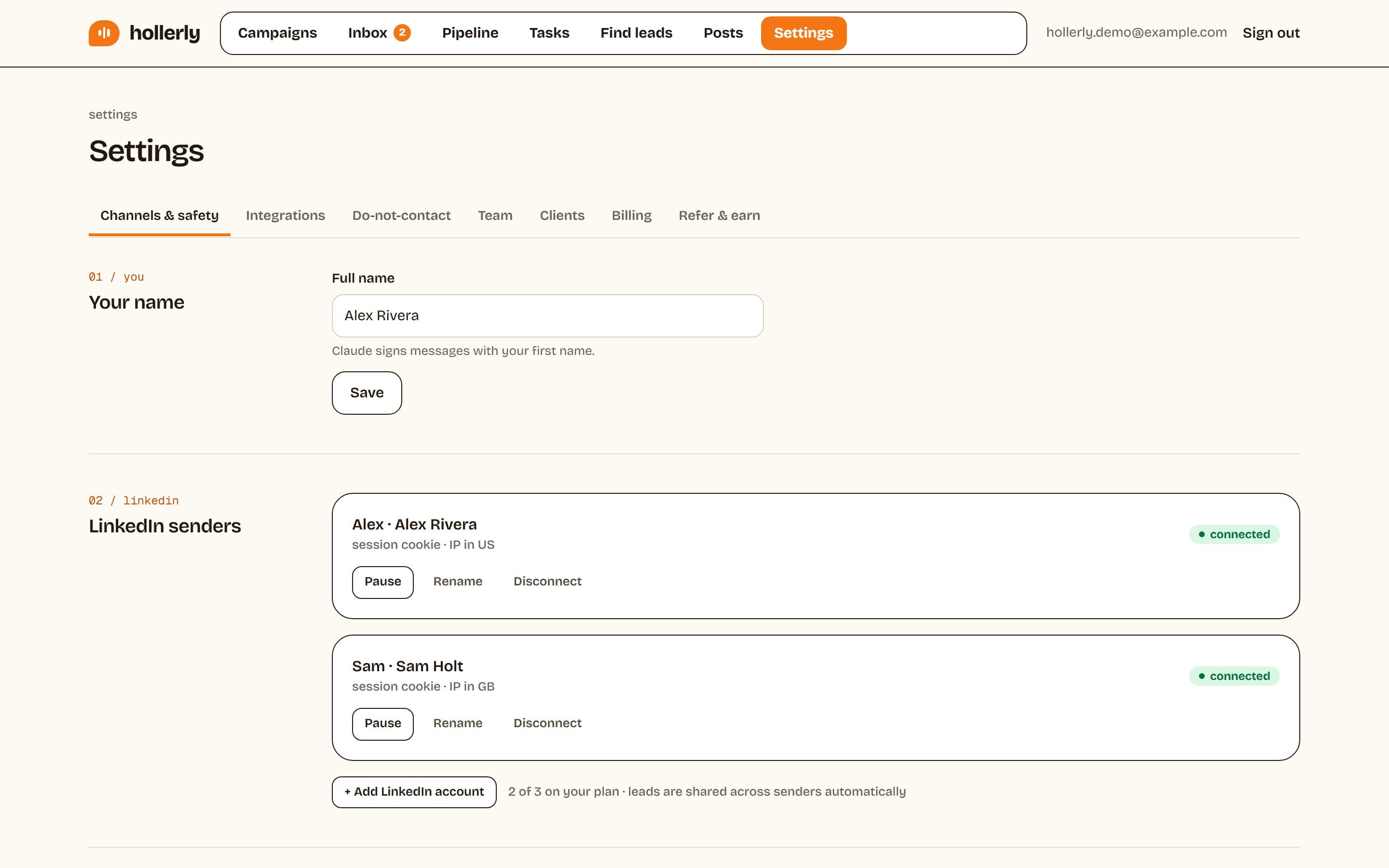
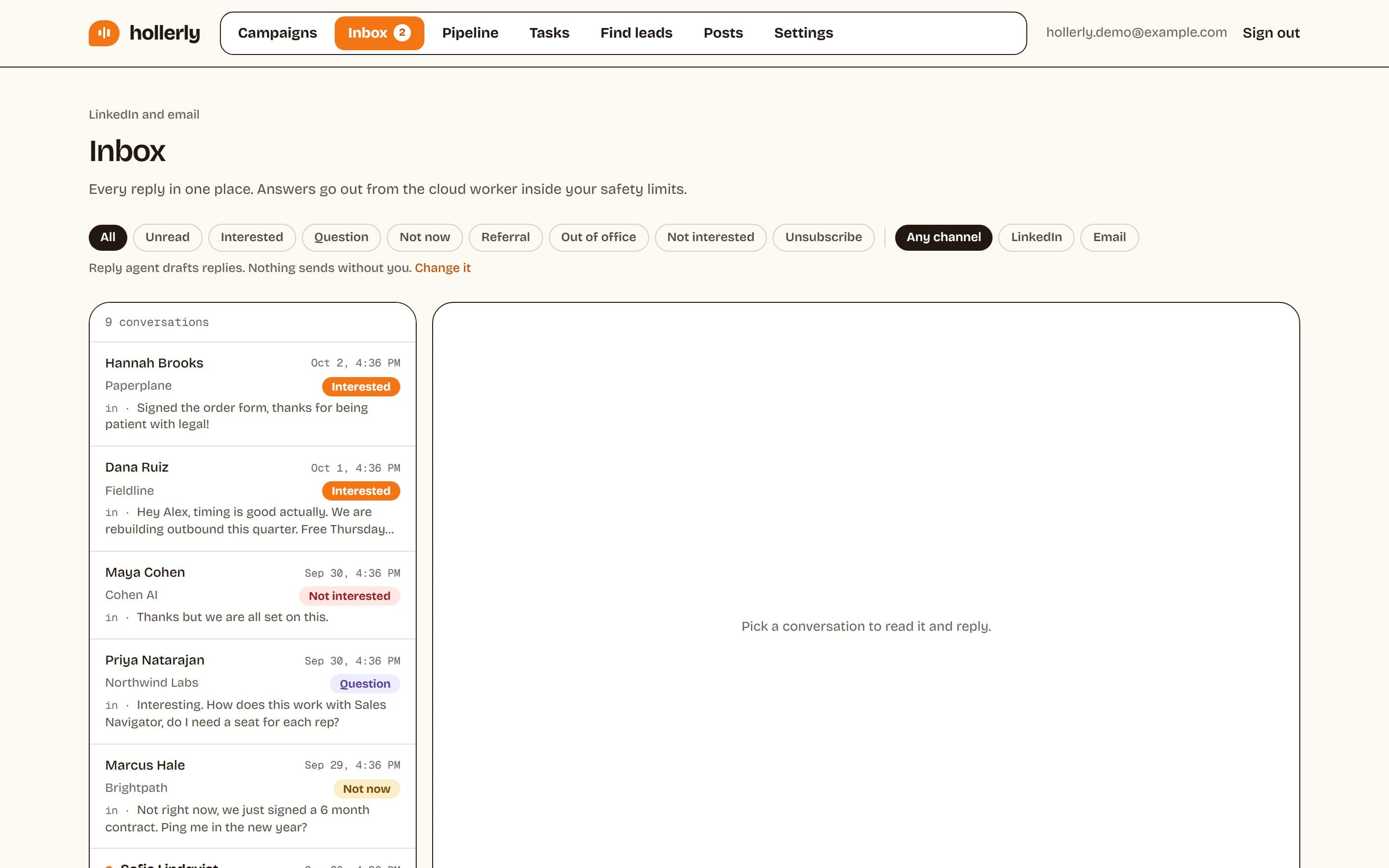
Where Expandi is stronger: native Salesforce sync, an Agency plan that scales past three accounts with a success manager, and a longer track record. Hollerly tops out at 3 LinkedIn accounts on Agency and has no Salesforce integration. Plans: Starter $19, Pro $49 and Agency $69 a month. See the Expandi alternatives page.
2. HeyReach
HeyReach is built for many senders: rotation across accounts, one inbox and flat agency pricing at $999 a month for 25 senders. Growth costs $79 per sender. Read Expandi vs HeyReach.
3. Dripify
Dripify offers a drag-and-drop drip builder with 100 email finder credits a month on every plan, priced per user from $59 a month or $39 billed annually. Read Dripify vs Expandi.
4. Waalaxy
Waalaxy has a lower entry price, from €19 per user a month for 300 invitations, and went fully cloud in July 2026. Email needs the €69 Business plan. Read Expandi vs Waalaxy.
Verdict
Expandi is a careful, safety-focused cloud tool with a capable campaign builder and good CRM coverage. If you are protecting one important profile or running 10 or more accounts as an agency, it is a reasonable choice.
For most solo users and small teams, $79 to $99 per account is a lot to pay for a tool without AI writing or an email finder on the plan page. Hollerly offers the same cloud and dedicated IP model with AI-written messages from $19 a month.
FAQ
+Is Expandi safe?
Expandi is cloud based and gives each account a dedicated country-based IP, automatic warm-up and daily limit ranges, which reduces risk. No tool is risk-free, though, because LinkedIn's user agreement does not allow third-party automation. Keep daily volumes modest, warm up new accounts and pause if LinkedIn shows a warning.
+How much does Expandi cost?
Expandi's Business plan costs $99 a month per LinkedIn account on monthly billing or $79 a month on annual billing, as listed on its pricing page on October 2, 2026. The Agency plan for 10 or more accounts is priced by quote. Both include a 7-day free trial.
+Does Expandi use AI to write messages?
Expandi's pricing page does not list AI-written messages. Its homepage announces Expandi MCP, in private beta, which connects AI assistants such as Claude or ChatGPT to your account to automate outreach from a prompt. Hollerly writes every connection note, message and email with AI on all plans.
+What is the main difference between Expandi and Hollerly?
Both run in the cloud with a dedicated IP per LinkedIn account. Expandi costs $79 to $99 per account and has native Salesforce sync. Hollerly costs $19 to $69, writes every message with AI, includes email finder credits on Pro, and runs up to three accounts on its $69 Agency plan.
+Can I use Expandi and Hollerly together?
You can, for example Expandi on one high-value profile and Hollerly on others, but never run both tools on the same LinkedIn account. Two tools acting on one account doubles your daily activity and raises risk. Keep each account in one tool and share a do-not-contact list between them.
+Which Expandi alternative is best for small budgets?
Hollerly Starter at $19 a month and Waalaxy Pro at €19 per user a month are the cheapest entry points. Hollerly keeps a dedicated cloud browser and IP per account, like Expandi, and adds email from your own mailbox at $49. Waalaxy needs its €69 Business plan for email.
Get replies without the busywork
Hollerly finds the people, writes every message with AI and follows up on LinkedIn and email until they reply. Runs in the cloud, from $19 a month.
Start my 7-day free trial