Build your ideal customer profile
Let Claude read your website and build an ideal customer profile: job titles, industries, company sizes and keywords, plus a ready LinkedIn search.
Your ideal customer profile (ICP) tells Hollerly who you want to reach. It powers the LinkedIn search links and AI lead scoring.
Build it from your website
- Open Find leads in the dashboard menu.
- Enter Your website, for example acme.com. Add Notes (optional) if there's anything Claude should know, such as a market you don't serve.
- Click Build my ICP. Claude reads your homepage to work out what you sell and to whom.
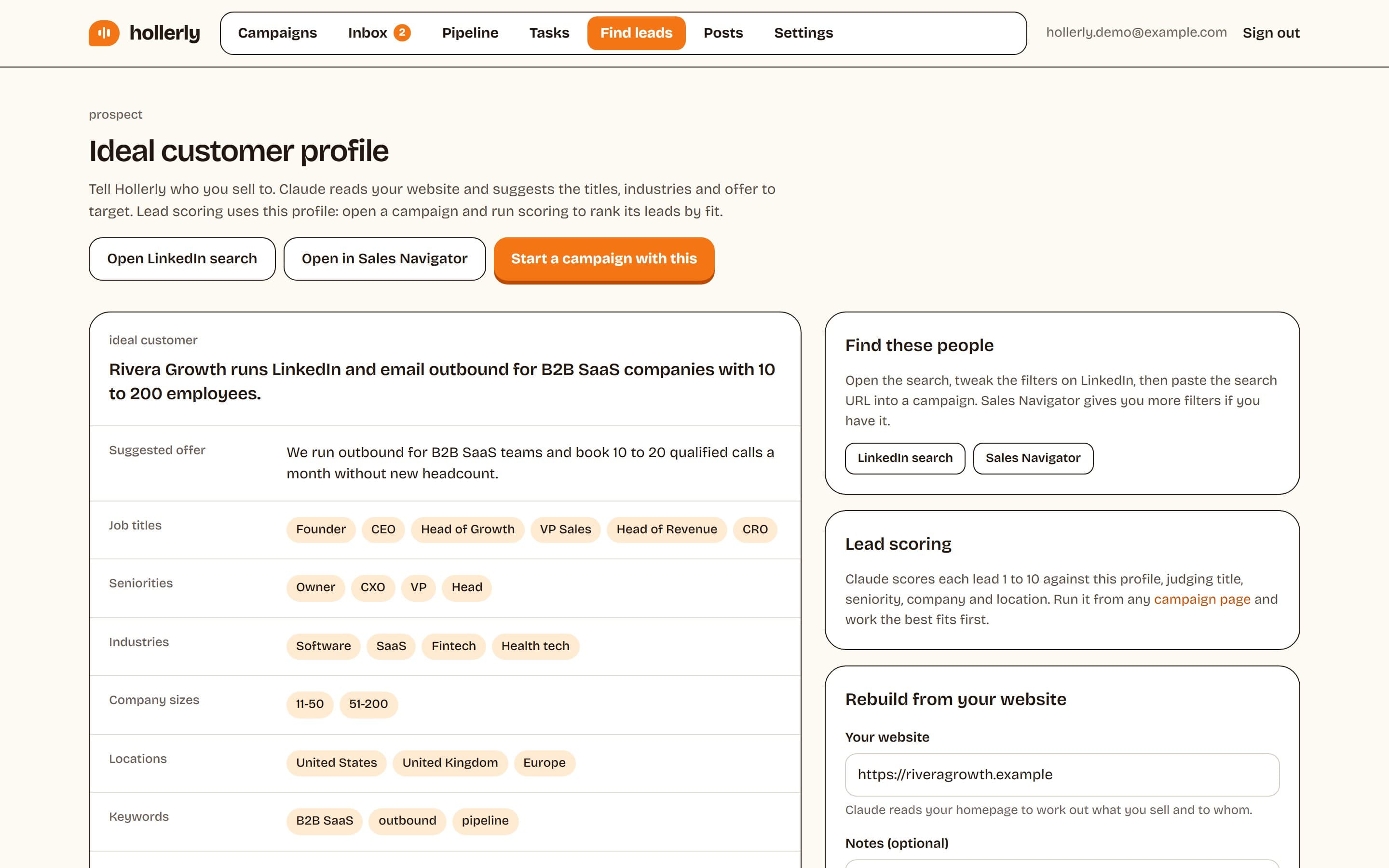
What you get
- A short Summary and a Suggested offer
- Job titles, Seniorities, Industries, Company sizes, Locations and Keywords
- Pain points your buyers have
- Avoid: who to leave out
Click Edit this profile to change anything. Lists are comma separated, up to 12 items each. Click Save changes when you're done. Only the workspace owner or an admin can edit the ICP. To start over, click Rebuild my ICP.
Turn it into leads
- Open LinkedIn search opens a people search built from your profile.
- Open in Sales Navigator does the same in Sales Navigator, if you have it.
- Start a campaign with this opens a new campaign with the suggested offer filled in.
Adjust the search on LinkedIn until the results look right, then copy the URL and paste it into your campaign. See Add leads from LinkedIn or a CSV.
How the ICP is used for scoring
When you click Score leads with AI on a campaign, Claude rates each lead from 1 to 10 against this profile and your offer. See Lead scoring, enrichment and the email finder.