Create a campaign
How to create a Hollerly campaign: pick a starting sequence, write your offer, choose tone and language, set campaign options, then add leads and review.
Click New campaign on the dashboard. The page asks "Who are you reaching, and with what?". You approve the first five messages before anything sends.
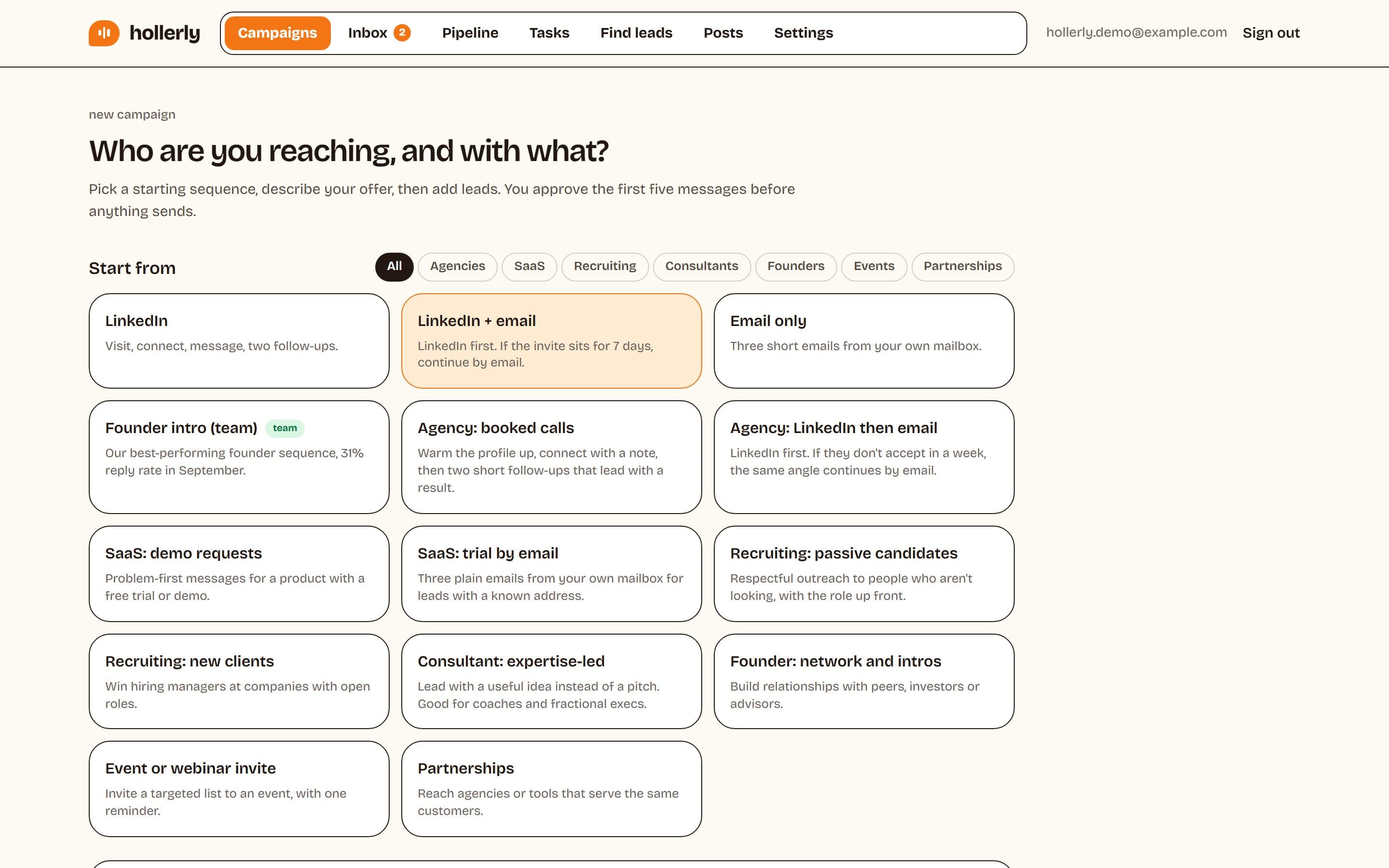
1. Pick a starting sequence
Under Start from, choose a preset or a template:
- LinkedIn: visit, connect, message, two follow-ups.
- LinkedIn + email (Pro): LinkedIn first. If the invite sits for 7 days, continue by email.
- Email only (Pro): three short emails from your own mailbox.
- Use-case templates for agencies, SaaS, recruiting, consultants, founders, events and partnerships, plus any templates your team saved.
You can change every step afterwards. See Templates, variables and languages.
2. Describe your offer
- Campaign name, for example "SaaS founders, NYC".
- Your offer: one or two sentences on what you do and for whom. Claude won't invent anything beyond this, so be specific.
- Tone: friendly and direct, warm and casual, concise and professional, or curious, peer to peer.
- Language: Claude writes natively in 22 languages. Languages other than English are on Pro.
3. Check the options
- Send in the prospect's working hours (on): uses their LinkedIn location to pick a timezone.
- Research their company website and use it in AI messages (on).
- Unsubscribe link in emails (on).
- Track email opens (off): only needed for "if opened" conditions.
- Allow people already in other campaigns (off): off keeps every person to one campaign.
With more than one LinkedIn account you also see Senders (rotation), and on Agency a Client picker for client reports.
4. Create and add leads
Click Create campaign. On the campaign page, add leads from a LinkedIn search, a post or a CSV (how), then draft and approve your first five messages (how).
Duplicate, translate or save as a template
The campaign menu has Edit, Translate (Pro), Save as template and Duplicate. Translate makes a copy of the campaign in another language.