Inbox, reply tags and the AI reply agent
One inbox for LinkedIn and email replies. What each reply tag does, how AI drafts work on Pro, and how the Agency reply agent answers leads for you.
Every reply, on LinkedIn or email, lands in Inbox. A reply stops that lead's sequence on both channels straight away.
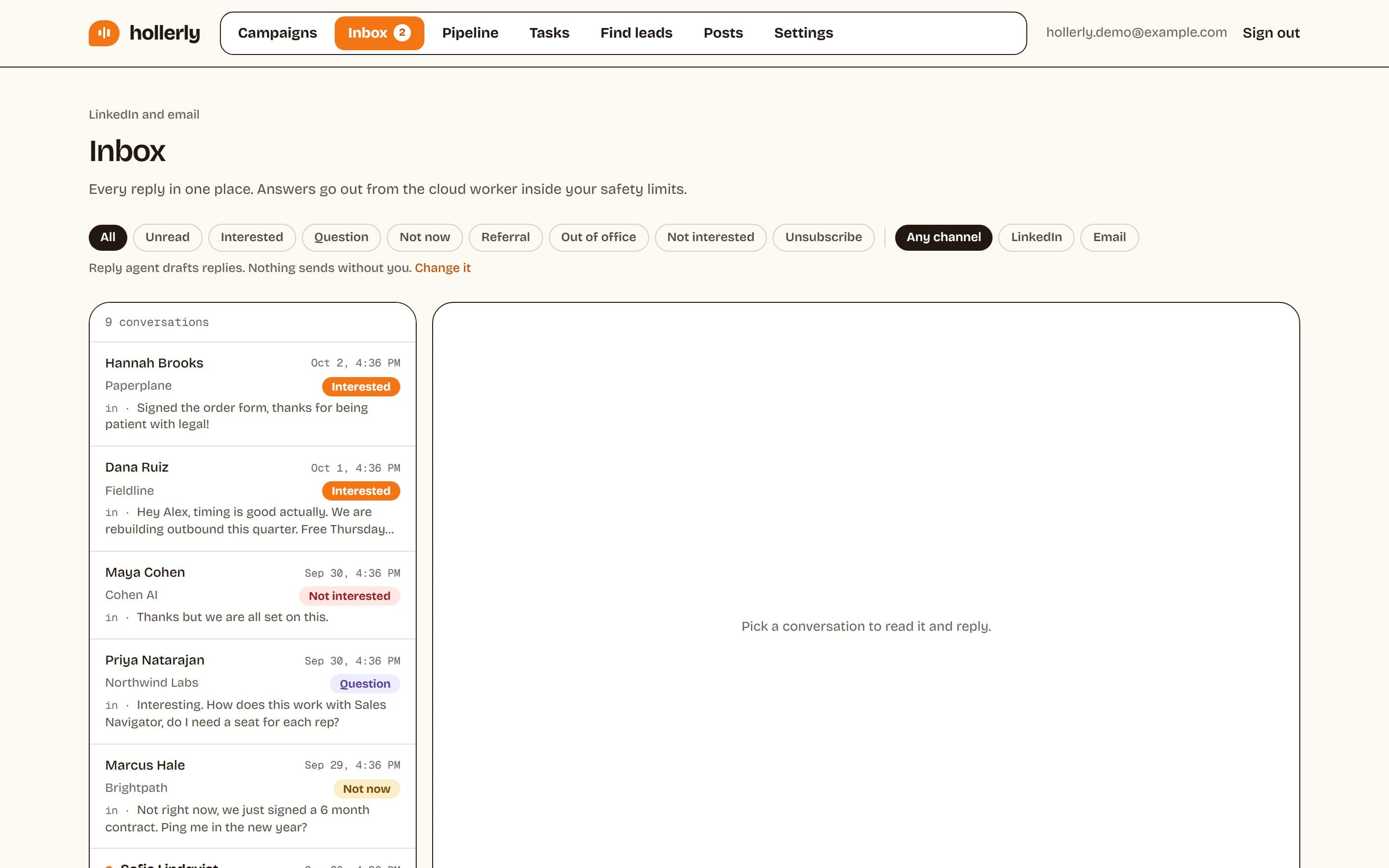
Finding conversations
Filter by All or Unread, by reply tag (Pro), and by channel: Any channel, LinkedIn or Email. A new reply is marked unread until you open the conversation or answer it.
Reply tags
Each reply gets one tag. Obvious unsubscribes and out-of-office messages are caught right away, and Claude tags the rest (Pro). You can change a tag by hand.
- Interested: the lead also moves to Interested in your pipeline.
- Question
- Not now: Hollerly creates a task to follow up, by default in 30 days, or when they said.
- Referral: they pointed you to someone else.
- Out of office: the sequence picks up again when they're back, by default after 7 days.
- Not interested: nothing else is sent.
- Unsubscribe: they go on your do-not-contact list.
Answering a reply
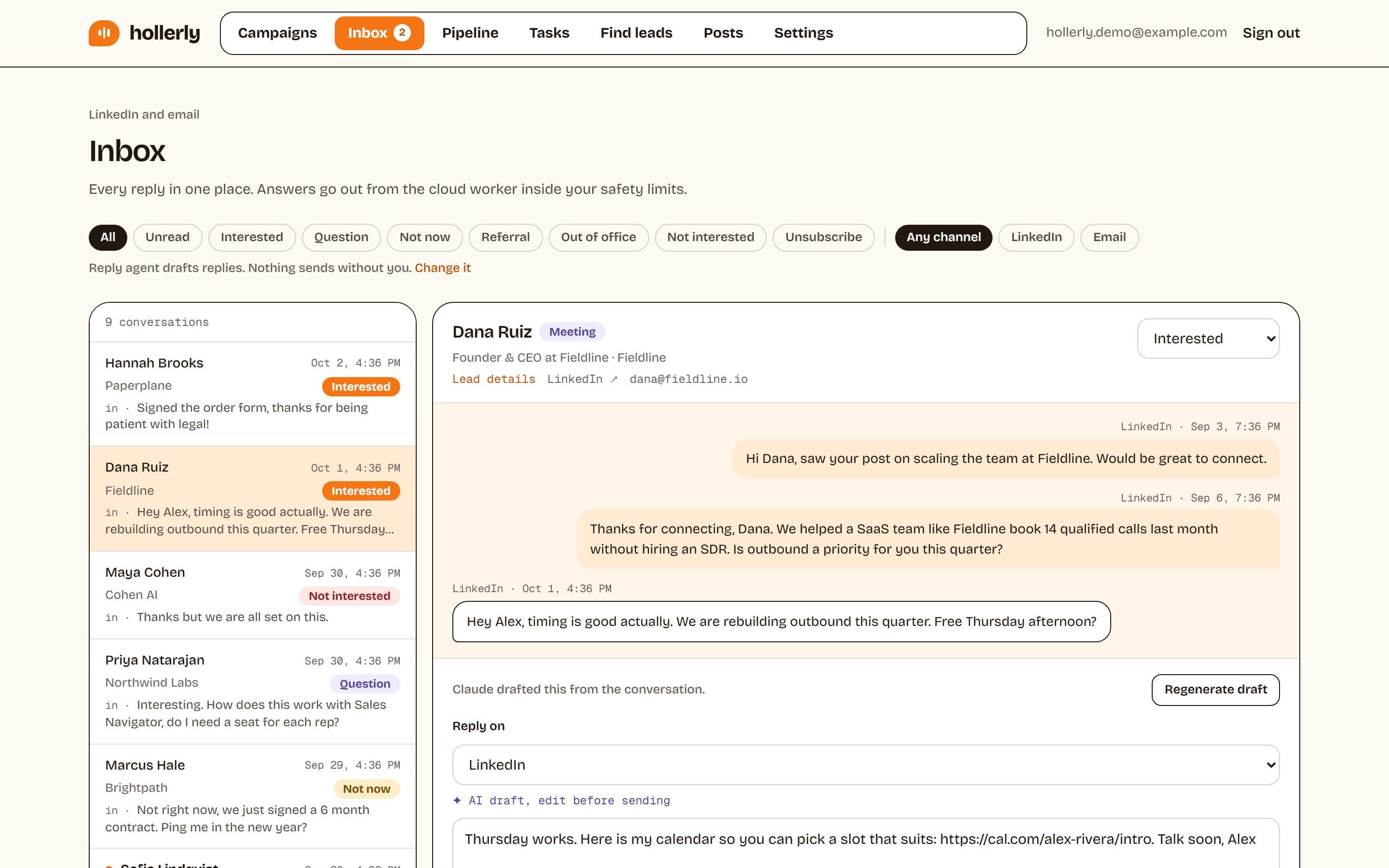
Open the conversation, choose Reply on LinkedIn or Email, write your answer and click Send. It's queued and goes out within a few minutes, inside your safety limits. You can cancel it while it waits. LinkedIn replies need an accepted connection, and email replies need Pro and a connected mailbox.
AI drafts (Pro)
Unless the reply agent is Off, Claude drafts an answer to each new reply from the whole conversation, marked "AI draft, edit before sending". Click Regenerate draft for another version. If the lead is interested, the draft suggests a call with your booking link, or two time windows if you haven't set one. There's no draft for unsubscribes, not interested or out of office.
The reply agent
Choose how much Claude does under Settings, Integrations, Reply agent:
- Off: no AI drafts and no automatic replies. You write every reply yourself. Replies are still tagged on Pro.
- Draft replies (the default): Claude drafts, you read, edit and send. Nothing sends without you.
- Reply for me (Agency): Claude answers interested leads and simple questions on its own, at most once a day per lead, inside your working hours, and only when it's confident about the tag. It never replies to opt-outs, not-interested or out-of-office messages. Everything else waits as a draft.