LinkedIn posts and the profile optimizer
Write LinkedIn posts with AI, schedule them through LinkedIn's official API, and get a scored review of your headline and About section before outreach.
LinkedIn posts (Pro)
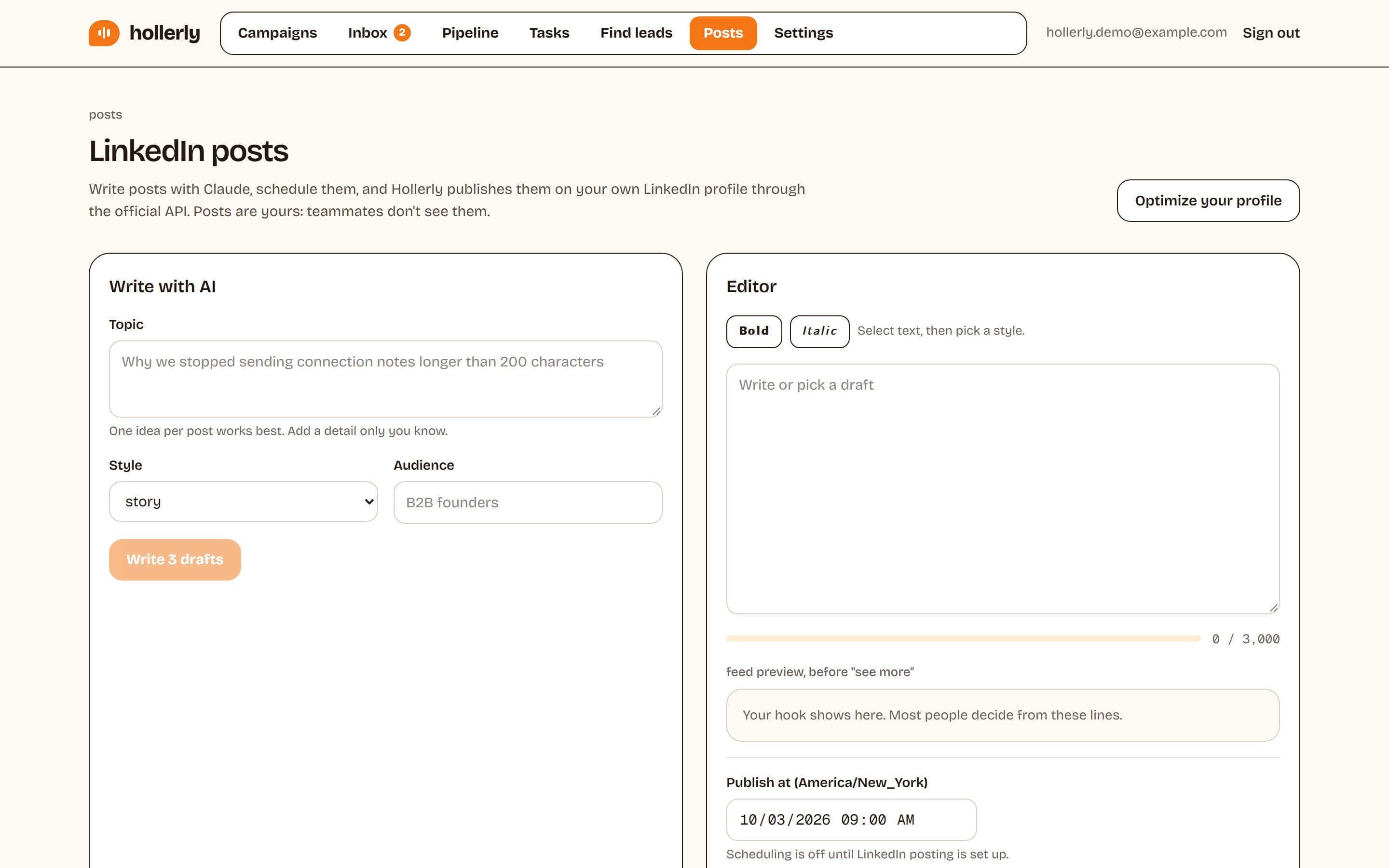
Posts writes and schedules posts on your own LinkedIn profile. Posts are personal: teammates don't see yours.
Connect publishing
Click Connect LinkedIn on the Posts page and approve access in LinkedIn. This uses LinkedIn's official sharing API and is separate from the account that runs your campaigns. LinkedIn approval lasts about 60 days; click Reconnect when asked.
Write with AI
Enter a Topic, pick a Style (story, how-to, opinion, list, lesson learned or behind the scenes) and an Audience, then click Write 3 drafts. Drafts are 120 to 220 words with at most two hashtags. Click Use this one to edit it.
Edit and schedule
The editor has bold and italic buttons, a 3,000 character limit and a preview of how the post looks in the feed before "see more". Set Publish at (up to 12 months ahead), then click Schedule, Save draft or Copy to clipboard. Scheduled posts can be published now, unscheduled, edited or deleted.
Profile optimizer
Your profile is the first thing people check after an invite. Open Posts and click Optimize your profile.
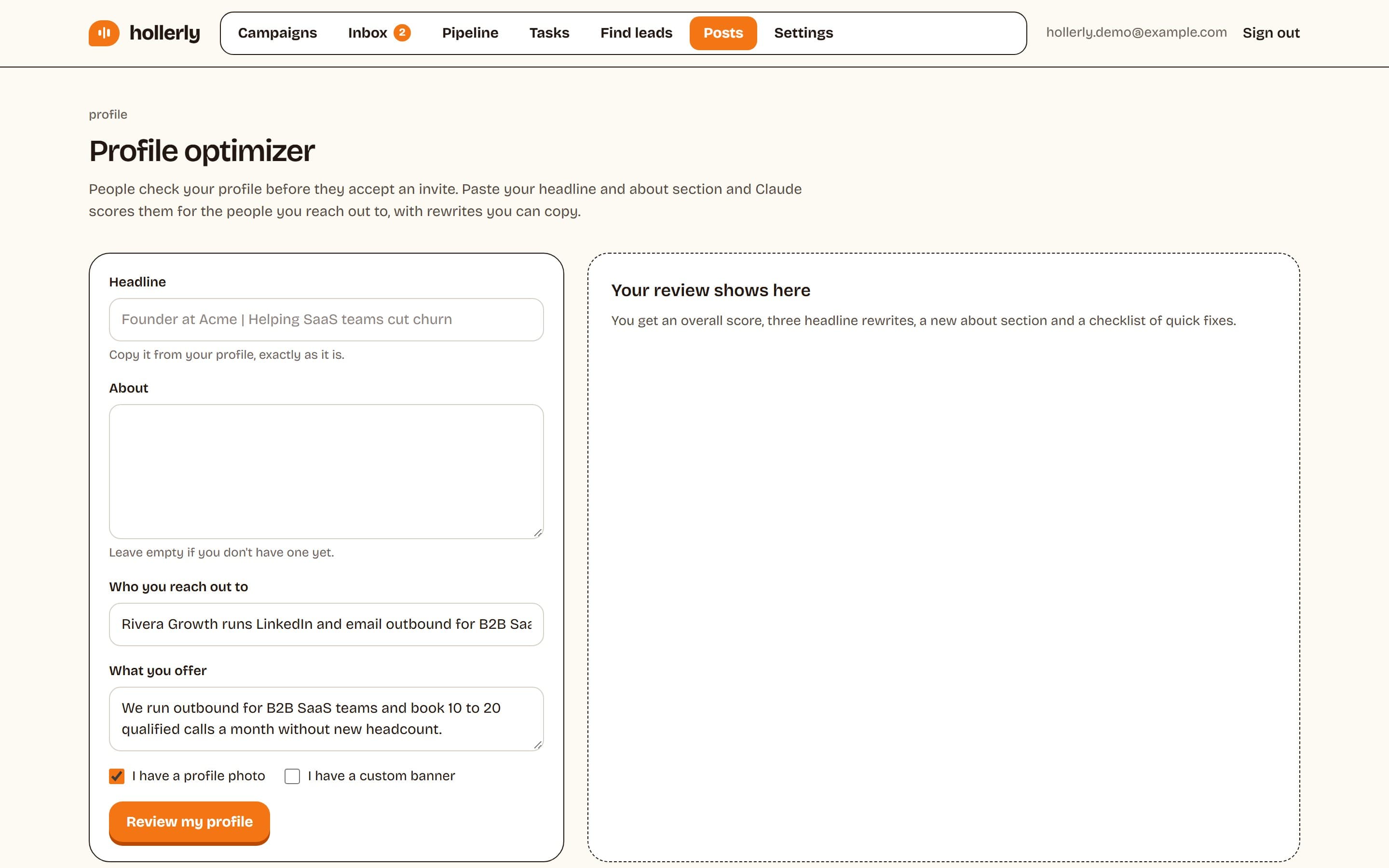
- Paste your Headline and About section.
- Fill in who you reach out to and what you offer (taken from your ICP when you have one), and whether you have a profile photo and custom banner.
- Click Review my profile.
You get an overall score out of 100 ("Ready for outreach" at 75 and up), a headline score with three rewrites, an About score with a rewrite, and a checklist covering photo, banner, clarity, social proof, call to action and the featured section.