Approve the first five, then start
Why Hollerly drafts five sample messages for your review, how to approve, edit or rewrite them, and how to start, pause, edit and archive a campaign.
Before a campaign sends anything, you check what Claude writes. That's the approve the first five review.
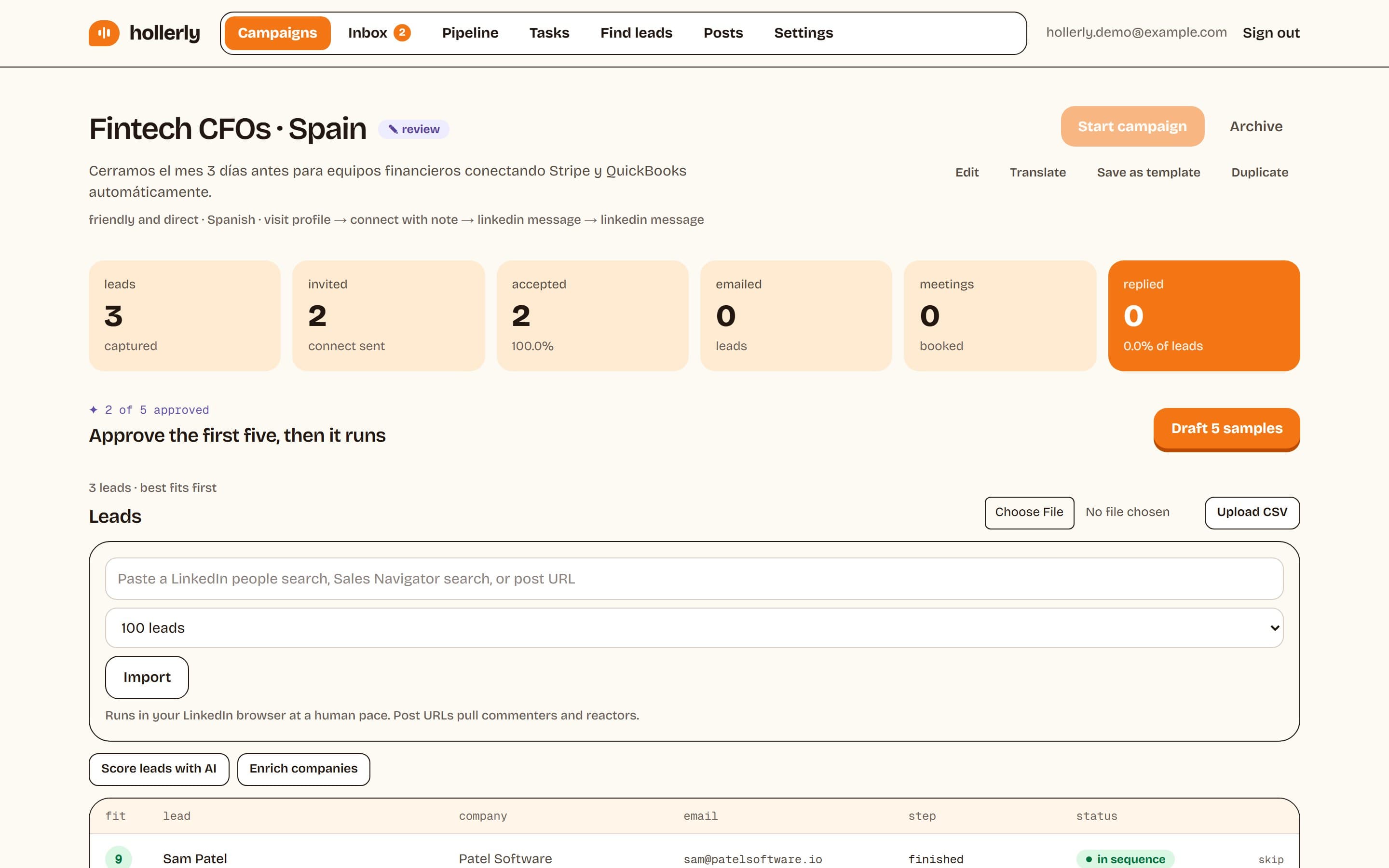
Draft and review samples
- Add leads to the campaign first.
- Click Draft 5 samples. Claude writes the first text step for your five best-scored leads, and the campaign moves to review.
- For each sample, click Approve, Edit (then Save + approve) or Rewrite for a fresh draft.
The box shows your progress, for example "3 of 5 approved". Once five are approved, the rest of the messages in that campaign go out without review. If you'd like to see more, keep reviewing before you start.
Start the campaign
Click Start campaign. It stays disabled until five samples are approved. Once live you'll see "Campaign is live. It runs in the cloud inside your working hours." You need an active trial or plan to start campaigns.
Pause and resume
Click Pause to stop a campaign. Leads stay where they are in the sequence. Click Resume to carry on.
Edit a running campaign
You can change settings such as the offer or tone while a campaign runs. To change the steps, pause it first. The editor reminds you: "Pause it first to change the steps."
Archive
Click Archive to end a campaign. Its leads stop, and it leaves the campaign list.
What stops a lead's sequence
- They reply, on LinkedIn or email.
- They unsubscribe, or you add them to the do-not-contact list.
- You click skip next to them in the lead table.