Sequence steps, delays and conditions
Every step type in a Hollerly sequence, how delays and the accept wait work, and how conditions like if accepted or if opened branch a sequence.
A sequence is a list of up to 12 steps. It stops the moment a lead replies, on LinkedIn or email.
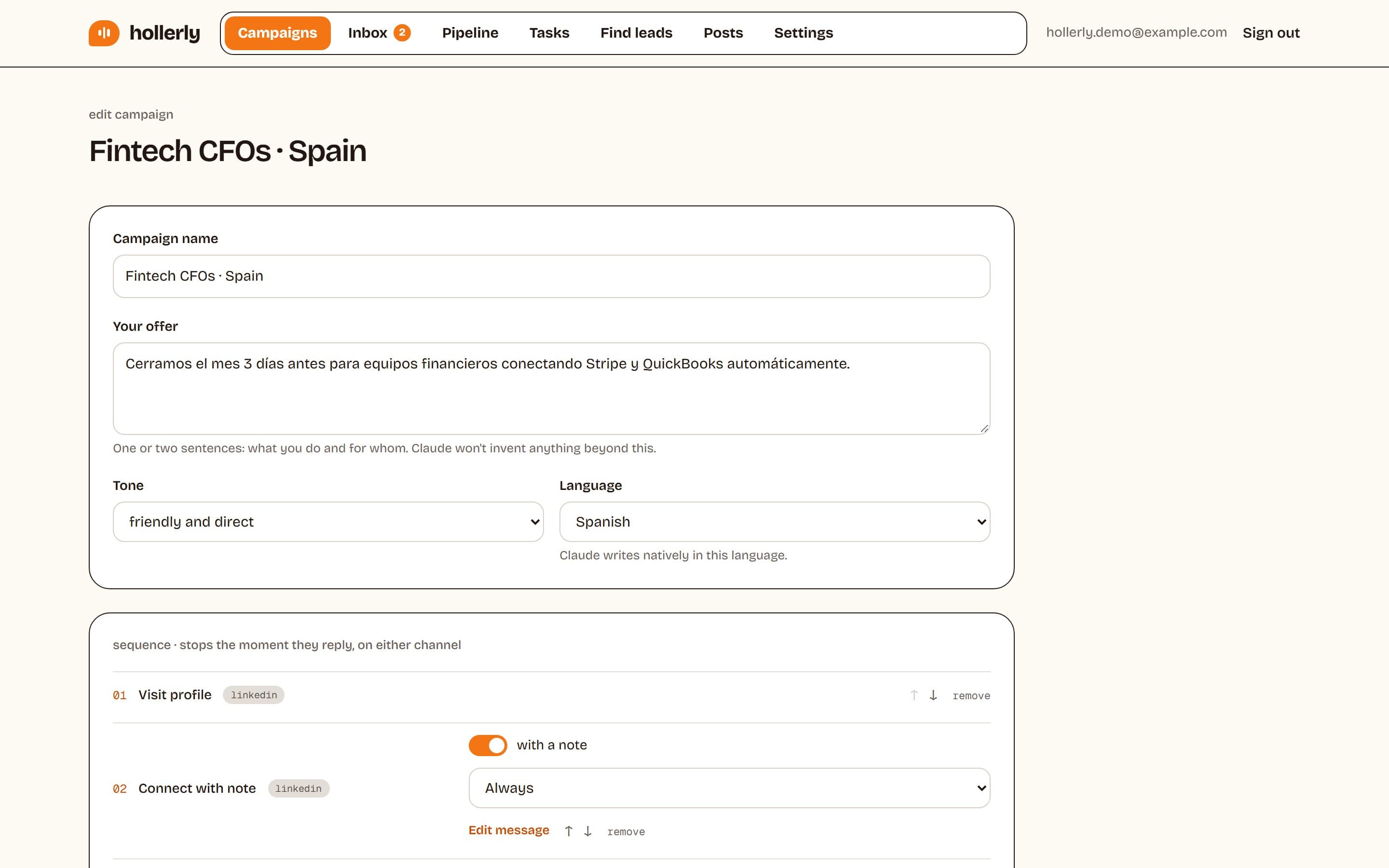
Step types
- Visit profile: views their LinkedIn profile. Visits go before the connect step.
- Like a recent post and Follow: warm touches before the invite.
- Connect or Connect with note: the connection request. One per sequence.
- LinkedIn message: only goes to people who accepted, so it needs a connect step before it.
- Endorse a skill: LinkedIn only allows endorsing connections, so it also needs a connect step first.
- Email (Pro): sent from your mailbox. It needs an email address, from your CSV, LinkedIn contact info or the email finder.
Add steps with the + Visit, + Like post, + Follow, + Connect, + Message, + Endorse and + Email buttons. Text limits are 200 characters for a connection note, 600 for a LinkedIn message and 1,200 for an email.
Delays
Each step after the first has a delay from 0 to 30 days, labeled days later. The step right after a connect step counts days after accept, so it waits for the person to accept first. New steps default to 1 day for visits, likes and follows and 3 days for the rest.
The accept wait
If a sequence has email steps or an "if they didn't accept" step, you can set how many days to wait for an acceptance (1 to 21, default 7). After that, the lead moves on to the next email step or the "didn't accept" branch. A lead who never accepts and has nowhere else to go finishes after 21 days.
Conditions (Pro)
Each step can run Always or only when a condition is true:
- If they accepted / If they didn't accept (needs an earlier connect step)
- If we have their email / If no email
- If they opened an email / If they didn't open (needs an earlier email step and open tracking)
When a condition isn't met, that step is skipped, not failed, and the lead moves on.
Rules Hollerly checks for you
The builder warns you about mistakes, such as "LinkedIn messages need a connect step before them" or "Only one connect step per sequence". Fix the warning and save.