Free AI LinkedIn Post Generator
This LinkedIn post generator turns one idea into three ready-to-edit drafts. Each starts with a hook under 12 words, uses short paragraphs and ends with a question or a clear takeaway. Pick a style, name your audience and get drafts in a few seconds.
It's free with a Hollerly account (no card): up to 10 runs a day.
Sign up with your email, no card, and write up to 10 sets of drafts a day. It takes 30 seconds.
Create a free accountNo card required. Already have one? The same button signs you in.LinkedIn AI post generator: what it writes
The LinkedIn AI post generator uses Claude, the same model that writes outreach messages inside Hollerly. You give it a topic and a detail only you know. It returns three different posts of 120 to 220 words, so you can pick the angle that sounds most like you.
- A hook in the first line, written to sit above LinkedIn's "...more" cut.
- Short paragraphs of one or two sentences, with white space between them.
- Concrete details over adjectives. The more specific your topic, the better the draft.
- No emojis, no em dashes and no "In today's fast-paced world". At most two hashtags, at the very end.
Styles include story, how-to, opinion, list, lesson learned and behind the scenes. Try the same idea in two styles; the second is often the keeper.
LinkedIn viral post generator? An honest take
No LinkedIn viral post generator can promise reach. What spreads on LinkedIn is a specific, useful or surprising idea from someone people trust. AI can shape that idea into a clean post. It can't supply the idea.
What helps your odds, and what the generator is built around:
- A first line that makes one clear promise or claim.
- One real example, number or mistake from your own work.
- A format that's easy to read on a phone.
- A closing question people can answer in one line.
Check how the hook looks in the feed with the LinkedIn post preview before you publish.
Best AI LinkedIn post generator: what to look for
There are many tools that call themselves the best AI LinkedIn post generator. Rather than rank them, here's what separates a useful one from a cliche machine:
| Look for | Why it matters | This tool |
|---|---|---|
| Several drafts per run | You choose the angle, not the AI | 3 drafts |
| Style options | Stories and how-tos need different shapes | Six, from story to how-to |
| Rules against filler | Cliches and dash-heavy prose read as AI | Built into the prompt |
| Your context | Generic input gives generic posts | Topic, detail and audience |
| Scheduling | Writing is half the job | In Hollerly Pro, not the free tool |
Whatever you use, edit the draft. Add the one sentence only you could write. That's the part readers remember.
AI LinkedIn post generator free: what's included
The AI LinkedIn post generator is free with a Hollerly account. You get up to 10 runs a day, each with three drafts. There's no card, no trial clock and no watermark on the text.
Why an account? Each run costs real money in AI usage, and a sign-in keeps the tool from being scraped. That's the only reason.
LinkedIn post generator free vs Hollerly's post writer
The LinkedIn post generator free version writes drafts. Hollerly's full post writer, on the Pro plan, goes further: it saves your drafts and publishes to your LinkedIn at the time you pick through LinkedIn's official API.
Pro is $49 a month and also runs your LinkedIn and email outreach: AI-written connection notes and messages, follow-ups and a unified inbox. See pricing.
Posts and outreach also work together: Hollerly can add the people who comment on or react to your post to a campaign, which is how a good post feeds your LinkedIn lead generation.
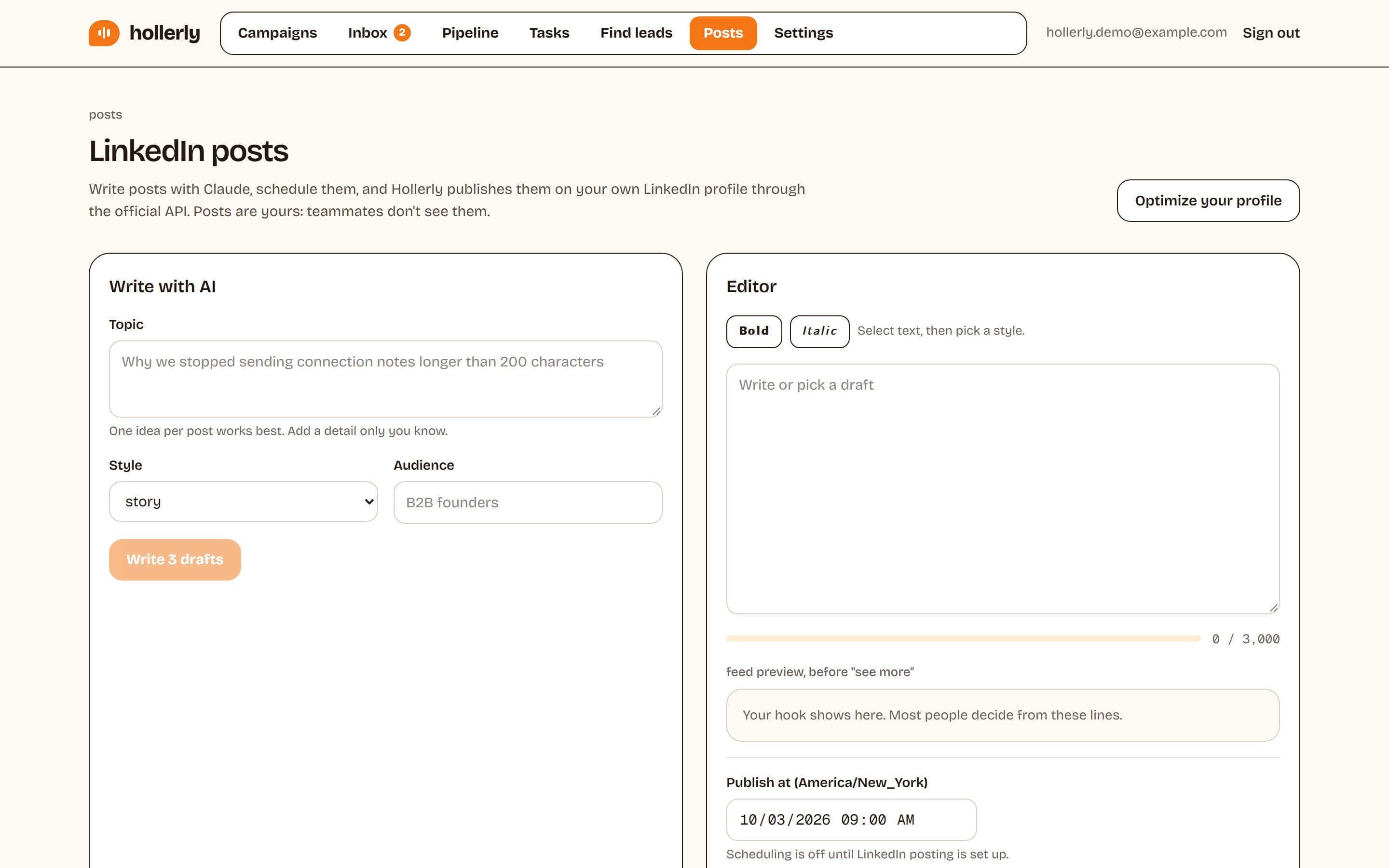
How to use the tool
- Create a free account or sign in.
- Write what the post is about in one sentence, plus one detail only you know.
- Pick a style and, if you like, the audience you're writing for.
- Click Write 3 drafts, copy the one you like and edit it in your own words.
- Style a word or two with the LinkedIn text formatter, then post.
FAQ
+Is the LinkedIn post generator really free?
Yes. It's free with a Hollerly account, which takes about 30 seconds and needs no card. You can run it up to 10 times a day, and each run gives you three drafts. The paid Pro plan adds saving, scheduling and publishing to LinkedIn, but the generator itself costs nothing.
+Will LinkedIn penalize AI-generated posts?
LinkedIn hasn't published a rule that ranks AI-assisted posts lower. What tends to underperform is generic content that sounds like everyone else. Use the drafts as a starting point, add your own example or opinion, and cut anything you wouldn't say out loud. That matters more than which tool wrote the first draft.
+Can the generator add hashtags?
Each draft ends with at most two hashtags, because a few relevant tags read better than a block of ten. If you want more ideas, paste the finished post into the free LinkedIn hashtag generator, which suggests tags ranked by how well they fit the post.
Related free LinkedIn tools
Schedule posts, not just write them
Hollerly's post writer saves your drafts and publishes them on your LinkedIn at the time you pick. Pro plan, $49 a month.
Start my 7-day free trial