Paying $79 a seat for LinkedIn outreach?See what you'd save with Hollerly →
Free tool

LinkedIn Post Mockup and Preview Tool

Build a LinkedIn post mockup in seconds: paste your text, add your name, headline, photo and an image, and see the post as it would look in the feed. Switch between desktop and mobile to see where LinkedIn cuts it with "...more", and fix your hook before anyone else sees it.

No signup. Images stay in your browser and are never uploaded.

AM
Alex Morgan · YouFounder at Northwind | Helping B2B teams book more meetings1h · Public
I almost didn't send that follow-up. Three weeks of silence after a great first call. I assumed they'd gone with someone else.…
48 reactions6 comments · 2 reposts
LikeCommentRepostSend

About 129 characters show before "...more" on desktop (5 lines).

LinkedIn post preview generator: why the fold matters

In the feed, LinkedIn shows only the first few lines of a post. Everything after that sits behind "...more", and most readers decide in those lines whether to click. This LinkedIn post preview generator measures where that cut lands for your exact text.

  • Desktop vs mobile. Narrower screens wrap sooner, so the same post shows fewer words on a phone.
  • Text-only vs image posts. Posts with an image show fewer lines of text before the cut.
  • Line breaks count. A blank line between short sentences uses up a whole line of the preview.

Under the mockup, the tool tells you roughly how many characters show before "...more". Use that to move your hook and the main promise above the fold.

How accurate is it?

LinkedIn changes its feed layout from time to time and doesn't publish exact fold rules. The mockup copies the current feed's width, font and line height, so treat the cut as a close estimate, not a guarantee.

LinkedIn post mockup generator for clients and teams

Ghostwriters, agencies and social teams use a LinkedIn post mockup generator to get sign-off before publishing. Fill in the client's name, headline and photo, paste the draft, then screenshot the mockup and send it over. It's easier to approve a post that looks real than a block of text in a doc.

Tips for a post that reads well in the preview

  1. Keep the first line under about 12 words. It should make one clear promise.
  2. Use the second line to create a reason to click "...more".
  3. Don't spend the preview on greetings or context like "Excited to share".
  4. If you bold a word with the LinkedIn text formatter, check it here: bold letters are wider and wrap sooner.

How to use the tool

  1. Type your name and headline, and add a profile photo if you like.
  2. Paste your post. The counter shows your length against LinkedIn's 3,000 character limit.
  3. Add an image if the post will have one.
  4. Switch between Desktop and Mobile and read the note under the mockup to see how much text shows before "...more".
  5. Click "more" in the mockup to see the full post, then edit and repeat.

Need a draft first? The AI LinkedIn post generator writes three from one idea. Over the limit? Trim with the LinkedIn character counter.

When a post starts getting comments, Hollerly can add the commenters and reactors to an outreach campaign, so the post feeds your LinkedIn lead generation.

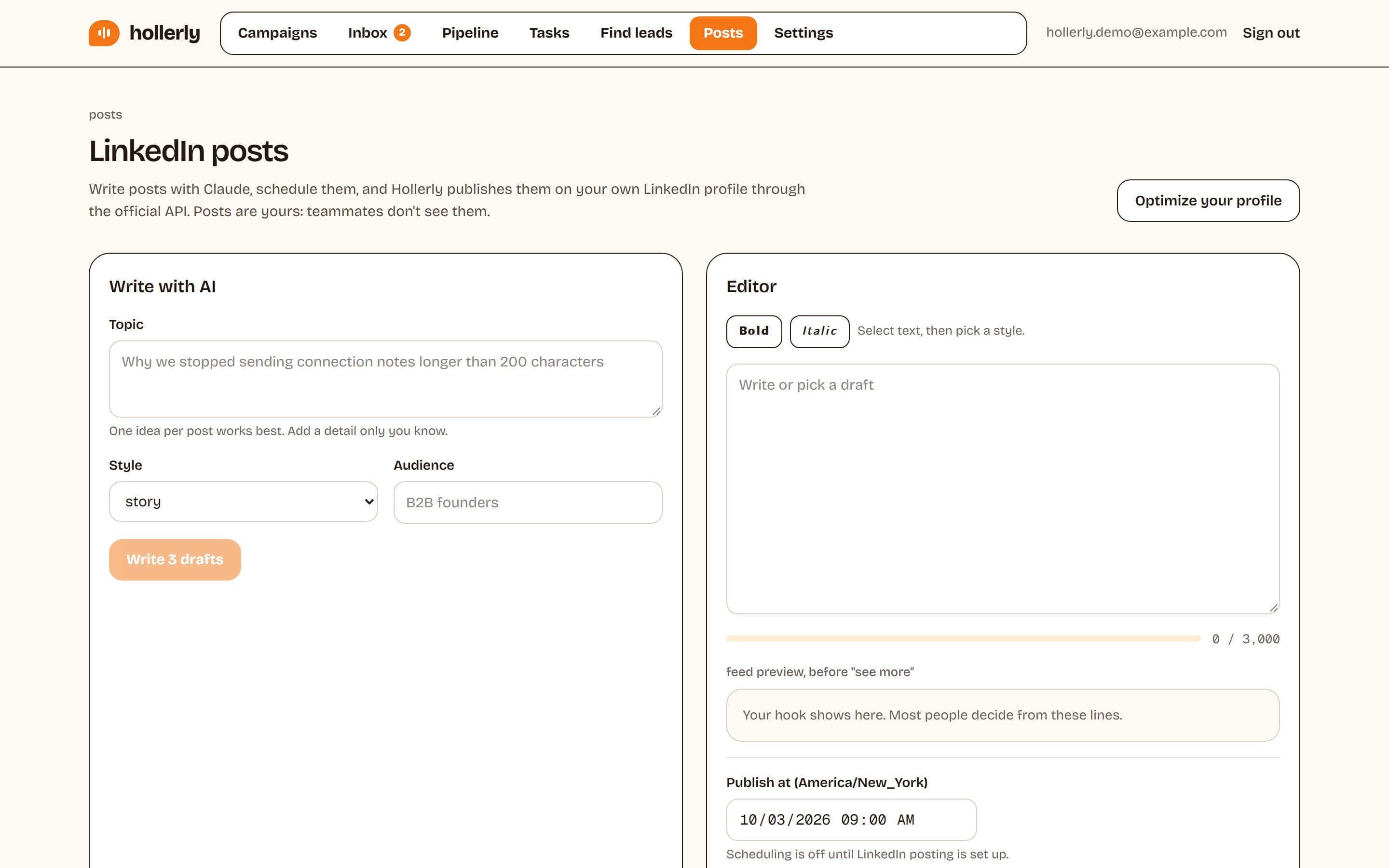
Hollerly LinkedIn posts page with a Write with AI form for topic, style and audience, an editor with bold and italic buttons, a 3,000 character counter, a feed preview of the hook and a publish time
Hollerly's post writer keeps your drafts and scheduled LinkedIn posts in one place.
Hollerly's post writer drafts and schedules LinkedIn posts for you on the Pro plan. Try it free for 7 days.Start my free trial

FAQ

+How many characters show before see more on LinkedIn?

There's no fixed character count. LinkedIn shows a few lines, and the cut moves with the screen width, your line breaks and whether the post has an image. Paste your post into this mockup and switch between desktop and mobile to see roughly how many characters appear before the see more link.

+Is this LinkedIn post mockup tool free?

Yes, completely free with no account. The mockup runs in your browser: your text, profile photo and post image are never uploaded or stored. You can screenshot the preview to share it with a client or teammate.

+Does the preview match LinkedIn exactly?

Closely, not exactly. It uses the feed's current card width, font size and line height to measure the fold. Fonts differ a little between Windows, Mac, iPhone and Android, and LinkedIn tweaks its layout, so a line can wrap differently. Leave a little margin above the cut.
Related free LinkedIn tools

LinkedIn text formatterBold and italic text for posts, headlines and your About section. Copy and paste.LinkedIn character counterCheck a note, headline, post or message against every LinkedIn limit at once.AI LinkedIn post generatorThree post drafts from one idea, with a hook and short paragraphs.LinkedIn carousel makerWrite up to 10 slides, pick a color and save a portrait PDF ready to upload.
Best time to post on LinkedInSee all free tools

Write it, preview it, schedule it

Hollerly's AI post writer drafts LinkedIn posts in your voice and publishes them through LinkedIn's official API at the time you pick. Pro plan, $49 a month.

Start my 7-day free trial