How to Write a LinkedIn Cold Message
A LinkedIn cold message is a message to someone who doesn't know you yet. Done well, it's the most direct route to a buyer, a hire or a partner. Done badly, it's one more pitch they delete. The difference is rarely the wording. It's who you send it to, what you notice about them, and how little you ask for in the first message.
This guide covers the strategy behind cold outreach on LinkedIn, a simple structure for each message, 18 templates you can copy, and the common reasons LinkedIn won't let you message someone. Connection notes stay under 200 characters (the free account limit; Premium allows 300) and messages stay under 300.
LinkedIn outreach strategy: start before the message
A good LinkedIn outreach strategy decides three things before anyone writes a word.
1. Who exactly
Write down the role, company size, industry and one situation that makes your offer relevant (hiring, new funding, a new tool, a new role). "Heads of sales at 20 to 200 person software companies who started in the last six months" is a list you can write good messages to. "Decision makers" is not.
2. Why now
Cold messages with a reason tied to timing get far more replies than evergreen pitches. Job changes, hiring posts, launches and content they've shared are the usual triggers.
3. What's the smallest next step
A reply is the goal of a cold message, not a meeting. Ask something they can answer in one line.
If you can't answer all three for a list, fix that before writing. No template can make a message relevant to someone who isn't a fit.
Cold outreach LinkedIn: how it differs from cold email
Cold outreach on LinkedIn has rules email doesn't:
- You usually need to connect first. Without a connection, you need InMail credits, an open profile or a shared group. More on that below.
- Your profile is part of the message. People click through before replying. Your headline should explain who you help.
- It's a conversation app. Messages show up next to chats with colleagues. Long, formatted pitches look out of place.
- Limits are tight. Most accounts can send roughly 100 invitations a week. See our connection request limit guide. Every wasted invitation costs you.
The upside: LinkedIn shows who people are, what they post and where they work, so you can write something genuinely specific.
LinkedIn cold message: the four-line structure
Every cold message on LinkedIn below follows the same shape. Four short lines, no more:
- Specific opener: one true detail about them. Not "I came across your profile".
- Relevance: why that detail made you think of them.
- Proof: a result, an example or a useful idea. One sentence.
- Small ask: a yes-or-no or one-line question.
Hi Maria, saw Brightdesk is hiring three SDRs. Ramping a team that fast usually makes list quality the bottleneck. We helped a similar team cut research time in half. Is that a problem for you yet?
LinkedIn cold message template collection
Each LinkedIn cold message template here is a frame. Replace {{first_name}} and {{company}} (or let a tool do it) and write the [bracketed] parts yourself, for each person. For a quick first draft of a connection note, try our LinkedIn connection message generator.
Connection notes (under 200 characters)
Hi {{first_name}}, I work with [role]s on [topic] and your post on [subject] stood out. Would like to connect.
Hi {{first_name}}, saw {{company}} is [hiring/expanding/launching]. I spend most days on [related topic]. Happy to connect.
Hi {{first_name}}, we're both connected to [mutual name]. I'm in [industry] too and would like to connect.
First cold messages
{{first_name}}, saw {{company}} is hiring [roles]. Growing that fast usually makes [problem] the bottleneck. Is that on your plate yet?
Congrats on the new role, {{first_name}}. New [role]s often review [process] in the first quarter. If that's on your list, I can share what worked for others. Interested?
{{first_name}}, your post on [topic] made a point I rarely hear: [detail]. We see the same with [customer type]. How are you handling it at {{company}}?
{{first_name}}, quick idea for {{company}}: [specific suggestion]. It helped [similar company type] [result]. Want me to explain in two lines?
{{first_name}}, I help [role]s [outcome] without [pain]. Not sure it's a fit for {{company}}, so asking directly: is [problem] something you deal with?
{{first_name}}, I'm talking to 20 [role]s this month about [topic]. What's the hardest part of it for your team? I'll share what I hear from the rest.
{{first_name}}, [name] at [company] mentioned you're the person for [topic] at {{company}}. Mind if I ask one quick question?
Cold messages for specific goals
{{first_name}}, I run [type of agency] for [niche]. I looked at {{company}}'s [site/ads/content] and noticed [specific observation]. Want the two quick fixes I'd make?
{{first_name}}, I'm hiring a [role] and your work on [project] is close to what we need. Would you be open to a short chat, even if you're not looking?
{{first_name}}, I'm researching [topic] for a [piece/podcast]. Your take on [point] would add a lot. Open to answering two questions by message?
{{first_name}}, our customers keep asking for [integration/partner type], and {{company}} keeps coming up. Worth exploring a partnership?
{{first_name}}, I'm a [role] looking to move into [field]. Could I ask you one question about how you got started at {{company}}?
Follow-ups
{{first_name}}, adding one thing: [new detail, resource or example]. Relevant, or should I leave it?
{{first_name}}, is [problem] owned by you or someone else at {{company}}? Happy to redirect.
{{first_name}}, I'll leave it here. If [topic] comes up later, you know where I am.
Need more? See our LinkedIn prospecting message templates, which include full sequences and follow-ups.
Cold message mistakes to avoid
- "I hope this message finds you well." It wastes the preview line, which is all most people see.
- Talking about yourself first. Your company history can wait. Start with them.
- Asking for 30 minutes in message one. A stranger's calendar is the most expensive thing you can ask for.
- Attachments and links up front. They look like spam and many people won't click them.
- Fake personalization. "Loved your profile!" without a detail is worse than no personalization.
- Pitching right after they accept. Wait a few hours or until the next working day.
LinkedIn cold outreach strategy: a three-week plan
Here's a simple LinkedIn cold outreach strategy you can run every week for each list:
| Day | Step | Why |
|---|---|---|
| 1 | Visit the profile, follow them | They see your name before your invitation |
| 2 or 3 | Like or comment on a recent post | Real engagement, if they post |
| 3 or 4 | Send the connection request with a short note | Context makes acceptance likelier |
| 1 day after accept | First cold message | While the acceptance is fresh |
| +4 to 5 working days | Follow-up with something new | Most replies come here |
| +5 to 7 working days | Final close-the-loop note | Easy no keeps your reputation |
Keep invitations around 15 to 20 a day, spread through working hours. Stop the sequence for anyone who replies. Track acceptance and reply rates by message so you can drop what doesn't work.
Running it without the busywork
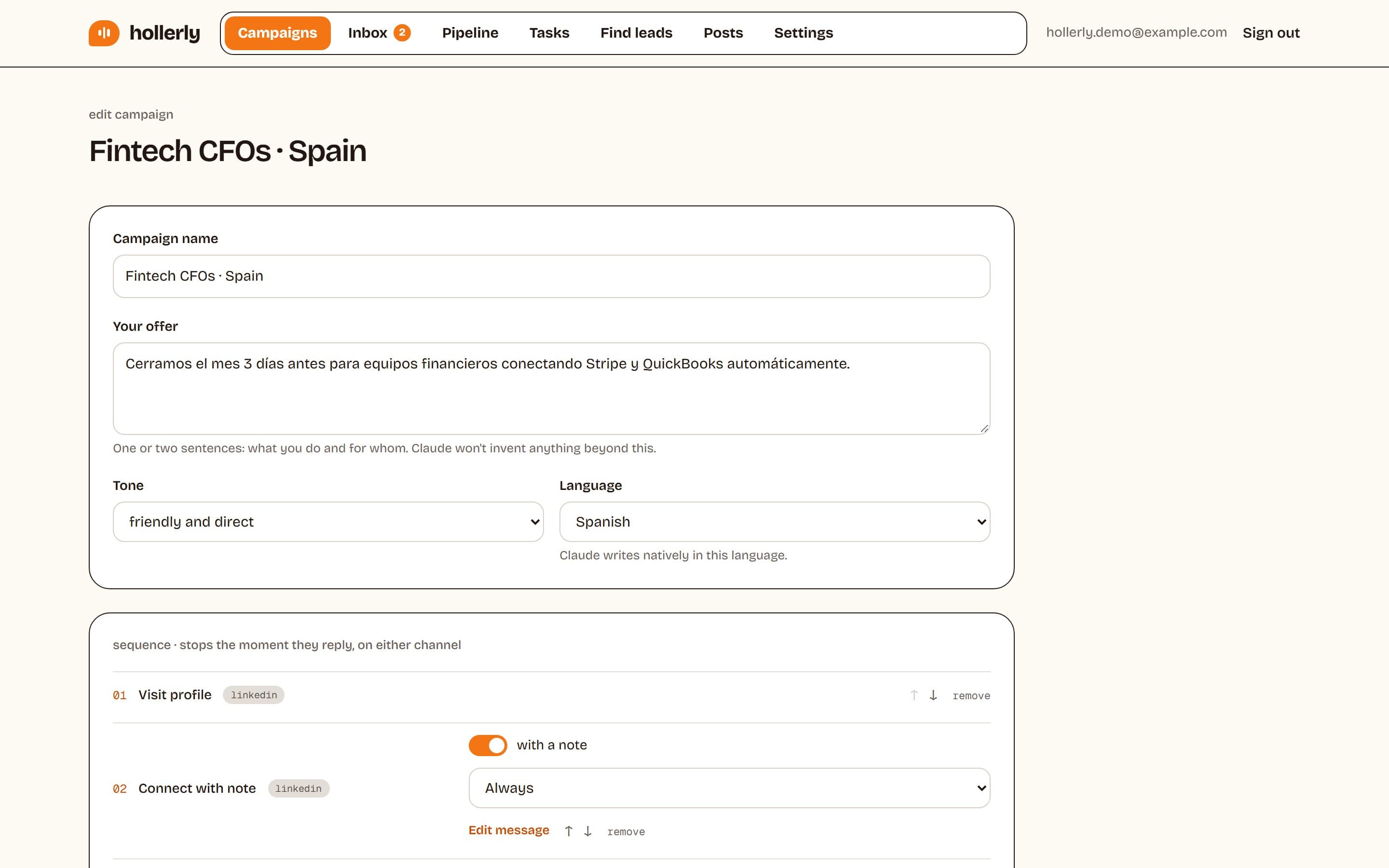
This plan is the default flow in Hollerly: visit, like a post, connect with a note, message, follow up, then email from your own mailbox if they don't accept (Pro). Claude writes every note and message from the person's profile, latest post and company website. You approve the first five, then it runs in the cloud with daily caps, working hours and random gaps between actions. Learn more about message automation or see pricing.
Why can't I message someone on LinkedIn?
If there's no Message button, or it opens an upsell, one of these is usually why:
- You're not connected. On a free account you can only message 1st-degree connections. Send a connection request first.
- You need InMail. Messaging people outside your network requires InMail credits, which come with Premium and Sales Navigator. See our LinkedIn InMail guide.
- Their settings block it. Some members limit who can contact them.
- Your account is restricted. If LinkedIn limited your account, messaging may be paused until you complete the steps LinkedIn shows you.
Shared groups and events can also open messaging in some cases, but LinkedIn changes these rules from time to time, so check the person's profile for the options it shows you.
LinkedIn message hyperlink
Can you hyperlink in LinkedIn messages? Partly. You can paste a URL into a LinkedIn message and it becomes clickable, often with a preview. You can't turn words into a hyperlink with custom anchor text the way email allows. In cold messages, skip links in the first touch. Offer to send one, and share it once they say yes.
FAQ
+Why can't I message someone on LinkedIn?
On LinkedIn you can only message your 1st-degree connections for free. To message someone else you need to connect first, use InMail credits from Premium or Sales Navigator, or share a group where messaging is allowed. Their privacy settings or a restriction on your account can also hide the Message button.
+Can you hyperlink in a LinkedIn message?
You can paste a full URL and LinkedIn makes it clickable, usually with a link preview. You can't hide a link behind custom text like you can in email. For cold messages, it's better to leave links out of the first message and offer to send one if the person is interested.
+How long should a LinkedIn cold message be?
Keep a LinkedIn cold message to about four short lines, under 300 characters. Connection notes must fit 200 characters on free accounts and 300 on Premium. Shorter messages are easier to read on a phone and look less like a mass mailing, which helps replies.
Get replies without the busywork
Hollerly finds the people, writes every message with AI and follows up on LinkedIn and email until they reply. Runs in the cloud, from $19 a month.
Start my 7-day free trial