LinkedIn Follow Up Message Templates That Get Replies
Most replies on LinkedIn don't come from the first message. They come from a well-timed LinkedIn follow up message that gives the person a second, easier reason to answer. This guide covers when to follow up, how many times, and 21 ready-to-copy templates for the situations that come up most: no response, accepted but silent, after a meeting, after a "not now", and the final close-the-loop note.
Every template is under 300 characters. The few that are connection notes are under 200, so they fit a free account's note limit (Premium allows 300). Paste your edited version into our LinkedIn character counter to check.
LinkedIn follow up message: timing and rules
People miss LinkedIn messages for ordinary reasons: they were busy, read it on a phone between meetings, or meant to reply and forgot. A follow-up is a reminder, not a complaint. Keep it short, add something new, and make answering easy.
| Situation | When to follow up | How many times |
|---|---|---|
| Message to a new connection, no reply | 4 to 5 working days | 2 follow-ups, then stop |
| Accepted invitation, no message from you yet | Within 1 working day | Start the conversation |
| After a call or meeting | Same day or next morning | 1, then as agreed |
| They said "not now" | When they told you, or 2 to 3 months | 1 check-in |
| InMail with no reply | 5 to 7 working days | 1 follow-up at most |
Rules that keep follow-ups welcome
- Add something each time: a new detail, a resource, a different angle. "Just checking in" alone gives them nothing to respond to.
- Shorten as you go. The last follow-up should be the shortest message in the thread.
- Stop when they reply. Even if the reply is "no thanks". A tool that keeps sending after a reply damages your name.
- Respect working hours. A follow-up at 7 a.m. their time on a Tuesday reads better than one at midnight.
{{first_name}} and {{company}} are placeholders a tool can fill in. Text in [square brackets] is what you write for each person.
Follow up LinkedIn message after no response
This is the most common case: you sent a message, it shows as seen (or not), and nothing came back. Each follow up LinkedIn message after no response below takes a different approach. Pick the one that fits your first message.
First follow-up: add value
Hi {{first_name}}, following up with something useful: [short insight, stat you can source, or example]. Thought of {{company}} when I saw it. Any thoughts?
{{first_name}}, I put my last note badly. Short version: [one-sentence value]. Is that relevant for you right now?
Hi {{first_name}}, I wrote up [resource] on [topic] after a few conversations with [role]s. Want me to send it? No call needed.
{{first_name}}, quick question instead: is [problem] something your team owns, or should I be talking to someone else at {{company}}?
Second follow-up: a different angle
Hi {{first_name}}, one more idea. [Similar company] had the same [situation] and fixed it by [approach]. Happy to share how if useful.
{{first_name}}, saw your post on [topic] this week. Fits what I mentioned earlier about [point]. Worth a short chat, or not a priority?
{{first_name}}, would a 3-line summary by message be easier than a call? Happy to do it that way.
Final follow-up: close the loop
{{first_name}}, I'll stop here so I don't clutter your inbox. If [problem] comes up later, I'm one message away.
Hi {{first_name}}, last one from me. Is it a no, a not now, or wrong person? Any of the three helps.
Follow-ups after a connection request is accepted
When someone accepts but you haven't spoken, the acceptance is the warmest moment you'll get. Use it within a day.
Thanks for connecting, {{first_name}}. What are you focused on at {{company}} this quarter? Always curious how [role]s prioritize.
Glad we're connected, {{first_name}}. You mentioned [topic] in your headline. How did you end up working on that?
When a connection request sits pending
You can't message someone who hasn't accepted unless you have InMail or a shared group. If an invitation has been pending for three weeks, withdraw it, follow the person, and try again later with a better note. Withdrawing keeps your pending count low, which LinkedIn watches. Our connection request limit guide explains why.
Follow-ups after a meeting, event or call
{{first_name}}, thanks for the time today. As promised: [link or summary]. Next step on my side is [action] by [day].
Hi {{first_name}}, good to meet at [event]. You asked about [topic]. Here's the short answer: [one line]. Happy to go deeper anytime.
{{first_name}}, did [colleague] get a chance to look at [proposal]? Happy to answer questions for them directly.
{{first_name}}, we said we'd talk again around [date]. Still a good time, or should I check back later?
Follow-ups after "not now" or a soft no
"Not now" is not "no". Reply right away to thank them and agree a time, then follow up when you said you would.
Totally understood, {{first_name}}. Shall I check back in [month]? I'll put a note in my calendar and leave you alone until then.
Hi {{first_name}}, you asked me to check back around now. Has anything changed with [project/priority] at {{company}}?
{{first_name}}, saw {{company}} just [news]. You mentioned [problem] would matter more once that happened. Worth revisiting?
Thanks for the honest answer, {{first_name}}. If it helps, here's [resource] for when it's back on the list. No reply needed.
Following up across channels
If someone doesn't read LinkedIn messages often, a polite email can reach them where they work. Keep it consistent with what you sent on LinkedIn, and don't send both on the same day.
Subject: [topic] at {{company}} Hi {{first_name}}, I sent you a note on LinkedIn about [topic] but know messages there get buried. Short version: [one line]. Worth a quick chat?
Hi {{first_name}}, I emailed you about [topic] last week, figured LinkedIn might be easier. Is [problem] something you're working on?
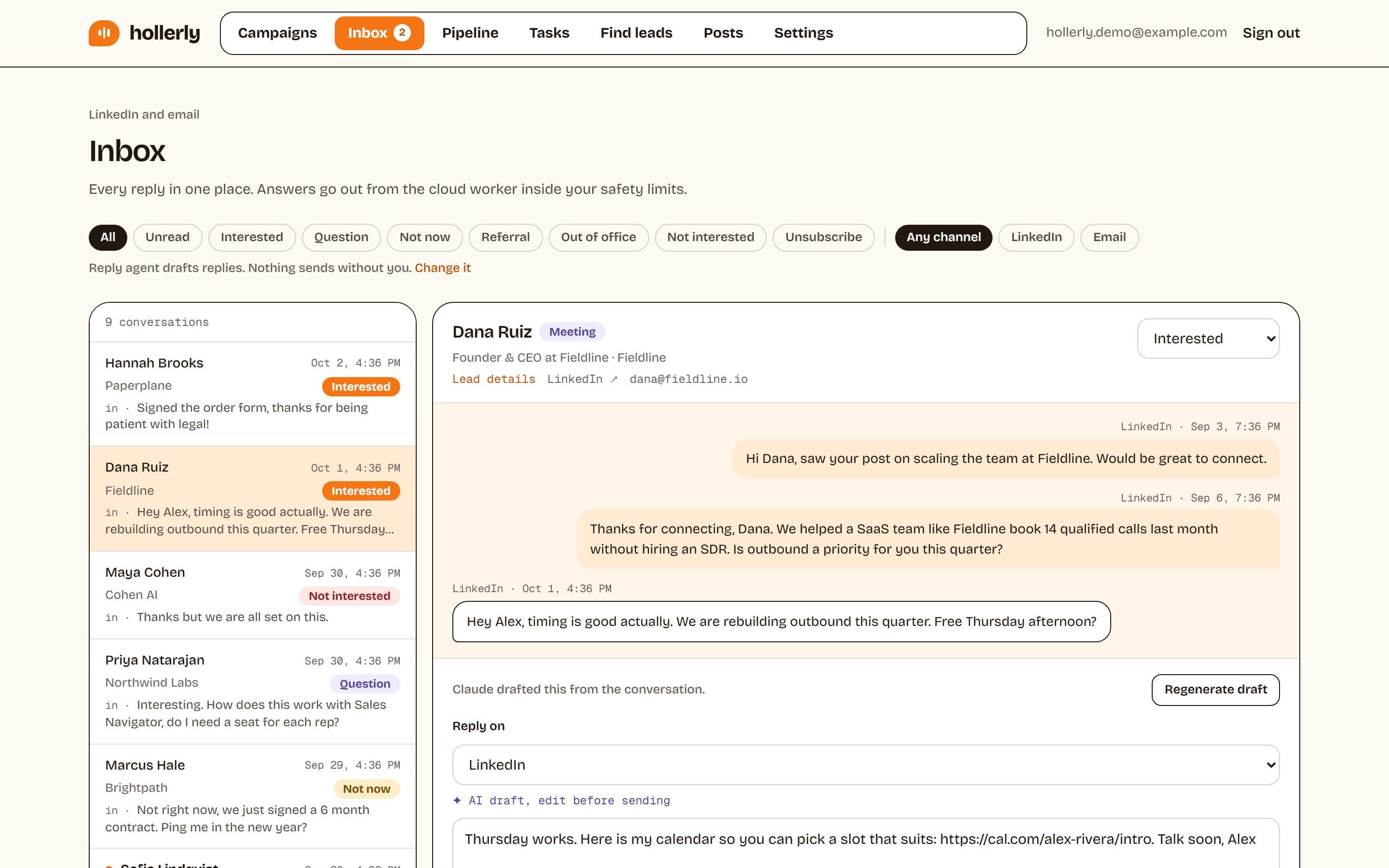
This is where automation helps. In Hollerly, a sequence can follow up on LinkedIn and then by email from your own Gmail or Outlook mailbox (on Pro). A reply on either channel stops the sequence, so nobody gets a follow-up after they've answered. Out-of-office replies pause the sequence and pick it back up when the person returns.
Follow-up mistakes that kill replies
Most follow-ups fail for the same handful of reasons. Check yours against this list before you send.
"Just bumping this"
A follow-up with nothing new gives the reader nothing new to respond to. If you can't add a detail, a resource or a simpler question, wait until you can.
Guilt and pressure
"I've reached out three times" or "I guess you're too busy" makes people less likely to reply, not more. Assume they're busy for good reasons, because they are.
Repeating the whole pitch
Your first message is still in the thread, right above. The follow-up should be shorter, not a copy.
Following up too fast
A follow-up the next morning feels like pressure. Four to five working days gives people time to get to it.
Never stopping
After two or three follow-ups with no answer, stop. Put the person on a list to revisit in a few months if there's a new trigger, like a job change or a company announcement. That's a fresh reason to write, not a fourth reminder.
Sending after they've replied
This is the one that hurts your reputation most, and it happens when people run sequences in tools that don't detect replies on every channel. Whatever you use, make sure a reply on LinkedIn or email stops everything.
Automating your LinkedIn follow up message sequence
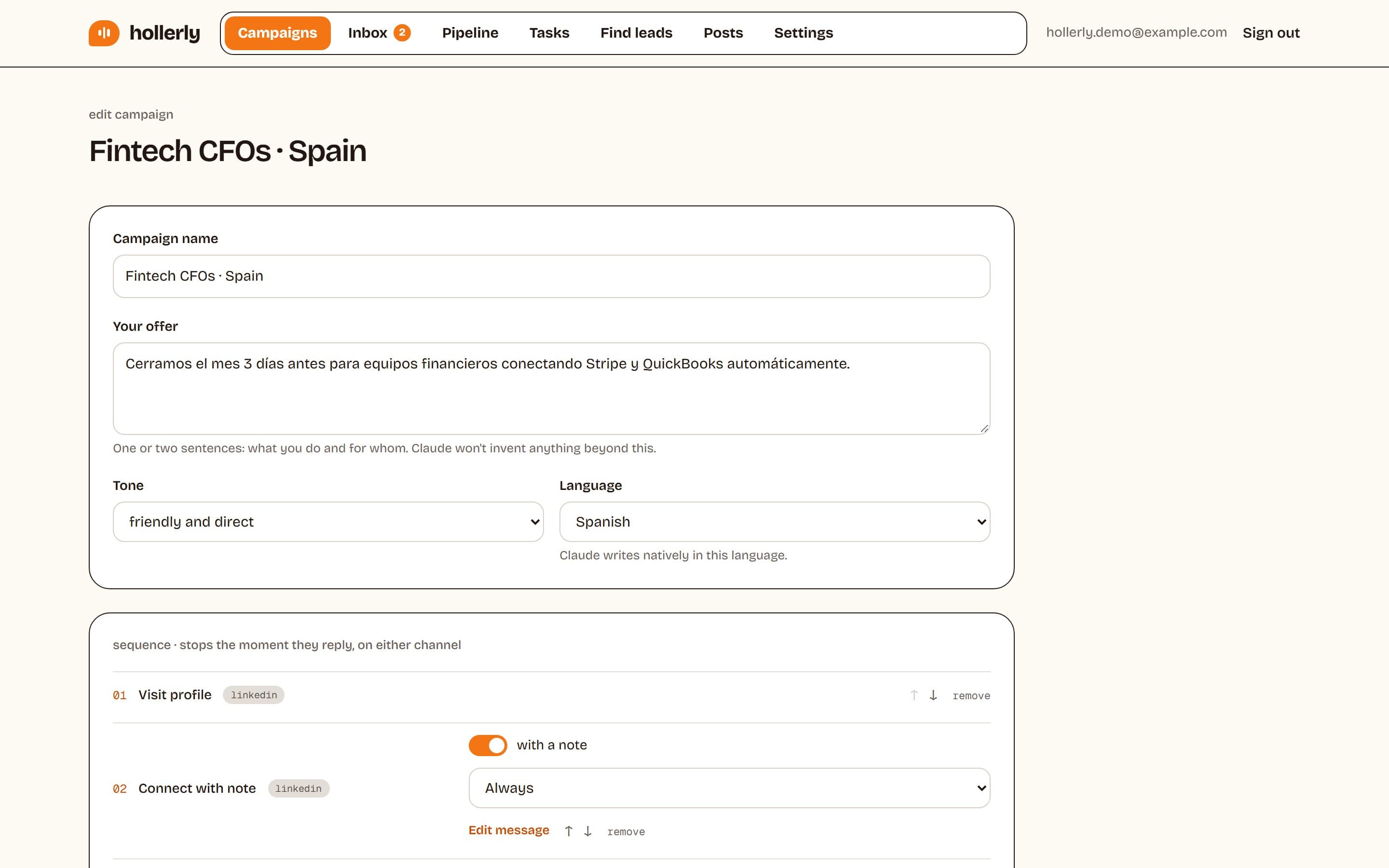
Writing two thoughtful follow-ups for every lead is the part most people skip, because it takes time. Hollerly writes each LinkedIn follow up message with AI from the person's profile, latest post and company website, so the second and third messages add something new instead of repeating the first. You approve the first five messages, then it runs in your working hours and the prospect's.
- Delays per step, so follow-ups go out four or five working days apart.
- Branches: if accepted, if not accepted, if an email was opened.
- Every reply lands in one inbox, tagged as interested, not now, out of office or unsubscribe, with a draft answer on Pro.
See message automation for the full feature, and pricing for plans from $19 a month. For first messages, start with our LinkedIn prospecting message templates.
FAQ
+How do you follow up a LinkedIn message after no response?
Wait four to five working days, then send a short message that adds something new: an insight, a resource or a simpler question. If there's still no reply, send one final note a week later that makes it easy to say no. After that, stop. Never just ask if they saw your message.
+How long should I wait to follow up on LinkedIn?
Four to five working days is a good default after a first message, and five to seven after an InMail. After a meeting, follow up the same day or next morning. If someone said not now, follow up when they suggested, or in two to three months if they didn't say.
+Is it rude to follow up on LinkedIn?
No, as long as it's brief, useful and limited. Most people appreciate one or two reminders because messages get buried. It becomes rude when follow-ups repeat the same pitch, arrive too often, or continue after the person has replied or said no.
Get replies without the busywork
Hollerly finds the people, writes every message with AI and follows up on LinkedIn and email until they reply. Runs in the cloud, from $19 a month.
Start my 7-day free trial