What Is LinkedIn Sales Navigator?
What is LinkedIn Sales Navigator? It's LinkedIn's paid prospecting tool for salespeople. It sits on top of the normal LinkedIn network and adds deeper search filters, saved lead and account lists, alerts when your prospects change jobs or post, AI summaries of people and companies, and 50 InMail credits a month. Plans start at US$119.99 a month (Core), according to LinkedIn's plans page on October 2, 2026.
This guide covers the features that matter, the search filters worth learning, how alerts and CRM sync work, how Sales Navigator compares with LinkedIn Premium and ZoomInfo, and what it doesn't do.
What is LinkedIn Sales Navigator used for?
Sales Navigator runs in its own interface at linkedin.com/sales, separate from your normal LinkedIn feed, though it uses the same account and network. It helps you find the right people and keep track of them. It doesn't send your outreach for you. Most teams use it for four jobs:
- Building lead lists with filters the free search doesn't have.
- Account research, with company pages, headcount trends and AI summaries.
- Staying on top of accounts, through alerts on job changes, posts and company news.
- Reaching people outside your network with InMail.
Features of LinkedIn Sales Navigator
| Feature | Core | Advanced | Advanced Plus |
|---|---|---|---|
| Advanced search filters (50+) | Yes | Yes | Yes |
| Lead and account lists, saved searches | Yes | Yes | Yes |
| Alerts on leads and accounts | Yes | Yes | Yes |
| Account IQ and Lead IQ (AI summaries) | Yes | Yes | Yes |
| InMail credits | 50 a month | 50 a month | 50 a month |
| TeamLink, Relationship Map, team reporting | No | Yes | Yes |
| CSV upload and CRM import for account lists | No | Yes | Yes |
| CRM sync and lead creation in CRM | No | No | Yes |
| Price | $119.99/mo | $159.99/mo | Custom |
Full price details, including annual billing, are in our Sales Navigator pricing guide.
Sales Navigator search filters
Sales Navigator search filters are the main reason people pay for it. LinkedIn says there are more than 50. These are the ones that do the most work:
Lead filters
- Function and seniority: "Marketing" plus "Director" or "VP" is far cleaner than keyword-matching job titles.
- Current job title with boolean:
("head of sales" OR "VP sales") NOT assistant. - Years in current position: under one year finds people who are new and often reviewing tools.
- Changed jobs in the past 90 days: a classic trigger list.
- Posted on LinkedIn in the past 30 days: people who are active, so your message is likely to be read.
- Geography, by region, country or city.
Account filters
- Company headcount and headcount growth.
- Industry and headquarters location.
- Department headcount, to find companies with, say, at least five people in sales.
- Job opportunities, to find companies that are hiring.
Save searches, not just lists. A saved search shows you new people who match each week, which is the easiest way to keep a pipeline fresh.
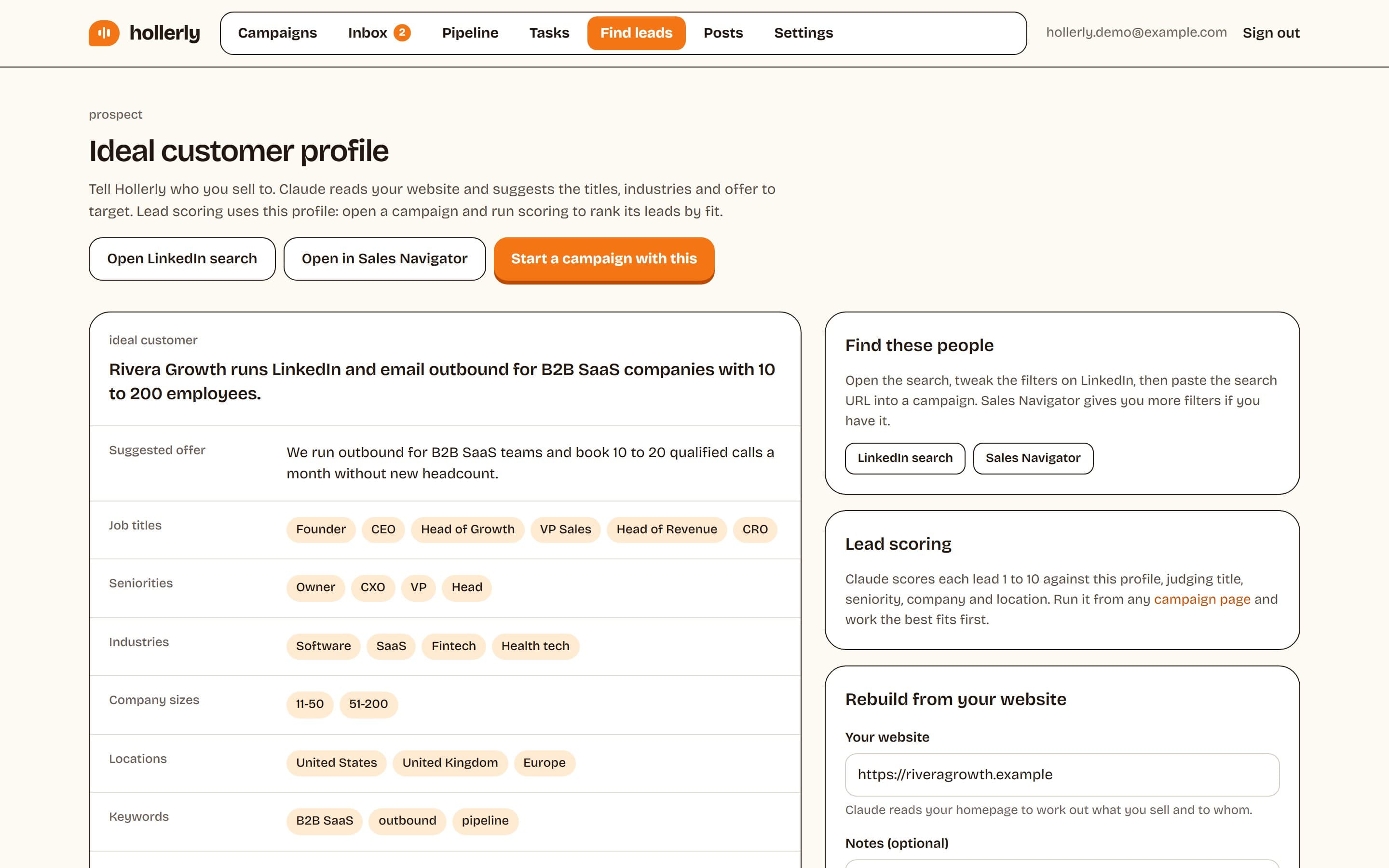
If you're not sure which filters describe your buyers, Hollerly can build an ideal customer profile from your website with AI and give you a ready-made LinkedIn or Sales Navigator search to start from. More on that in LinkedIn prospecting. Without Sales Navigator, our free LinkedIn X-ray search tool builds Google searches for LinkedIn profiles by title, company and location.
Sales Navigator alerts
Sales Navigator alerts notify you about leads and accounts you've saved. LinkedIn lists alerts for job changes and role updates, content engagement (for example a lead posting or engaging with posts) and shared activity. Alerts are what turn Sales Navigator from a search tool into a pipeline tool: they tell you when to reach out, not just who to reach.
How to use alerts well
- Save fewer, better leads. Alerts on 2,000 people become noise.
- Act on job changes within a week. New people review tools and suppliers early, and a congratulations note is an easy, natural opener.
- Check alerts once a day at a set time, rather than reacting to every notification.
- When a lead posts, engage with the post before you message them.
Sales Navigator CRM sync
Sales Navigator CRM sync is only on the Advanced Plus plan. LinkedIn's help center says it syncs leads and accounts with Salesforce, Microsoft Dynamics and HubSpot, keeps information updated in real time, lets you create leads in your CRM from Sales Navigator, and shows LinkedIn data inside the CRM. Advanced includes CSV upload and CRM import for account lists, but not full sync.
On Core and Advanced, there's no built-in way to export lead lists to CSV. LinkedIn says so directly: it "currently doesn't offer the option to export" lead and account information to CSV or XLS. We cover the workarounds, and their risks, in how to export Sales Navigator leads.
If your CRM is HubSpot or Pipedrive, Hollerly Pro syncs your outreach with them, without needing Advanced Plus.
Sales Navigator vs LinkedIn Premium
| LinkedIn Premium Business | Sales Navigator Core | |
|---|---|---|
| Built for | Professionals and small business owners | Salespeople |
| Search filters | Standard LinkedIn search, some extras | 50+ lead and account filters, boolean |
| Lead and account lists | No | Yes |
| Alerts on saved leads | No | Yes |
| InMail credits | 15 a month | 50 a month |
| Price | Lower; varies by country | $119.99/mo or $89.99/mo annually |
Both include a free trial for eligible members, so you can test before paying. Choose Sales Navigator vs LinkedIn Premium by what you do every day. If you mostly post, apply for jobs or check who viewed your profile, Premium is enough. If you build prospect lists weekly, Sales Navigator's filters and lists pay for themselves quickly.
Sales Navigator vs ZoomInfo
Sales Navigator vs ZoomInfo is a common comparison, but they solve different problems.
- Sales Navigator shows you people's LinkedIn profiles, activity and networks. It doesn't give you email addresses or phone numbers, and you can't export lists to CSV.
- ZoomInfo is a B2B contact and company database. Its pricing page describes contact and company profiles with business emails and mobile numbers, plus buyer intent signals on higher plans. Prices are not listed publicly; you request a quote.
Many teams use both: ZoomInfo (or a cheaper database) for emails and phone numbers, Sales Navigator for LinkedIn context and InMail. If budget is tight, our Sales Navigator alternatives guide covers lower-cost options.
What Sales Navigator doesn't do
It helps to know the limits before you subscribe:
- No contact data. You see profiles, not work emails or phone numbers.
- No CSV export of lead lists on any plan. Advanced Plus syncs with a CRM instead.
- No automated sequences. Invitations, messages and follow-ups are manual.
- No extra weekly invitations. LinkedIn doesn't publish a higher invitation limit for Sales Navigator users.
- InMail is capped at 50 credits a month, with up to 150 held at once.
Getting started in the first 30 minutes
- Fill in your sales preferences (regions, industries, functions you sell to) so lead and account recommendations are relevant.
- Build one search with function, seniority, headcount and geography, and save it.
- Save 20 to 30 strong leads to a list and a handful of target accounts.
- Turn on alerts for those leads and accounts.
- Open Account IQ on your top account to see how LinkedIn summarizes it.
How to use LinkedIn Sales Navigator: a weekly routine
- Build two or three saved searches from your ideal customer profile.
- Each Monday, review new results and save the best 50 to 100 leads to a list.
- Check alerts daily for job changes and posts on saved leads.
- Engage first: view profiles, comment on relevant posts.
- Send connection requests with short notes, around 15 to 20 a day, mentioning the post, job change or company news that triggered the alert.
- Message people who accept, and follow up twice. Save InMail for senior people who won't connect.
How to send mass messages on LinkedIn Sales Navigator
Sales Navigator is built around one-to-one messages and InMail. LinkedIn's User Agreement doesn't allow bots or unauthorized automation to send messages, so tools that promise to blast messages from Sales Navigator carry a real risk of restriction. If you automate, do it slowly and personally: one specific message per person, at a human pace, within daily limits.
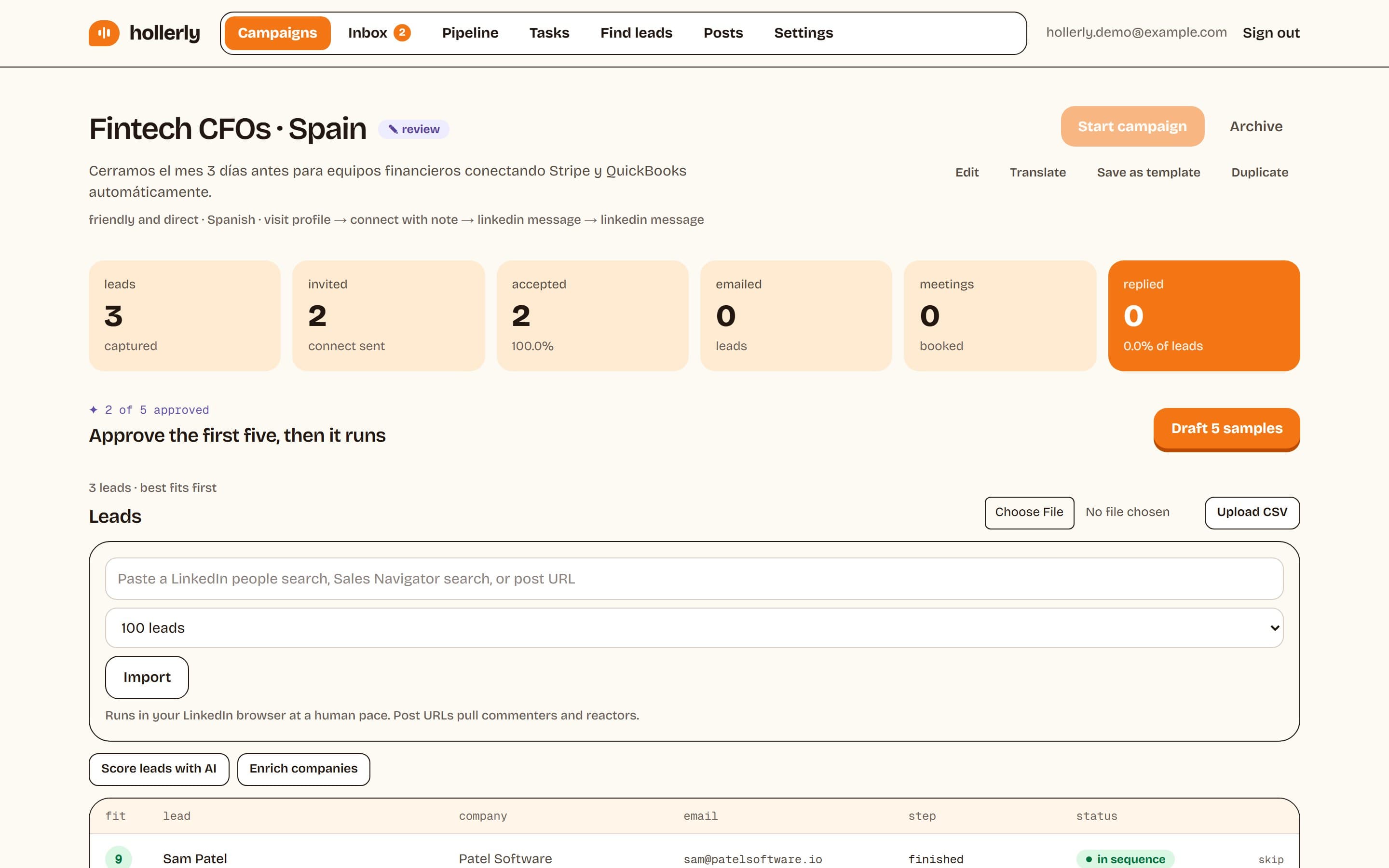
That's how Hollerly works. Paste a Sales Navigator search URL into a campaign. Hollerly adds the leads at a human pace inside your own account, Claude writes each note and message from the lead's profile, latest post and company website, and the sequence runs from a cloud browser in your country with daily caps. Replies land in one inbox. It reduces risk compared with bulk tools, but no automation is risk-free. See pricing for plans from $19 a month.
FAQ
+What is LinkedIn Sales Navigator?
LinkedIn Sales Navigator is LinkedIn's paid prospecting tool for salespeople. It adds more than 50 search filters, saved lead and account lists, alerts on job changes and posts, AI summaries of people and companies, and 50 InMail credits a month. Plans start at US$119.99 a month for Core.
+Is Sales Navigator better than LinkedIn Premium?
For prospecting, yes. Sales Navigator has far more search filters, lead and account lists, alerts and 50 InMail credits a month versus 15 on Premium Business. Premium costs less and suits people who mainly network, post or job hunt. Pick based on how often you build prospect lists.
+How do you send mass messages on LinkedIn Sales Navigator?
Sales Navigator has no built-in bulk send; it's designed for individual messages and InMail. LinkedIn's terms don't allow bots that send messages, so mass-messaging tools risk restriction. A safer approach is a slow sequence with a personal message per lead, sent within daily limits and stopped when people reply.
+Can you export leads from Sales Navigator?
Not natively. LinkedIn says it doesn't offer CSV or XLS export of lead and account information. Advanced Plus can sync leads and accounts with Salesforce, Microsoft Dynamics and HubSpot. Third-party export tools exist but work against LinkedIn's terms and can put your account at risk.
Get replies without the busywork
Hollerly finds the people, writes every message with AI and follows up on LinkedIn and email until they reply. Runs in the cloud, from $19 a month.
Start my 7-day free trial