LinkedIn Sales Navigator Alternatives: Cheaper Ways to Find and Reach Leads
A LinkedIn Sales Navigator alternative makes sense when you're paying $89.99 to $119.99 a month per seat for filters you rarely use, or when what you really need is email addresses, which Sales Navigator doesn't give you. The right replacement depends on which job you hired Sales Navigator to do: finding people, getting contact data, or actually reaching out.
Below we group the alternatives by that job, with prices as listed on each vendor's pricing page on October 2, 2026, and an honest note on who each one suits. Hollerly is one of the options, and we say where it's weaker too.
Why look for a LinkedIn Sales Navigator alternative?
Sales Navigator is a strong tool for LinkedIn search. People usually look elsewhere for one of these reasons:
- Price. Core is US$119.99 a month, or $89.99 a month billed annually. Advanced is $159.99. For a small team that adds up quickly. See Sales Navigator pricing.
- No contact data. It shows profiles, not work emails or phone numbers.
- No export. LinkedIn says Sales Navigator doesn't export lead lists to CSV; CRM sync is on Advanced Plus only.
- No outreach engine. It finds people. Connecting, messaging and following up is still manual, apart from 50 InMail credits a month.
If one of those is your problem, an alternative can help. If you need LinkedIn's deep filters every day, the honest answer may be to keep Sales Navigator and add an outreach tool on top.
Sales Navigator alternatives at a glance
| Tool | Main job | Entry price | B2B database | LinkedIn outreach |
|---|---|---|---|---|
| LinkedIn free search | Find people on LinkedIn | $0 | LinkedIn profiles | Manual |
| LinkedIn Premium Business | Light prospecting, 15 InMail | Varies by country | LinkedIn profiles | Manual |
| Hollerly | LinkedIn + email outreach with AI | $19/mo | No (uses your LinkedIn searches) | Yes, automated |
| Apollo | Contact database + email sequences | $49 to $60/user (Basic) | Yes (200M+) | Not listed |
| Lemlist | Multichannel outreach + database | $55/mo Email; $87/user Multichannel | Yes (650M+) | Yes (Multichannel) |
| Saleshandy | Cold email + database | $34 to $41/mo | Yes (852M+) | Yes |
| Instantly | Cold email at volume + database | $37.60 to $47/mo | Yes (450M+) | Not listed |
| Snov.io | Email finder + sequences | $39/mo | Not listed | $69/mo add-on |
| ZoomInfo | Enterprise contact data and intent | Quote only | Yes | Not listed |
If you need to find people: cheaper LinkedIn options
LinkedIn's free search
LinkedIn's regular people search, with boolean keywords in the title and keyword fields, covers more than most people expect: location, current company, industry, connection degree and more. It's limited on volume and on filters like seniority and headcount, but for a narrow market it's often enough.
LinkedIn Premium Business
Cheaper than Sales Navigator, with 15 InMail credits a month (versus 50) and some extra insights, but no lead lists or account alerts. Good for founders who prospect occasionally. Price varies by country; check the offer LinkedIn shows you.
AI-built searches in Hollerly
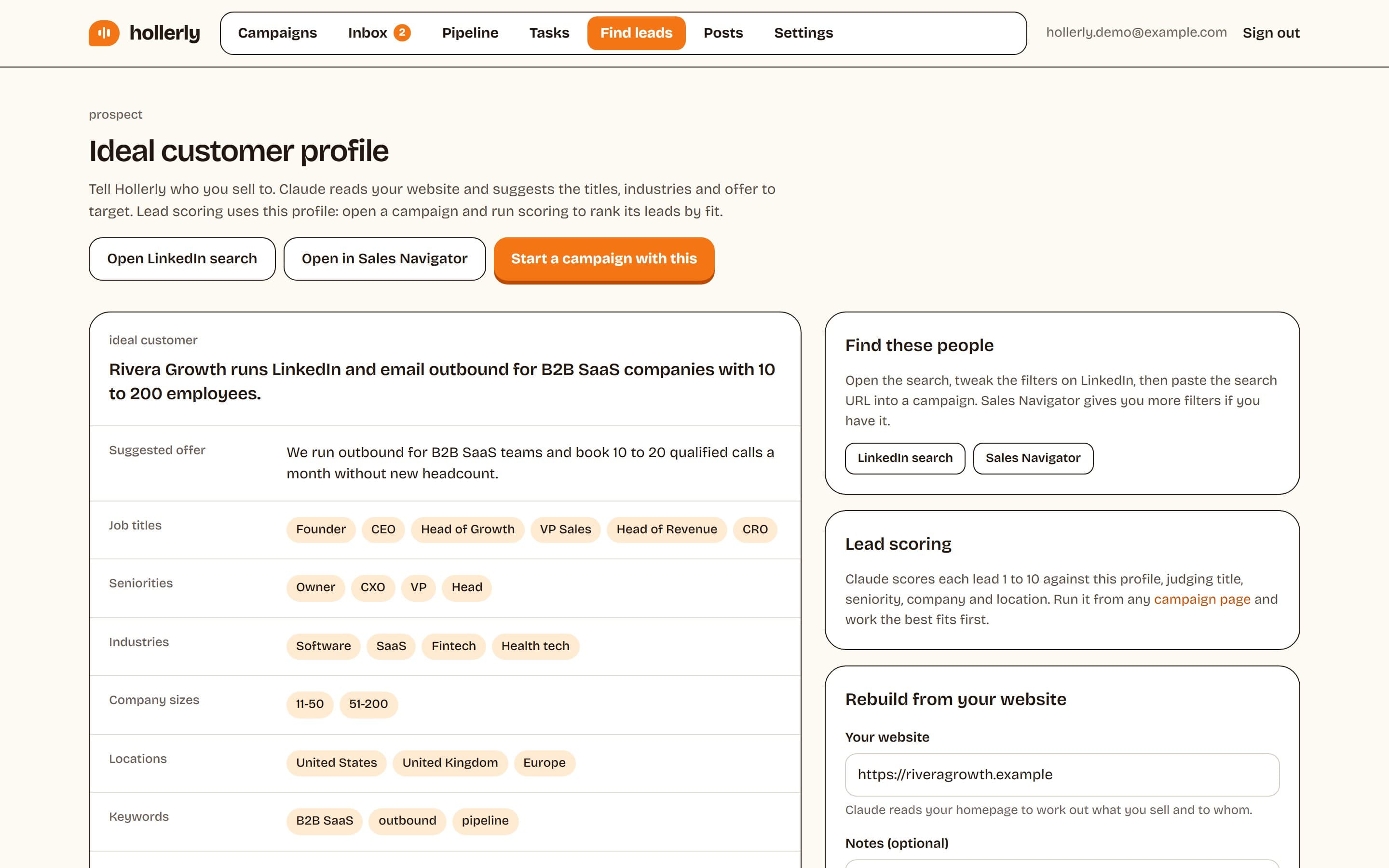
Hollerly builds an ideal customer profile from your website with AI and turns it into a ready LinkedIn search (or a Sales Navigator search, if you have it). You paste the search into a campaign and Hollerly adds the leads at a human pace inside your own account. It doesn't replace Sales Navigator's filters; it gets more out of the free search you already have. See LinkedIn prospecting for how it works, or build a Google search for profiles with our LinkedIn X-ray search tool.
If you need contact data: B2B databases
If the real gap is emails and phone numbers, a database is the better alternative. These tools sell contact data alongside their own sequencing:
- Apollo: large B2B database (200M+ listed) with email sequences. Basic is $49 to $60 per user. Good for teams that live in email. LinkedIn steps aren't listed on its pricing page.
- Lemlist: 650M+ database, email plan from $55 a month, and LinkedIn steps (visit, follow, invite, message, InMail) on the $87-per-user Multichannel plan. The closest all-in-one if budget allows.
- Saleshandy: 852M+ database listed, cold email with sender rotation and warmup, LinkedIn steps, from $34 to $41 a month.
- Instantly: 450M+ database, unlimited mailboxes and warmup for high-volume cold email, from $37.60 to $47 a month. No LinkedIn steps listed.
- ZoomInfo: enterprise contact data with mobile numbers and intent signals. Pricing is by quote.
Database sizes are each vendor's own claim; quality and freshness matter more than the headline number, so test a sample of your market before committing. These tools are strong on email infrastructure. Their LinkedIn coverage ranges from none to a paid add-on, so many teams still pair them with LinkedIn itself.
If you need to reach people: outreach tools
If you already know who to contact and the slow part is writing, connecting and following up, an outreach tool replaces more of your time than Sales Navigator ever did.
Hollerly
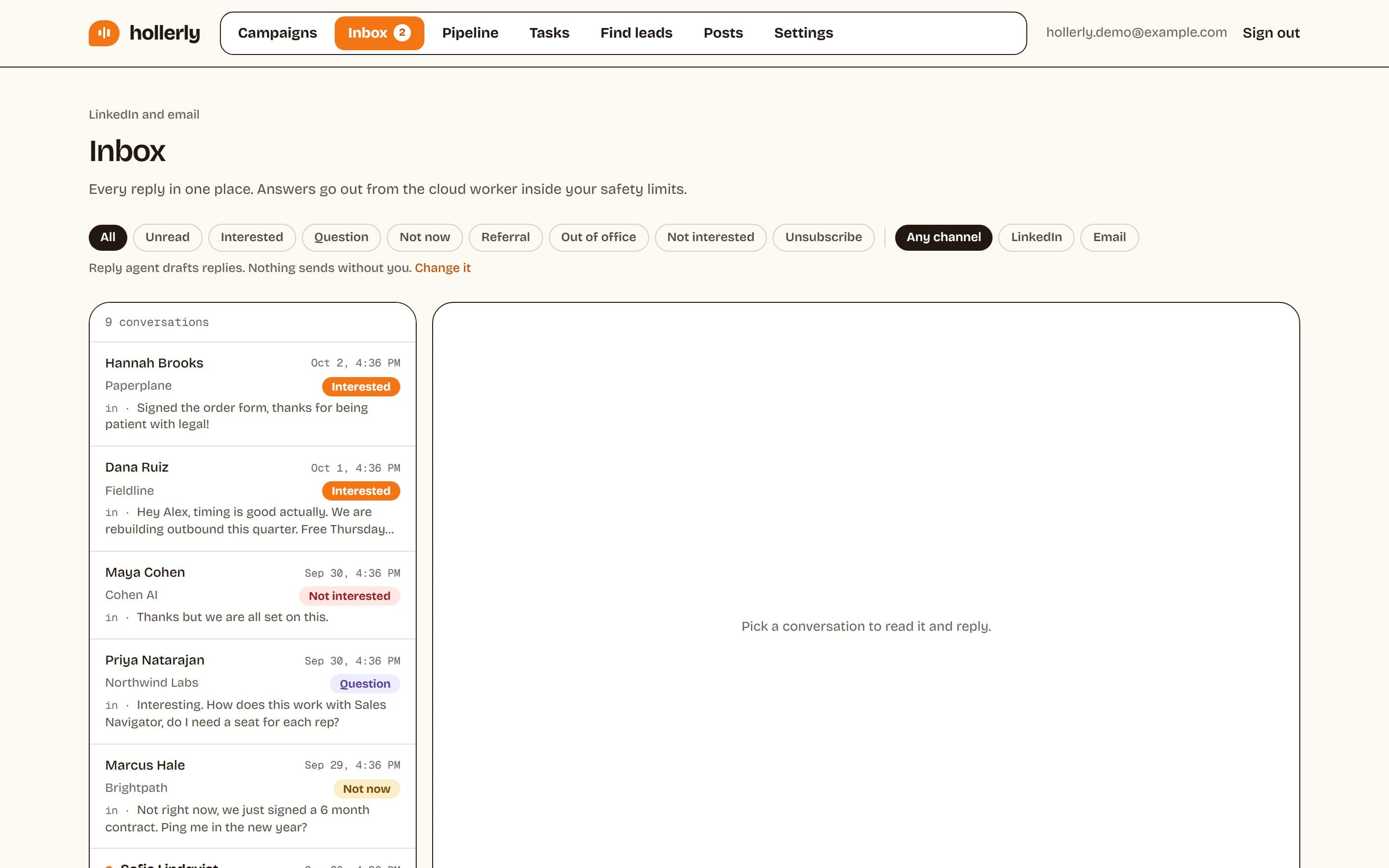
Hollerly runs LinkedIn and email outreach from the cloud. It writes each connection note, message and email with AI from the person's profile, latest post and company website, follows up on LinkedIn and from your own mailbox until people reply, and puts every reply in one inbox tagged by intent. Starter is $19 a month for one LinkedIn account; Pro, at $49, adds email steps, 200 email finder and verifier credits a month, A/B tests and HubSpot or Pipedrive sync. See pricing.
Where Hollerly is weaker
- No B2B contact database. You find people through LinkedIn search (free or Sales Navigator), post engagement or your own CSV.
- No email warmup network or mailbox selling; it sends from your own mailbox at low volume.
- No calls, SMS or WhatsApp.
- A newer product with fewer integrations than older tools.
Other LinkedIn-first outreach tools are compared in our guide to the best LinkedIn automation tools.
What you lose if you drop Sales Navigator
Be clear about the trade-offs before you cancel. No alternative replicates all of these:
- LinkedIn-native filters like seniority, function, years in role and recent job changes, applied to LinkedIn's own member data.
- Lead and account alerts when saved people change jobs, post or engage.
- Account IQ and Lead IQ, LinkedIn's AI summaries.
- 50 InMail credits a month, compared with 15 on Premium Business and none on a free account.
- TeamLink on Advanced, showing warm paths through colleagues.
Databases are broader (they include email and often phone numbers) but less current on job changes than LinkedIn itself. LinkedIn's free search is current but shallower. That's why the cheapest setup that works often combines two tools rather than replacing one with another.
Three setups that replace or reduce Sales Navigator
1. The lean founder setup: about $19 a month
LinkedIn's free search with boolean keywords, plus Hollerly Starter for AI-written connection notes, messages and follow-ups. Good for narrow markets and founders who sell directly. You give up advanced filters and alerts.
2. The LinkedIn plus email setup: about $49 a month
Free LinkedIn search or a post's commenters as your lead source, Hollerly Pro for LinkedIn sequences that switch to email from your own mailbox, with 200 email finder credits a month. Good for small teams that want two channels without a database contract.
3. The data-heavy setup
A database such as Apollo, Saleshandy or Instantly for volume email, plus LinkedIn outreach for your top accounts. Good for teams with a wide market and a deliverability setup already in place.
If you keep Sales Navigator, the same outreach layer works on top: paste a Sales Navigator search into a Hollerly campaign and the leads are added at a human pace inside your own account.
Which LinkedIn Sales Navigator alternative should you pick?
| If your situation is | Consider |
|---|---|
| Small market, occasional prospecting | LinkedIn free search or Premium Business |
| Need verified emails at volume | Apollo, Saleshandy or Instantly |
| Want LinkedIn and email in one tool with a database | Lemlist Multichannel |
| Enterprise team needing phone data and intent | ZoomInfo (quote) |
| Know who to contact, need the outreach done | Hollerly, with or without Sales Navigator |
| Daily LinkedIn prospecting in a big market | Keep Sales Navigator, add an outreach tool |
Test before you cancel
Run the alternative alongside Sales Navigator for a month. Use the same target market in both and compare the numbers that matter: meetings booked and cost per meeting, not leads found. Check each vendor's pricing page for a trial (Hollerly's is 7 days of Pro, no card), and Sales Navigator's monthly billing means you can stop at the end of any month if the alternative wins.
Whatever you choose, list quality beats list size. Our LinkedIn prospecting guide covers how to build a list that's worth contacting.
FAQ
+What is the best LinkedIn Sales Navigator alternative?
It depends on what you need. For contact data, Apollo, Saleshandy or Instantly offer large databases from about $34 to $60 a month. For LinkedIn plus email in one tool, Lemlist Multichannel. For automated, AI-written LinkedIn outreach without a database, Hollerly starts at $19 a month.
+Is there a free alternative to Sales Navigator?
LinkedIn's own free search is the closest free alternative. With boolean keywords and filters for location, company and industry, it handles narrow markets well. It lacks seniority and headcount filters, lead lists and alerts, and LinkedIn limits how much free accounts can search for commercial use.
+Can I use Hollerly without Sales Navigator?
Yes. Hollerly works with a regular LinkedIn people search, a Sales Navigator search, a post URL (to reach commenters and reactors) or a CSV upload. It can also build your ideal customer profile from your website and give you a ready LinkedIn search to start from.
Get replies without the busywork
Hollerly finds the people, writes every message with AI and follows up on LinkedIn and email until they reply. Runs in the cloud, from $19 a month.
Start my 7-day free trial