LinkedIn Prospecting: A Practical Guide to Finding and Reaching Buyers
LinkedIn prospecting is the daily work of finding people who could buy from you, learning enough about them to say something relevant, and starting a conversation. Done well, it's the most reliable source of B2B pipeline for small teams, because LinkedIn tells you who people are, where they work and what they care about, in their own words.
This guide lays out a complete process: the prospecting mindset, how to find sales leads on LinkedIn, social selling that warms people up, outreach that gets replies, a weekly routine, and the metrics that tell you what to fix. Each section links to a deeper guide.
What LinkedIn prospecting is (and isn't)
Prospecting on LinkedIn is research plus conversation. It is not mass messaging. The people you contact can see your profile, your posts and every other message in their inbox, so generic outreach is easy to spot and easy to ignore.
Good prospecting has three parts:
- Targeting: a clear picture of who buys and when.
- Relevance: one true, specific reason to contact each person.
- Persistence with manners: a few useful follow-ups, then stop.
Prospecting is the top of the funnel. For the full system, including inbound content and ads, see our LinkedIn lead generation guide.
How to find sales leads on LinkedIn?
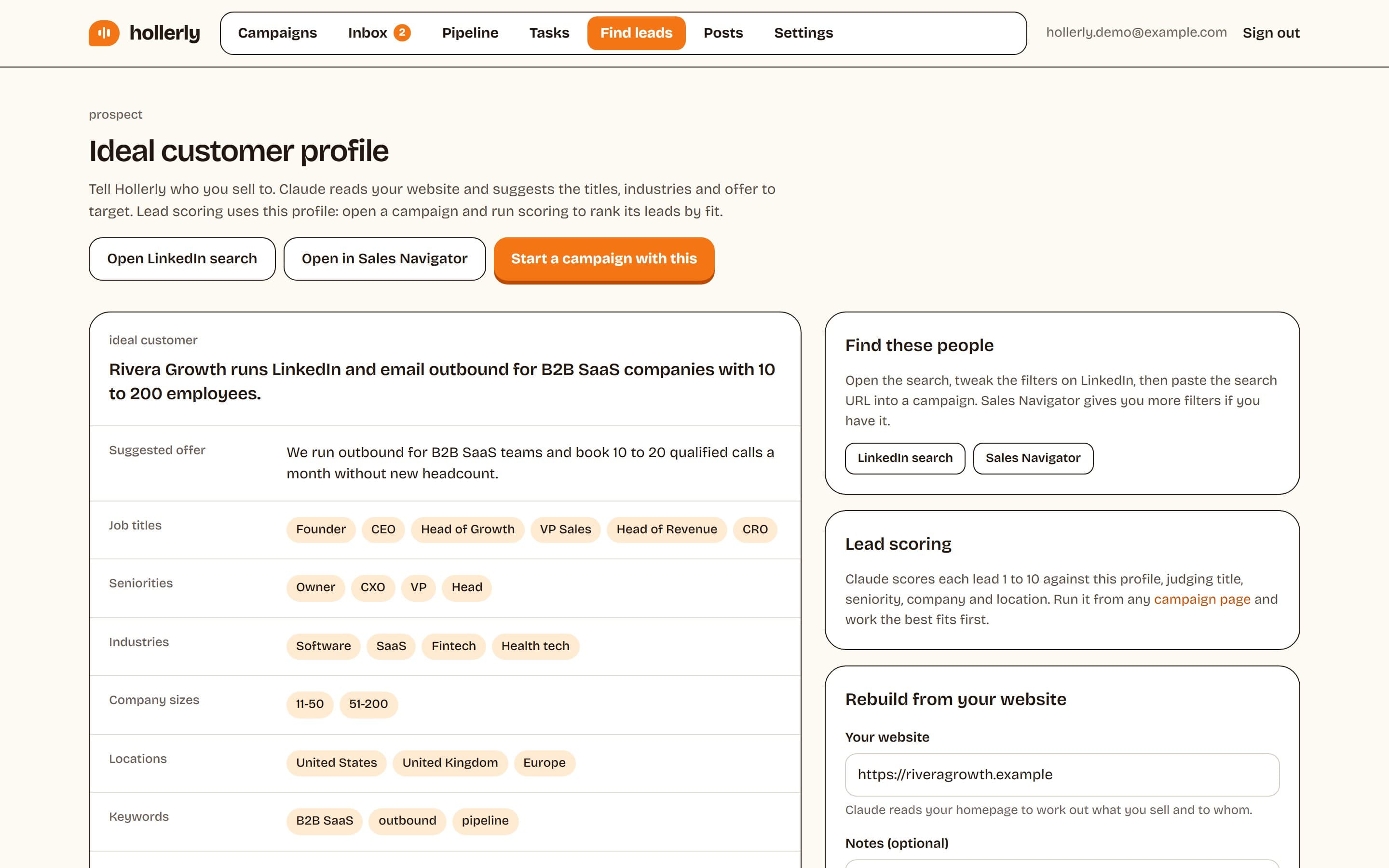
Start with a written ideal customer profile, then use whichever of these sources fits it best.
1. LinkedIn people search
Free and underrated. Use boolean in the title field, for example ("head of growth" OR "VP marketing") NOT intern, and add location, current company and industry filters. Save the search URL so you can rerun it.
2. Sales Navigator
Adds filters for seniority, function, company headcount, years in role and recent job changes, plus lead lists and alerts. Core is US$119.99 a month, or $89.99 a month billed annually, per LinkedIn's plans page. See what is LinkedIn Sales Navigator, its pricing, and alternatives.
3. Post engagement
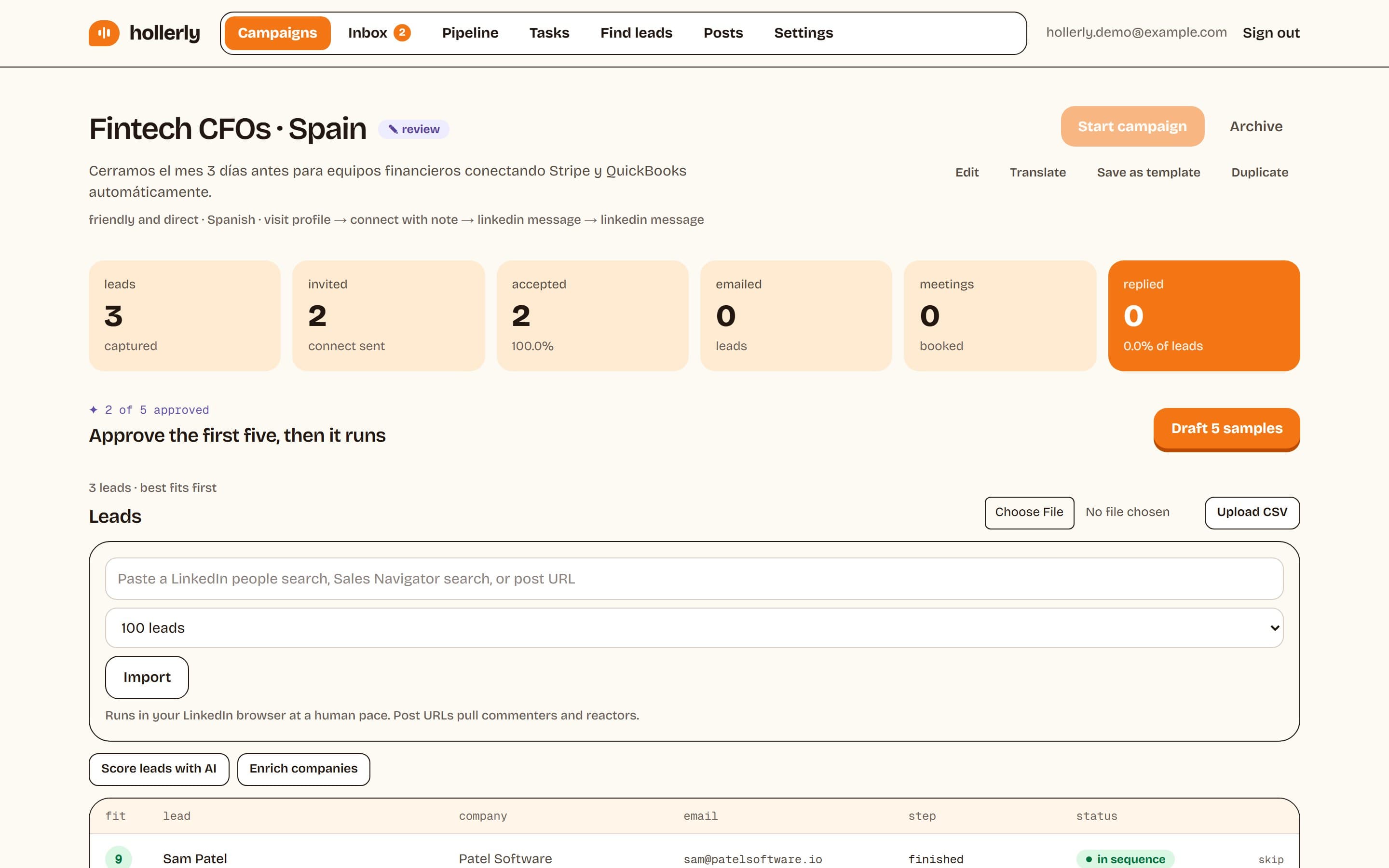
People who comment on or react to posts about your topic are showing interest in public. A competitor's post, an industry voice's post or your own post can all become a lead list. Hollerly can turn a post URL into a list of its commenters and reactors.
4. Company pages and job posts
A company hiring for a role you support is a strong signal. Check the People tab on the company page to find the decision maker.
5. Events and groups
Attendees of a niche event or members of an active group share context with you, which makes your connection note easy to write.
6. Your existing network
Second-degree connections through happy customers or former colleagues accept more often. Ask for introductions where you can.
Avoid scraping tools that pull thousands of profiles at once. They break LinkedIn's terms and are a common cause of restrictions. Our guide to LinkedIn scrapers explains the risks and safer options.
Social selling LinkedIn: warm people up before you pitch
Social selling on LinkedIn means building familiarity and trust in public before you ask for anything in private. It sounds slow, but it lifts acceptance and reply rates on everything else you do.
Post for your buyer, not your peers
Write about problems your buyers have, in their language. A short post explaining one mistake you see often, with a fix, beats a company announcement. One or two posts a week is plenty. Our best time to post on LinkedIn guide covers timing, and the free post generator can give you a first draft.
Comment with substance
Spend 15 minutes a day leaving useful comments on posts your buyers read. Add an example, a counterpoint or a question. "Great post!" doesn't count.
Engage with prospects before connecting
Visit their profile, follow them, and react to or comment on a recent post. When your invitation arrives a day or two later, your name is familiar.
Watch for intent signals
Social selling also means noticing when people tell you what they care about. A prospect who posts about a hiring push, comments on a competitor's launch, or reacts to a post about a problem you solve is showing intent in public. Note it, and use it as the opener when you reach out. Signals are time-sensitive: a post from this week is a reason to write; a post from last year isn't.
Get your team involved
If several people at your company are on LinkedIn, ask them to engage with each other's useful posts and to share customer stories. Prospects who see three people from the same company talking sensibly about their problem take the company more seriously than one who only sees a sales rep.
Make your profile do the selling
Your headline should say who you help and with what. Your Featured section should show one case study or resource. People check before they reply.
LinkedIn prospecting outreach that gets replies
The connection note
Short, specific, no pitch. Under 200 characters on a free account (Premium allows 300). Mention how you found them and why connecting makes sense. Twenty-two examples are in our connection request message templates.
The first message
Send it a day after they accept. Open with something about them, connect it to a problem you solve, and ask one easy question. See prospecting message templates and how to write a cold message.
Follow-ups
Most replies come from the follow-ups. Send two, four to seven working days apart, each adding something new. Then stop. Templates are in our follow-up message guide.
InMail
Save InMail for people who won't accept invitations, such as senior executives. Credits come back when people respond within 90 days. See LinkedIn InMail explained.
Email as a second channel
If someone doesn't accept within a week, a short email from your own mailbox reaches them where they work. Keep it consistent with your LinkedIn note.
Hi Sam, saw Northwind is hiring three account executives. Ramping that many reps usually makes prospect research the bottleneck. How are you handling it today?
Researching a prospect in two minutes
Personal outreach doesn't need an hour of research per person. Two minutes is enough if you know where to look, in this order:
- Headline and current role: what they own, and how long they've been in the seat. New in role means open to change.
- Activity tab: their last two or three posts or comments. This is the best source of a specific opener.
- About section: how they describe their own priorities, in their words.
- Company page: headcount trend, recent posts, open jobs.
- Company website: what they sell and to whom. One line from their homepage often tells you which problem you solve for them.
Skip the things that don't help you write: their full work history, endorsements, and education unless you share it. You're looking for one reason to write today, not a biography. Write down one fact you'll use. If you can't find one in two minutes, either the person isn't active on LinkedIn (consider email) or they're not a strong fit (move on).
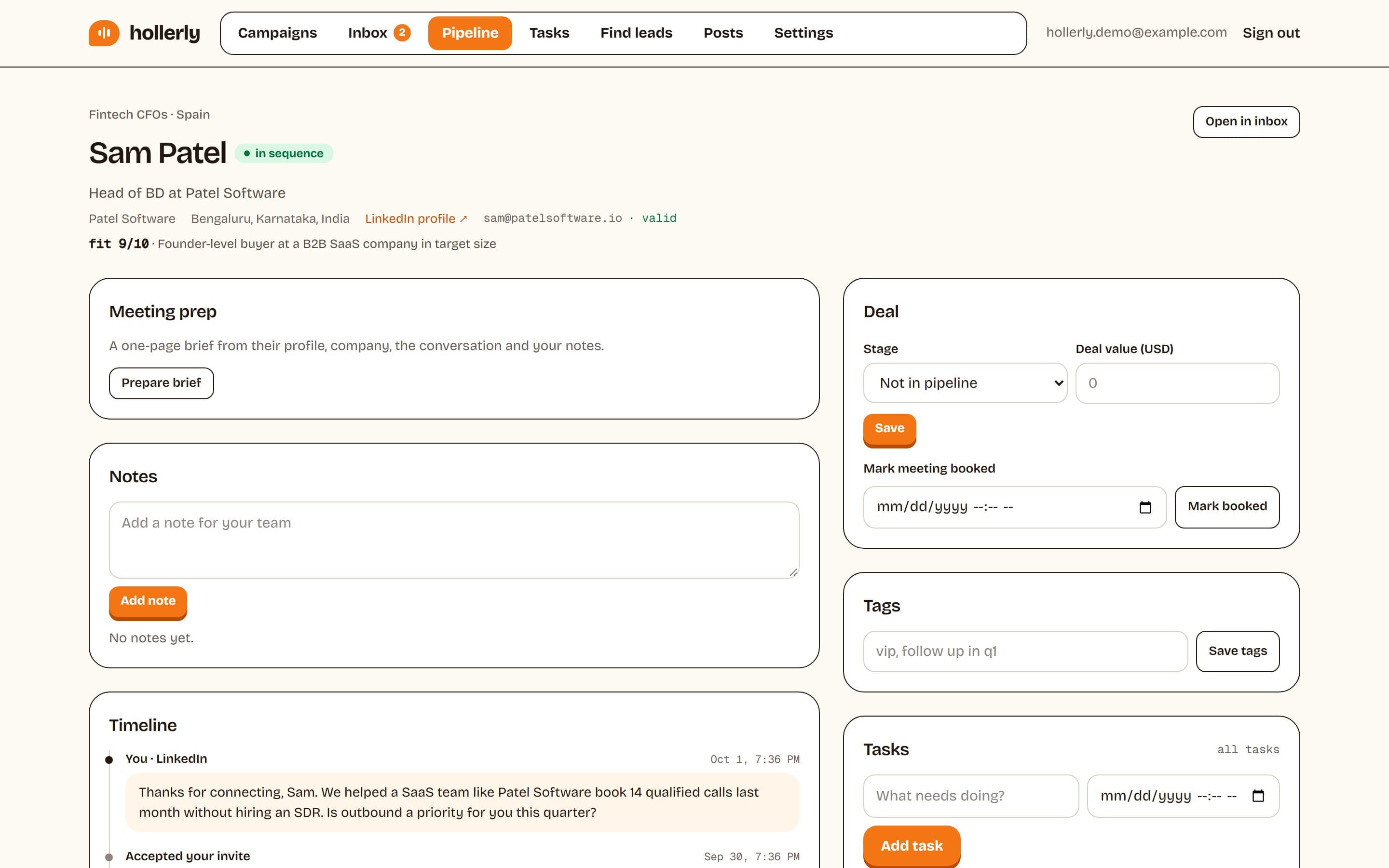
This is the step Hollerly automates. For every lead, it reads the profile, the latest post and a summary of the company website, and Claude writes the note and messages from those facts. You approve the first five so you can check the research is landing.
LinkedIn prospecting by role
The process is the same for everyone, but the emphasis shifts by who's doing it.
Founders
Your profile is your company's most credible sales asset. Post about the problem you solve, not the product. Prospect a narrow list yourself, because buyers reply to founders more readily than to reps. Keep it to 30 to 45 minutes a day so it doesn't eat the rest of your job.
SDRs and account executives
Work a defined territory or account list. Use saved searches and alerts, and log every conversation in your CRM. Your manager will care about meetings booked, so track positive replies, not just activity.
Agencies
Run outreach from the partners' accounts, with case studies in the Featured section. Prospect by vertical, so one good case study can carry a whole campaign. If you also prospect for clients, keep each client's accounts and reporting separate. Our agencies page shows how Hollerly handles multiple LinkedIn accounts.
Recruiters
Candidates and hiring managers both live on LinkedIn. InMail suits passive senior candidates; connection requests with a specific note suit everyone else. Lead with the role's real detail: team size, problem, location or remote policy.
Consultants and freelancers
Content does more of the work for you. Post your thinking weekly, and prospect mainly among people who engage with it. Warm outreach to commenters converts better than cold lists.
Common LinkedIn prospecting mistakes
- Prospecting without a trigger. Without a reason for now, every message reads as random.
- Lists that are too big. You can't write well to 3,000 people. You can to 300.
- Selling in the first touch. Connection notes and first messages are for starting conversations.
- Copying templates word for word. Recipients see the same templates from other senders.
- Giving up after one message. Most replies come from follow-ups.
- Following up forever. Two or three touches, then move on and revisit when there's a new trigger.
- Ignoring your own profile. A vague headline undermines a great message.
- Pushing past LinkedIn's limits. Bursts of invitations lead to restrictions that cost you weeks.
A weekly LinkedIn prospecting routine
| Day | Task | Time |
|---|---|---|
| Monday | Refresh saved searches, add 75 to 100 new prospects | 30 minutes |
| Daily | Comment on 3 to 5 posts in your niche | 15 minutes |
| Daily | Visit and follow tomorrow's prospects | 10 minutes |
| Daily | Send 15 to 20 connection requests with notes | 20 to 30 minutes by hand |
| Daily | Message new connections and send due follow-ups | 20 to 30 minutes by hand |
| Daily | Answer replies, book meetings | As needed |
| Twice a week | Publish a post | 30 minutes |
| Friday | Review acceptance and reply rates, adjust | 15 minutes |
Done by hand, that's one to two hours a day. Stay inside LinkedIn's limits: most accounts can send about 100 invitations a week. Our connection request limit guide explains the rules, and LinkedIn account restricted covers what happens if you push too hard.
Measuring LinkedIn prospecting
| Metric | What it tells you | If it's low, fix |
|---|---|---|
| Acceptance rate | Are you contacting the right people, with a credible profile? | List and profile |
| Reply rate | Do your messages give people a reason to answer? | First message and follow-ups |
| Positive reply rate | Is the offer relevant right now? | Trigger and offer |
| Meetings booked | Are you converting interest? | Reply speed and next step |
Review these numbers per campaign, not across your whole account, because a strong campaign can hide a weak one. Change one variable at a time and give it at least 100 sends before judging. For reference numbers, see Hollerly's data studies.
Tools that make LinkedIn prospecting faster
The routine above works by hand, but the repetitive parts are a good fit for software. Before you automate, know the trade-off: LinkedIn's User Agreement doesn't allow automation tools, and accounts can be restricted. Conservative limits and a tool that stops at the first warning reduce the risk.
Hollerly automates the routine while keeping the research and personal touch:
- Builds your ideal customer profile from your website and gives you a ready LinkedIn or Sales Navigator search.
- Adds leads from a search, a post's commenters and reactors, or a CSV, skipping duplicates and do-not-contact leads.
- Writes each note, message and email with Claude from the lead's profile, latest post and company website. You approve the first five.
- Runs visit, like, follow, connect, message and email steps from the cloud, inside daily caps, in working hours.
- Puts replies from LinkedIn and email in one inbox, tagged by intent with draft answers on Pro.
Plans start at $19 a month. See LinkedIn prospecting with Hollerly, pricing, or start at the home page. For a broader comparison, read how to automate LinkedIn outreach and our list of the best LinkedIn automation tools.
FAQ
+How to find sales leads on LinkedIn?
Write an ideal customer profile, then search for it with LinkedIn's people search using boolean keywords, or with Sales Navigator filters for seniority, headcount and job changes. Also mine post commenters, company pages with relevant job openings, events, groups and your second-degree network. Save searches so new matches appear each week.
+What is social selling on LinkedIn?
Social selling on LinkedIn means building trust in public before you sell in private. You post useful content for your buyers, leave thoughtful comments, engage with prospects' posts before connecting and keep a clear profile. It raises acceptance and reply rates for your direct outreach.
+How much time does LinkedIn prospecting take?
Done by hand, a steady routine of 15 to 20 invitations a day plus messages, follow-ups, comments and posts takes one to two hours a day. Automating the repetitive steps can cut that to reviewing lists and answering replies, which is often 20 to 30 minutes.
Get replies without the busywork
Hollerly finds the people, writes every message with AI and follows up on LinkedIn and email until they reply. Runs in the cloud, from $19 a month.
Start my 7-day free trial