LinkedIn Sales Navigator Pricing in 2026
LinkedIn Sales Navigator pricing starts at US$119.99 a month for the Core plan, or US$1,079.88 a year if you pay annually. Advanced costs US$159.99 a month, and Advanced Plus is priced by quote. Those are the list prices on LinkedIn's own plans page, checked October 2, 2026, and LinkedIn notes they may exclude VAT, GST and promotional discounts.
Below: what each plan includes, the real monthly cost, the discounts that actually exist, and whether you need Sales Navigator at all for prospecting.
LinkedIn Sales Navigator pricing at a glance
| Plan | Monthly billing | Annual billing | Annual, per month | InMail credits | Best for |
|---|---|---|---|---|---|
| Core | $119.99/mo | $1,079.88/yr | $89.99 | 50 a month | Individual sellers |
| Advanced | $159.99/mo | $1,799.88/yr | $149.99 | 50 a month | Sales teams |
| Advanced Plus | Custom | Custom | Custom | 50 a month | Teams that need CRM integration |
Paying annually saves about 25% on Core and about 6% on Advanced compared with paying monthly. Prices are per seat, so a team of five on Advanced pays five times the figure above. All three plans include the same 50 InMail credits a month; what changes as you move up is team tooling and CRM integration, not search power for an individual seller. Prices on the linkedin.com Sales Navigator pricing page can also differ by country, so check what it shows you when you're signed in.
LinkedIn Sales Navigator monthly cost
The LinkedIn Sales Navigator monthly cost depends on how you pay:
- Core: $119.99 if billed monthly, $89.99 if billed annually ($1,079.88 up front).
- Advanced: $159.99 if billed monthly, $149.99 if billed annually ($1,799.88 up front).
- Advanced Plus: no list price; LinkedIn's sales team quotes it.
Local taxes are added at checkout in many countries, and LinkedIn shows local currency prices in some regions, so the number on your invoice can differ. Monthly billing lets you cancel at the end of any month, which is worth something if you're testing whether Sales Navigator fits your workflow.
LinkedIn Sales Navigator Core pricing
LinkedIn Sales Navigator Core pricing is $119.99 a month or $1,079.88 a year. Core is the plan most solo sellers, founders and consultants use. According to LinkedIn's plans page, it includes:
- Advanced search filters (LinkedIn's product page says 50+), for leads and accounts.
- Lead and account lists, with saved searches.
- Alerts for job changes and other updates on saved leads and accounts.
- Account IQ and Lead IQ, LinkedIn's AI summaries of companies and people.
- Relationship Explorer, Message Assist and Smart Links.
- 50 InMail credits a month.
Advanced and Advanced Plus
Advanced ($159.99 a month) adds team features: seat management and central billing, TeamLink (warm paths through your colleagues' networks), Relationship Map, team reporting, and CSV upload and CRM import for account lists. Advanced Plus adds advanced CRM integrations, lead and contact creation in your CRM, custom ROI reporting and a dedicated account team. LinkedIn's help center lists Salesforce, Microsoft Dynamics and HubSpot as the CRMs that sync on Advanced Plus.
For a feature-by-feature walkthrough, see what is LinkedIn Sales Navigator.
LinkedIn Sales Navigator discount
Searches for a LinkedIn Sales Navigator discount turn up a lot of coupon sites. We couldn't verify any public promo code. These are the discounts that do exist:
- Annual billing. The clearest saving: about 25% on Core ($89.99 a month instead of $119.99) and about 6% on Advanced.
- Free trial. LinkedIn offers free trials of Sales Navigator to eligible members. Eligibility and length vary. LinkedIn emails a reminder before the trial ends, and you can cancel before you're charged.
- Promotional offers in the product. LinkedIn sometimes shows discounted upgrade offers to logged-in members. Its plans page notes that listed prices may exclude promotional discounts.
- Team pricing. Larger teams on Advanced or Advanced Plus negotiate with LinkedIn's sales team. Seat count and contract length usually drive the price.
Be careful with third-party "discounted accounts" or shared logins. Sharing a seat breaks LinkedIn's terms and can get the account restricted.
Sales Navigator pricing for teams
Sales Navigator is priced per seat, so team costs scale in a straight line. Here's what list prices add up to over a year:
| Team size | Core, annual | Advanced, annual | Advanced, monthly billing for 12 months |
|---|---|---|---|
| 1 seat | $1,079.88 | $1,799.88 | $1,919.88 |
| 3 seats | $3,239.64 | $5,399.64 | $5,759.64 |
| 5 seats | $5,399.40 | $8,999.40 | $9,599.40 |
| 10 seats | $10,798.80 | $17,998.80 | $19,198.80 |
Teams usually choose Advanced for TeamLink (seeing warm paths through colleagues' networks), centralized billing and seat management. If those aren't important, several people on Core costs a good deal less. Teams of five or more often get better terms by talking to LinkedIn's sales team.
What the price doesn't include
- Email addresses or phone numbers. Sales Navigator shows LinkedIn profiles, not contact data.
- CSV export. LinkedIn's help center says lead and account information can't be exported to CSV or XLS. CRM sync is on Advanced Plus only.
- Automated sequences. Messages, invitations and follow-ups are sent by hand, apart from InMail credits.
- More invitations. Sales Navigator doesn't publish a higher weekly connection request limit than a regular account.
- Taxes. LinkedIn notes listed prices may exclude VAT or GST.
Those gaps are why many teams pair Sales Navigator with a contact data tool or an outreach tool.
Linked in Sales Navigator pricing: is it worth it?
Whether Linked in Sales Navigator pricing is worth it comes down to how much of your pipeline starts on LinkedIn and how narrow your market is.
Worth it if
- You prospect on LinkedIn every day and need filters like seniority, company headcount, years in role or recent job changes.
- You sell to a tight list of accounts and want alerts when people there change jobs or post.
- Your team needs TeamLink or CRM sync (Advanced or Advanced Plus).
Probably not worth it if
- You send fewer than 20 or 30 new invitations a week. LinkedIn's free search and a few boolean keywords go a long way, and a Google X-ray search (try our LinkedIn X-ray search tool) finds more.
- You mostly need email addresses. Sales Navigator doesn't give you emails, and LinkedIn doesn't let you export lead lists to CSV.
- Your bottleneck is writing messages and following up, not finding people.
Compared with LinkedIn Premium, Sales Navigator has far more search filters, lead lists and alerts, and more InMail credits (50 a month versus 15 on Premium Business). Premium is cheaper. Check the current Premium price LinkedIn shows you, as it varies by country.
How to get the most from the price
If you do subscribe, a few habits make the monthly cost easier to justify:
- Start monthly, switch to annual later. Test for a month or two on monthly billing. LinkedIn's help center says a change of billing frequency takes effect at the end of the current billing period.
- Use every InMail on the right people. Credits that get a response come back, so 50 well-chosen InMails a month can go a long way. See our LinkedIn InMail guide.
- Save searches, not just leads. New matches appear automatically, which saves list-building time every week.
- Turn on alerts for your best accounts. Job changes and posts are the best reasons to reach out.
- Measure it. Count the meetings that started from Sales Navigator each quarter. If it's zero or one, it's probably not paying for itself.
Cancelling or downgrading
LinkedIn's help center says you can schedule a cancellation for your next billing date, or contact support for an immediate cancellation. Unused InMail credits are lost when a subscription ends, so use them first. If you're on a free trial, cancel before the trial ends to avoid the first charge.
Cost for LinkedIn Sales Navigator vs cheaper ways to prospect
The cost for LinkedIn Sales Navigator only finds people. You still have to connect, message and follow up, which is where most of the time goes. A few cheaper setups:
| Setup | Monthly cost | What you get |
|---|---|---|
| Free LinkedIn search only | $0 | Basic filters, limited results per search |
| Sales Navigator Core | $89.99 to $119.99 | Advanced filters, lists, alerts, 50 InMail |
| Free LinkedIn + Hollerly Starter | $19 | AI-built searches, AI-written messages, sequences, inbox |
| Sales Navigator Core + Hollerly Pro | $138.99 to $168.99 | Advanced filters plus automated LinkedIn and email outreach |
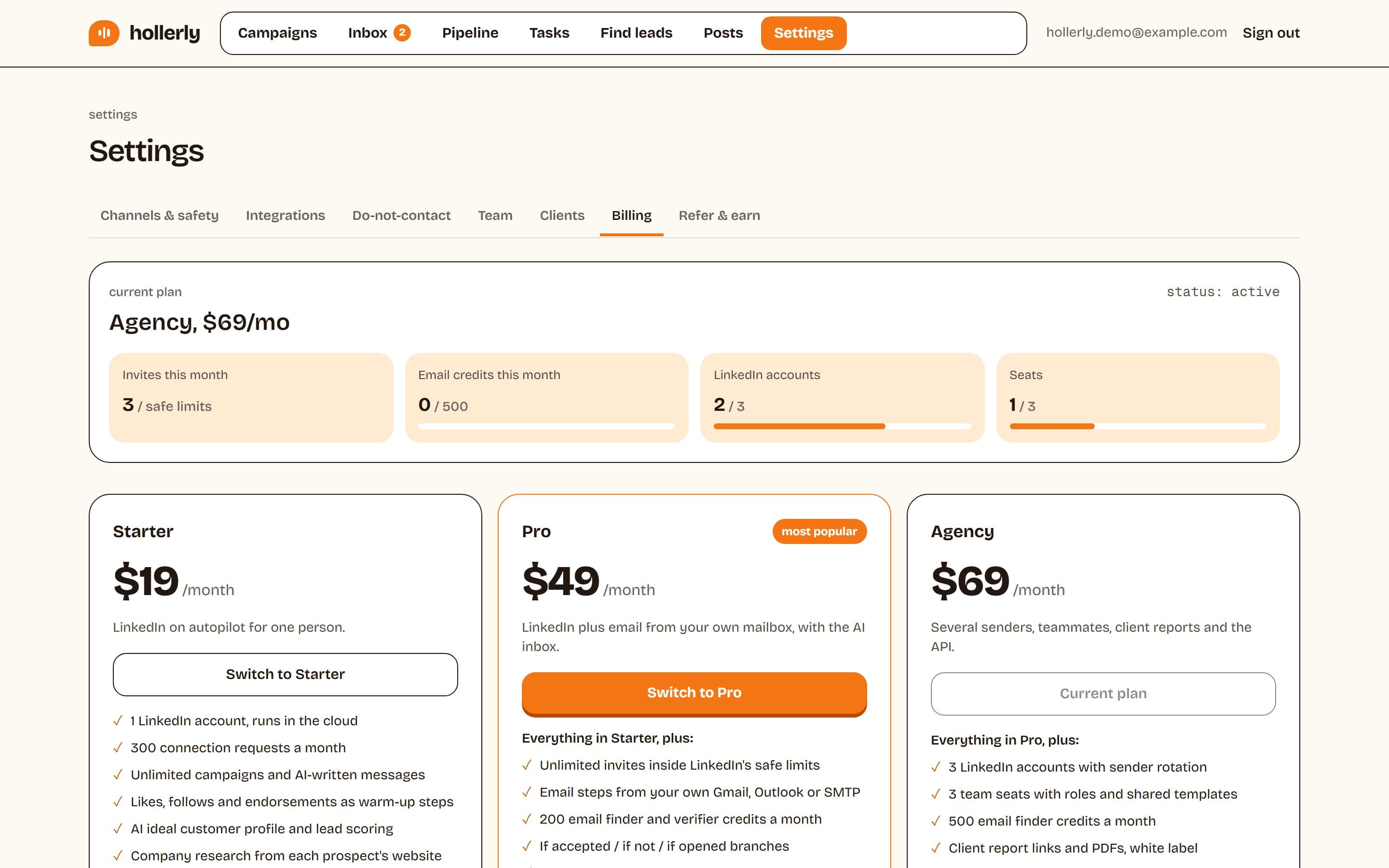
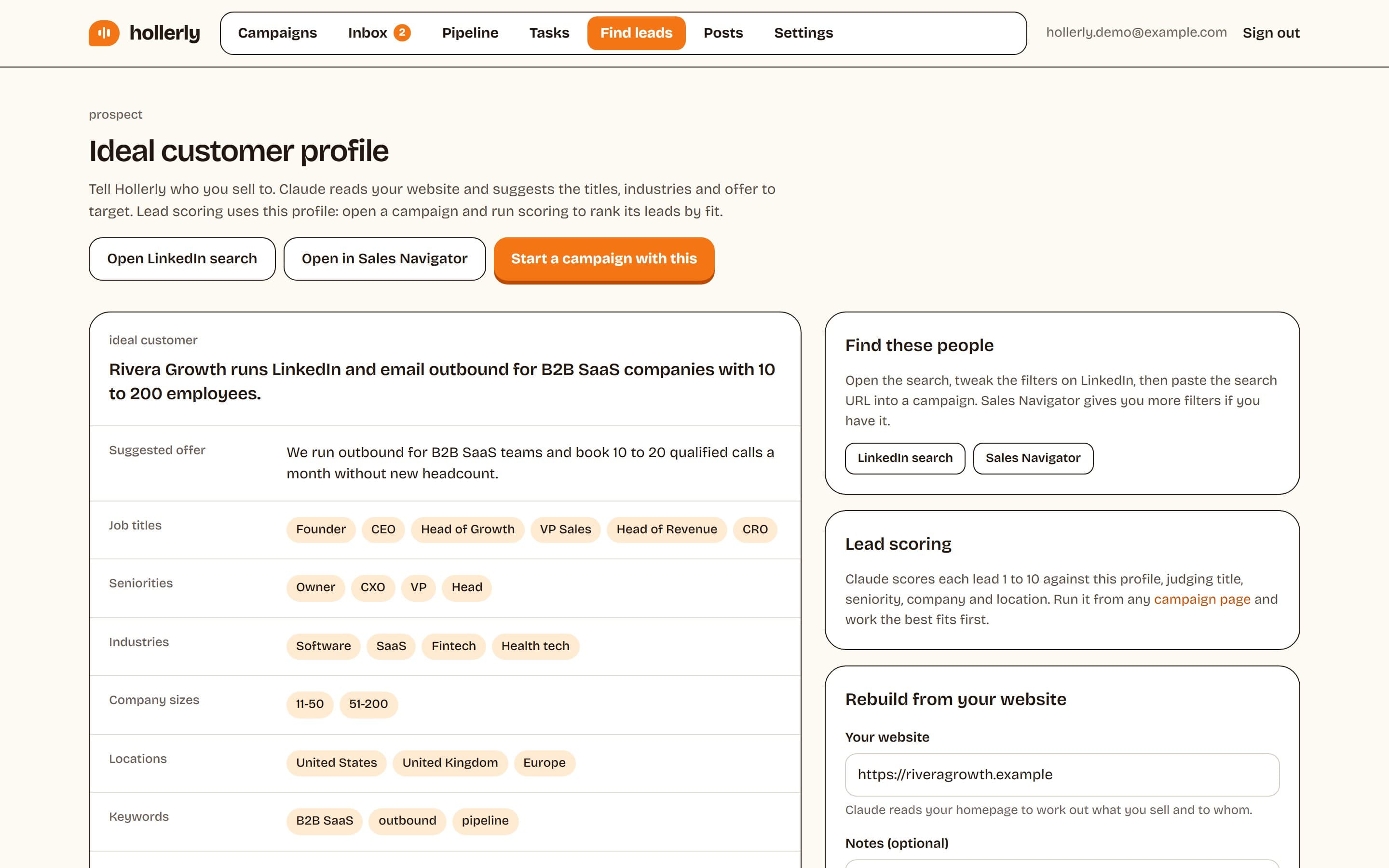
Hollerly works with either. It builds your ideal customer profile from your website and gives you a ready LinkedIn or Sales Navigator search. Paste that search URL into a campaign and Hollerly adds the leads at a human pace, writes each message with AI, and follows up until people reply. See LinkedIn prospecting and pricing.
If you're weighing other options, our guide to LinkedIn Sales Navigator alternatives compares data tools and outreach tools side by side.
FAQ
+How much does LinkedIn Sales Navigator cost per month?
Sales Navigator Core costs US$119.99 a month billed monthly, or US$89.99 a month billed annually ($1,079.88 a year). Advanced costs $159.99 a month, or $149.99 a month billed annually. Advanced Plus is quoted by LinkedIn's sales team. Prices are per seat and may exclude taxes.
+Is there a LinkedIn Sales Navigator discount?
The most reliable discount is annual billing, which saves about 25% on Core and about 6% on Advanced. Eligible members can also start a free trial, LinkedIn sometimes shows promotional offers in the product, and larger teams can negotiate. We couldn't verify any public promo codes.
+Is Sales Navigator cheaper than LinkedIn Premium?
No. LinkedIn Premium plans cost less than Sales Navigator Core, but they have fewer search filters, no lead lists or account alerts, and fewer InMail credits: 15 a month on Premium Business versus 50 on Sales Navigator. Premium prices vary by country, so compare the prices LinkedIn shows you.
+Can I cancel Sales Navigator anytime?
On monthly billing you can schedule cancellation for your next billing date, and LinkedIn's help center says you can contact support for immediate cancellation. Annual plans are paid up front for the year. If you're on a free trial, cancel before it ends to avoid being charged.
Get replies without the busywork
Hollerly finds the people, writes every message with AI and follows up on LinkedIn and email until they reply. Runs in the cloud, from $19 a month.
Start my 7-day free trial- LinkedIn Sales Navigator: compare plans and pricing
- LinkedIn Sales Navigator product page
- LinkedIn Help: Premium subscription FAQ
- LinkedIn Help: Export account and lead information from Sales Navigator
- LinkedIn Help: InMail message credits and renewal process
- LinkedIn Help: Change your Sales Navigator billing cycle